
Activity tab — audit trail showing all changes, status transitions, user actions, and the AI-assist transparency view
Last updated: July 30, 2026 by Steve
Activity
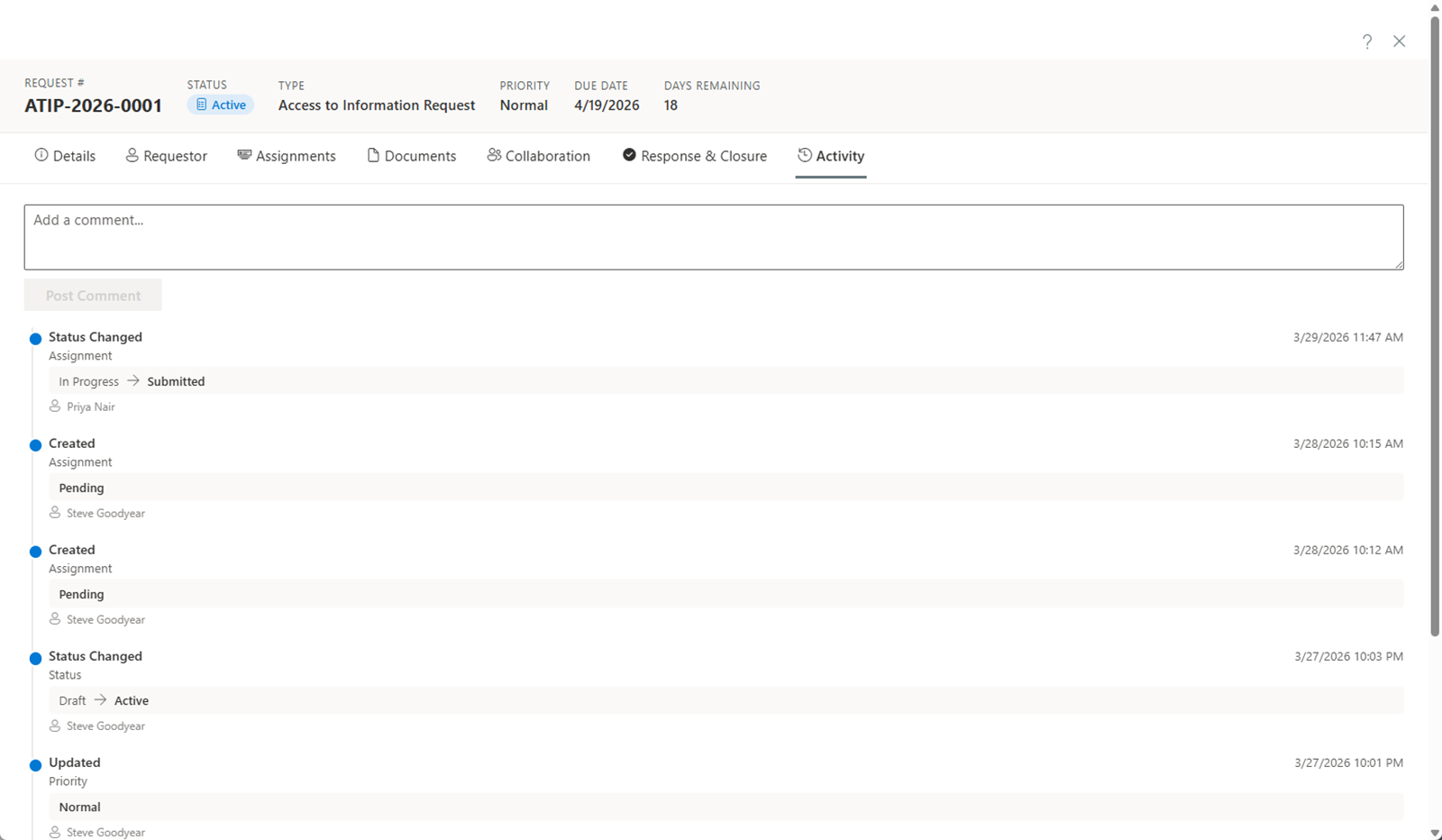
The Activity tab shows a chronological audit trail of everything that has happened on a request.
What Is Tracked
Every significant action on the request is automatically logged, including:
- Status changes — Each transition (e.g., Draft to Active, Active to In Review) is recorded.
- Field edits — Changes to request details such as title, description, scope, priority, or deadline.
- Assignments — Creation, submission, approval, and cancellation of custodian assignments.
- Documents — Uploads, classifications, exemption changes, and removals.
- Extensions and clock pauses — Any modifications to the statutory deadline.
- Consultations — Creation, updates, and completion of consultations.
- Approvals — Reviewer decisions on the response.
- Comments — When comments are posted, edited, or deleted.
Filtering by Source — Including AI Assist
A Source filter narrows the feed. Its AI assist view lists every AI call made on this record — which feature ran, which model, token counts, and the human accept/dismiss decisions — the same transparency data that feeds the AI-involvement disclosure in the case audit export (formerly "evidence package"). The same Source filter appears on the Activity tab of incidents, complaints, and assessments.
Audit Trail Details
Each entry in the activity timeline includes:
- Timestamp — The exact date and time the action occurred.
- User — The name of the person who performed the action.
- Action description — A summary of what was changed.
Compliance and Oversight
The activity log provides a complete, tamper-proof record of all actions taken on the request. This supports:
- Regulatory compliance — Demonstrating that statutory timelines and procedures were followed.
- Internal oversight — Allowing managers and auditors to review how requests were handled.
- Dispute resolution — Providing evidence of what actions were taken and when.