
Request types — configuring request categories, default durations, date conventions, and processing rules
Last updated: August 06, 2026 by Steve
Request Types
Request Types define the categories of requests your organization handles. Each type carries its own processing rules, deadlines, and retention settings.
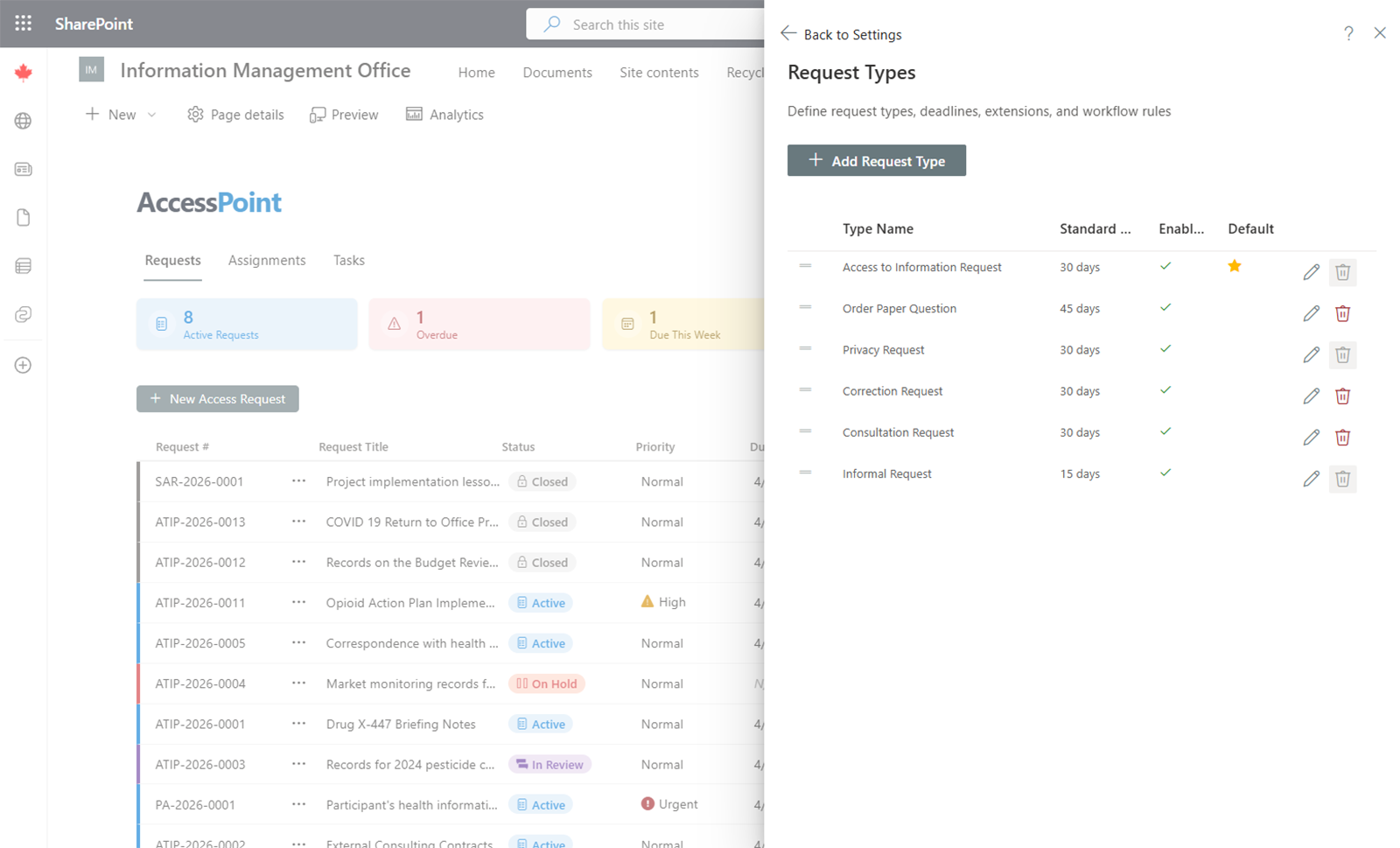
Common Request Types
Typical request types include:
- Personal information requests
- Access to information requests
- Correction requests
- Continuation of access requests
These are usually imported via jurisdiction packs and customized afterward.
Configuring a Request Type
For each request type, configure the following:
Processing Deadline
- Standard duration — The number of days allowed to process a request of this type.
- Date calculation method — Choose between business days (excludes weekends and holidays) or calendar days.
Retention Settings
- Retention period (months) — How long a closed request of this type is kept before it becomes eligible for disposition. Leave blank to keep requests of this type indefinitely (the default — nothing ages out until you set a period), or enter a value of 1 or greater. Values below 1 are rejected.
- Retention start point — the event the period is measured from: the closed date, or the response-sent date.
The same period/start-point pair exists on assessment, incident, and complaint types (and, for standalone risks, on risk categories), and all five feed the one Retention Review panel where administrators dispose of aged-out cases.
Legal
- Governing legal authority — the legal authority requests of this type are processed under.
- Requires identity verification — when enabled, a request of this type cannot be activated until the requestor's identity is confirmed.
- Pause clock until identity verified — available once identity verification is required. Turn it on and AccessPoint opens an identity-verification hold automatically the moment a request of this type is created, then releases it the instant identity is marked verified — the received date stays the statutory anchor, so days spent waiting on proof of identity never burn the deadline. This is the GDPR Article 12(6) / ICO "stop the clock" allowance; several jurisdiction packs pre-wire this setting with the correct statutory citation for their regime already selected. Clearing a verification later re-arms the hold.
- Identity hold extension reason — the extension reason cited on the automatic hold. Leave it unset and AccessPoint falls back to the pack-shipped
IDENTITY-HOLDreason.
Adding a Request Type
- Click Add Request Type.
- Enter the name and, if applicable, translations for each enabled language.
- Configure the deadline, date calculation, and retention settings.
- Click Save.
Editing and Removing
Existing request types can be edited at any time. Changes apply to new requests going forward. Removing a request type does not affect existing requests that were created with that type.