
Key risk indicators (KRIs) — definition, RAG status, recording readings, pausing, and deleting an indicator
Last updated: July 12, 2026 by Steve
Risk Indicators
Key Risk Indicators (KRIs) are measurable signals that tell you whether a risk is drifting. You define them from a risk's Monitoring tab. Opening a KRI shows its definition, its current RAG status, and the full readings history.
Defining a KRI
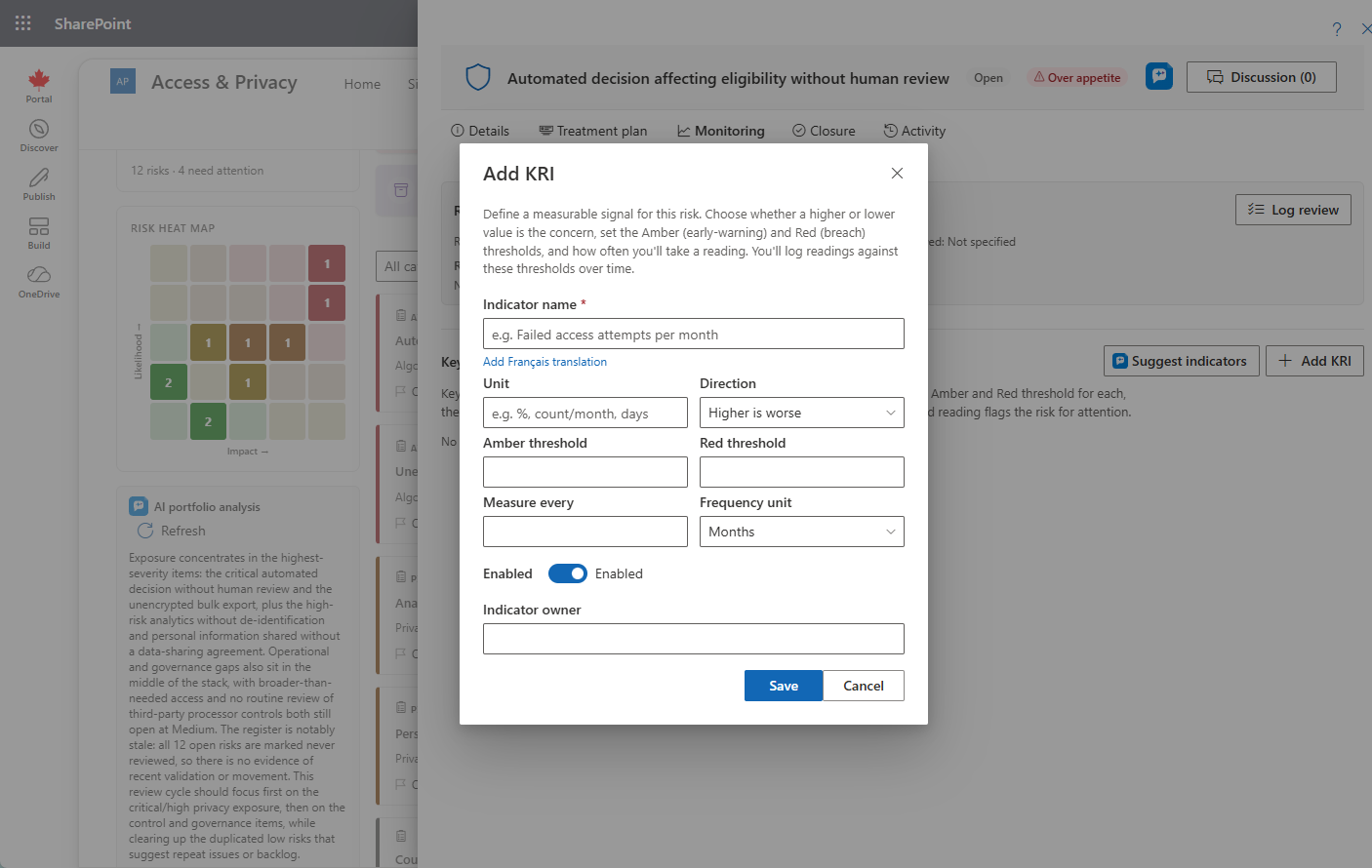
A KRI definition includes:
- A unit of measurement
- A direction — higher-is-worse or lower-is-worse
- Amber and Red thresholds
- A measurement cadence — an interval plus a unit of days, weeks, or months
- An owner
The header shows the current value and a colour-coded RAG chip (Green / Amber / Red), or Never measured if no reading has been taken yet.

Recording a Reading
- Enter the numeric value.
- Optionally set a measured-on date and add a note.
- Click Record reading.
AccessPoint evaluates the value against the thresholds, stamps a RAG status, and adds a row to the readings table — date, value, status, note, and recorded-by.
Pausing and Deleting a KRI
- Use the Enabled toggle to pause a KRI without deleting it.
- A KRI can be deleted only while it has zero readings. Once it has history, the Delete button is disabled to preserve the audit trail.