
Requestor languages — configuring language options for recording requestor preferences
Last updated: March 29, 2026 by Steve
Requestor Languages
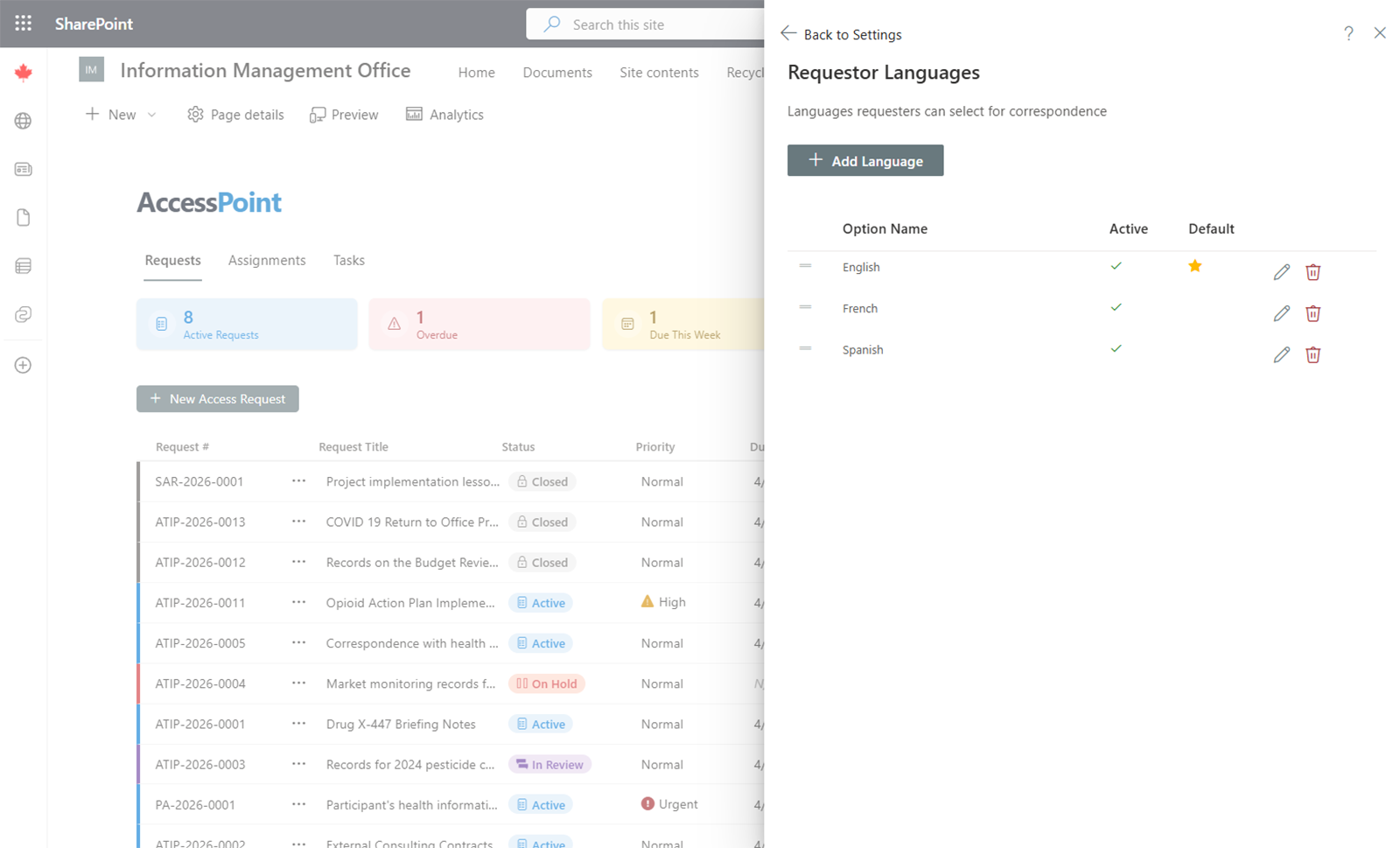
Requestor Languages define the language options available when recording a requestor's preferred language for correspondence.
Purpose
This setting is separate from System Languages. System languages control the AccessPoint user interface, while requestor languages record the language the requestor prefers to receive correspondence in.
Managing Requestor Languages
- Add — Click Add Language, enter the language name (and translations for each enabled system language), and save.
- Edit — Click on an existing entry to update it.
- Remove — Delete entries that are no longer needed.
Usage
When creating or editing a request, the SAO selects the requestor's preferred language from this list. This preference can be used to determine which language template is used for outgoing correspondence and notifications directed to the requestor.