
Notification templates — managing email and in-app notification content with merge-field placeholders
Last updated: July 30, 2026 by Steve
Notification Templates
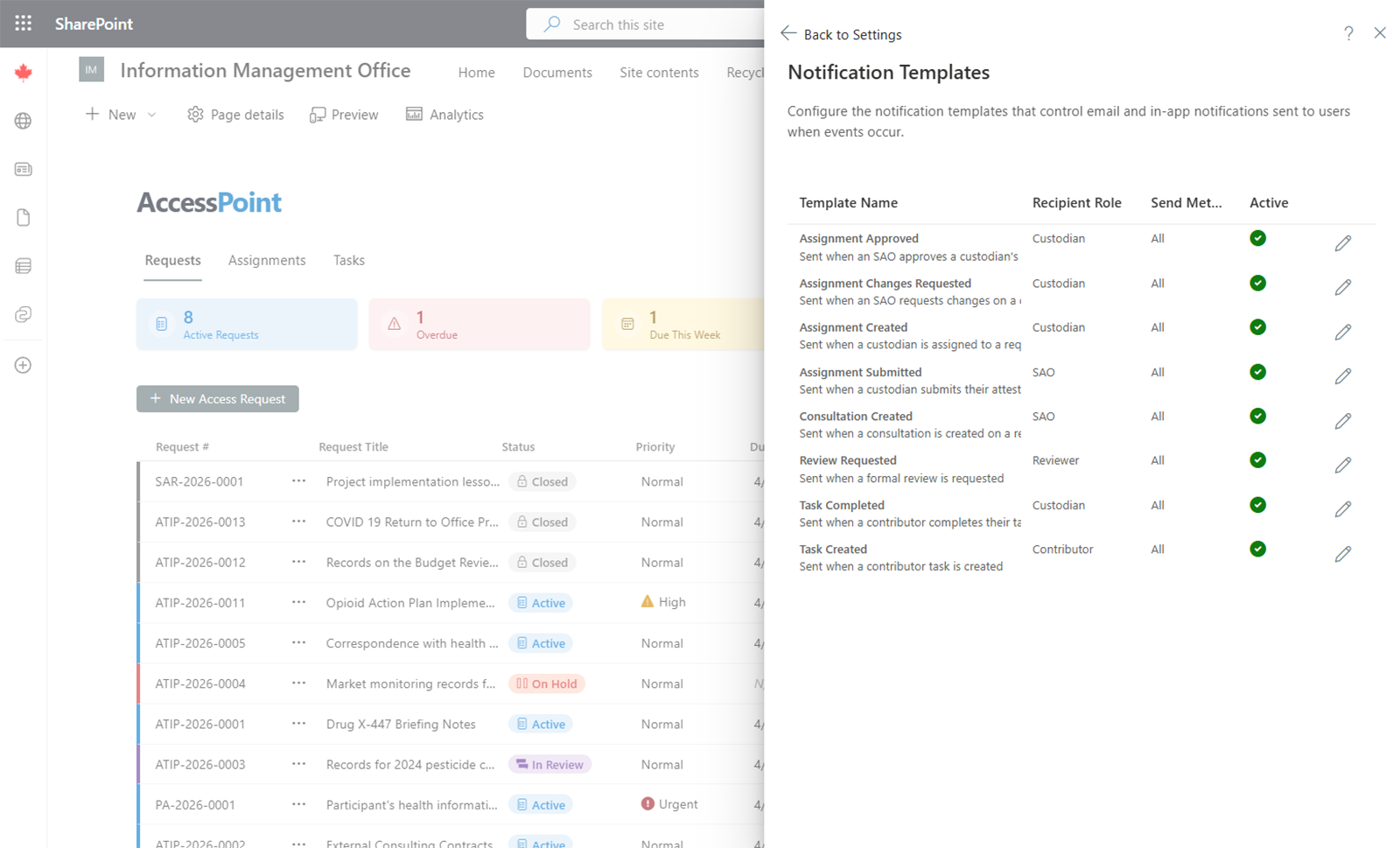
Notification Templates control the content of email and in-app notification messages sent by AccessPoint.
Template Structure
Each notification template includes:
- Trigger event — The system event that causes the notification to be sent (e.g., request assigned, deadline approaching, task completed).
- Recipient role — Which role(s) receive the notification.
- Subject line — The email subject (for email notifications).
- Message body — The notification content, which can include merge-field placeholders.
Merge-Field Placeholders
Templates use merge-field placeholders that are automatically replaced with actual values when the notification is sent. Common merge fields include:
- Request number
- Request title
- Due date
- Assigned user name
- Requestor name (for roles with PII access)
Merge fields are inserted by selecting them from the available merge-fields list when editing a template.
Multi-Language Templates
Templates can be configured for each enabled system language. The system sends the notification in the recipient's preferred language, falling back to the default language if no translation exists.
Managing Templates
- Edit — Click on a template to modify its subject, body, or merge-field usage.
- Templates are pre-configured with default content. Customize them to match your organization's tone and communication standards.
Notification delivery requires that email or Teams notifications are enabled in the Setup screen.