
Settings → Audits → Audit statuses — the stage board in audit words and which status an audit lands in at each lifecycle move.
Last updated: October 20, 2026 by Steve
Audit Statuses
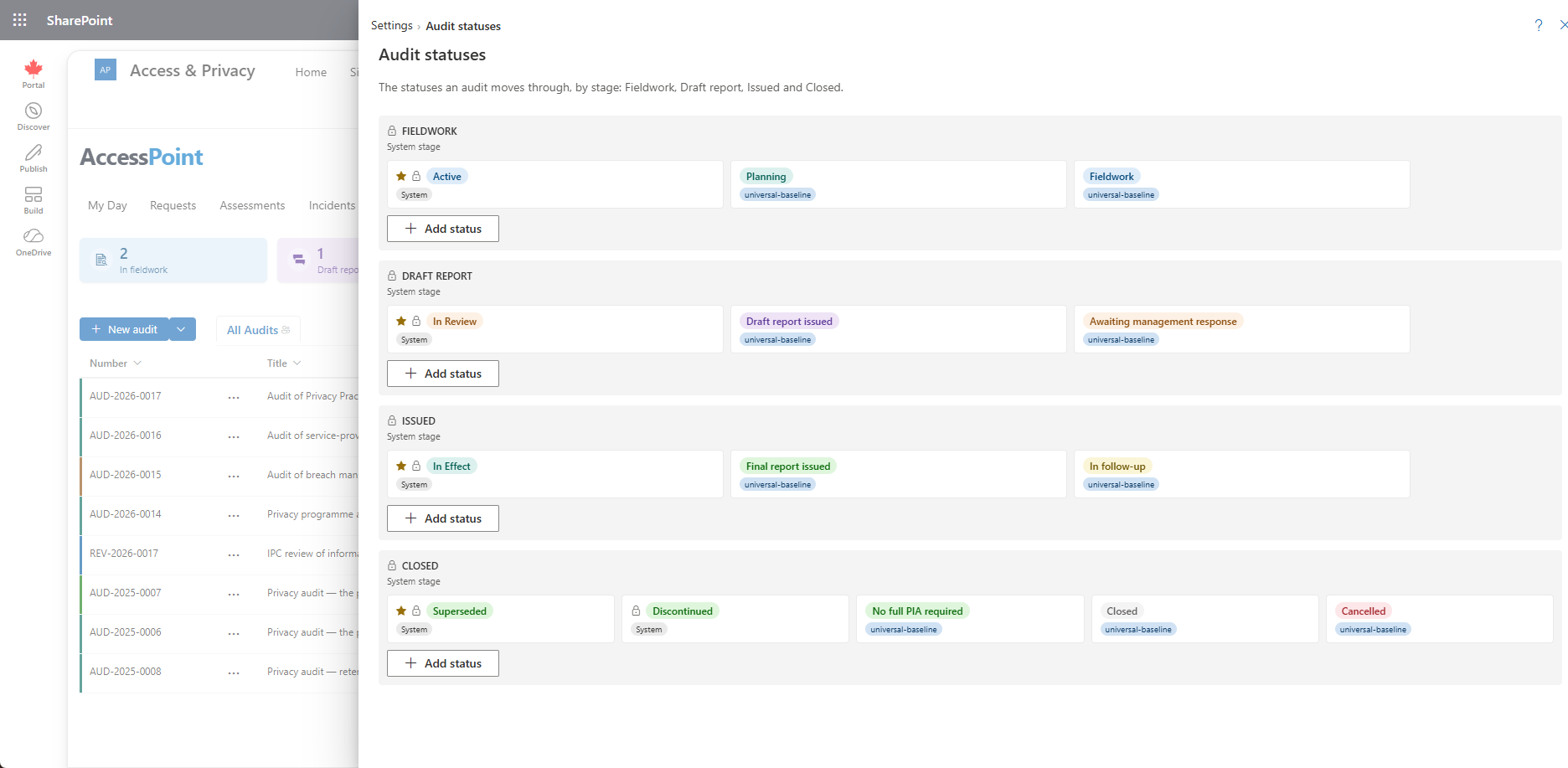
Settings → Audits → Audit statuses is the stage board in audit words: Fieldwork, Draft report, Issued and Closed. It is the assessment statuses panel shown for audits only. See Assessment Statuses.
What the Board Shows
The board shows the statuses that apply to an audit type or to every type. A status scoped only to impact-assessment types is left out. A new status applies to every audit type unless you change Applies to assessment types.
The Universal baseline ships eight audit statuses on the assessment stages: Planning and Fieldwork (Active), Draft report issued and Awaiting management response (In review), Final report issued and In follow-up (In effect), and Closed and Cancelled (Closed). They apply to the seven audit types only.
Where an Audit Lands
The statuses decide where an audit lands at each move:
- Creating an audit uses the type's first status (see Audit Types).
- Submitting it for review, issuing the report, closing and reopening it pick the type's own status for that stage: Draft report issued, Final report issued, Closed.
- Only when the type has none of its own does the audit fall back to the stage default (In Review, In Effect, Superseded).
Audit Words in the Panel
On an audit, the built-in stages and statuses read as Fieldwork, Draft report and Issued in the header, the Stage row and the lifecycle rail. A status your organization configured keeps its own name and colour.
Several engagement dates follow status moves: entering Fieldwork records the start, leaving it records the end, and leaving Awaiting management response records when the response arrived. See Audit Details.
Related Pages
- Audit Types — the first status per type.
- Assessment Statuses — the shared status board.
- Audits Board — where statuses show.