
Reporting brackets — managing time bracket groups used in the Disposition and Compliance reports
Last updated: August 06, 2026 by Steve
Reporting Brackets
The Reporting Brackets panel lets you manage the time brackets used in the Disposition and Compliance reports. Brackets define the day-range intervals that requests are grouped into (e.g., 1–30 days, 31–60 days).
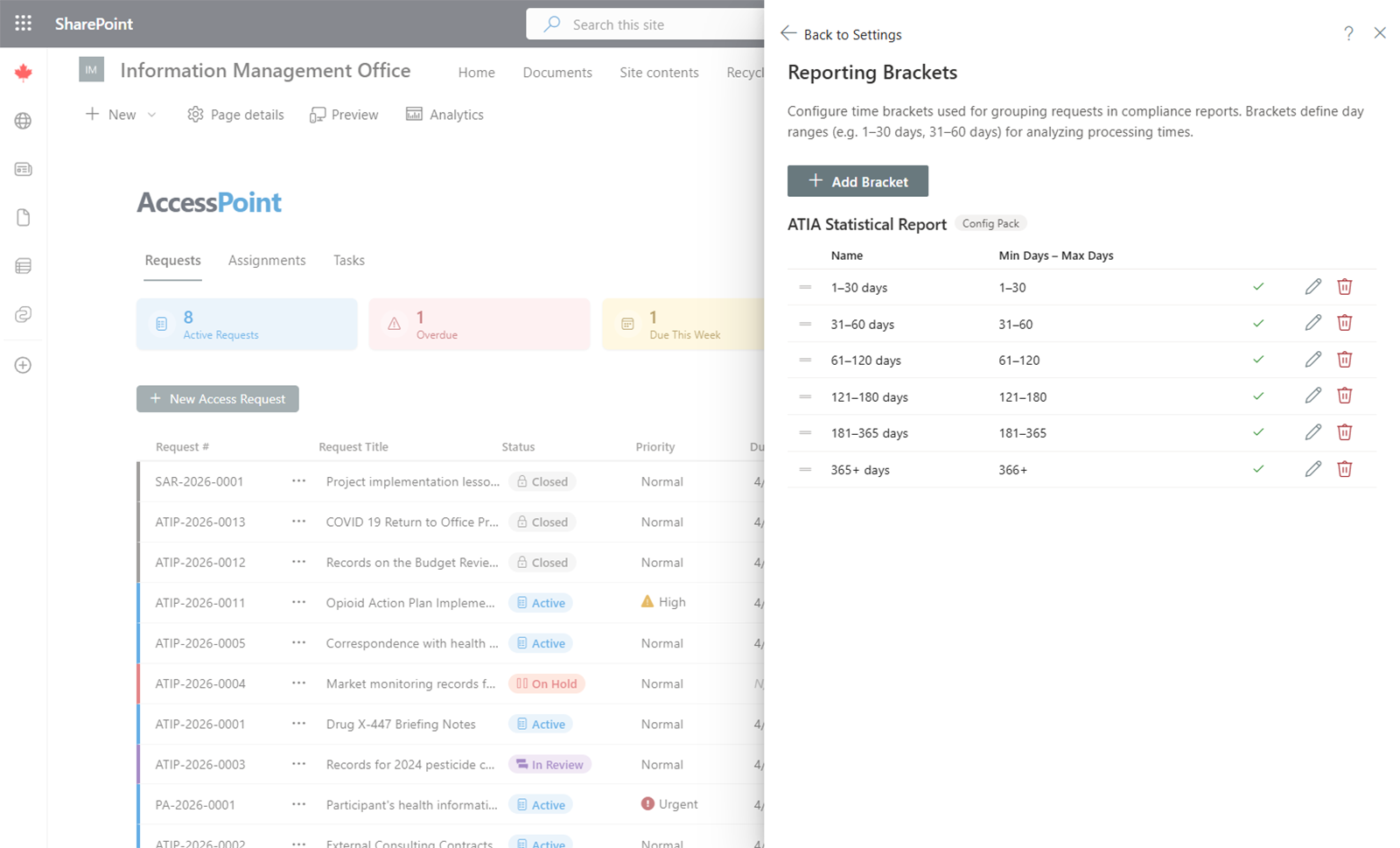
Bracket Groups
Brackets are organized into groups. Each group represents a complete set of brackets for a specific reporting context — for example, "ATIA Statistical Report" or "FOIA Annual Report". Reports that display time brackets include a Bracket Group dropdown so users can switch between groups.
Jurisdiction Pack Brackets
When you import a jurisdiction-specific pack (e.g., Canada ATIA, US Federal FOIA), the standard reporting brackets for that jurisdiction are automatically created. These brackets are marked with a Jurisdiction Pack badge to distinguish them from manually created brackets.
Custom Brackets
Administrators can create new bracket groups or add individual brackets to existing groups for custom reporting needs.
To create a new bracket group:
- Go to Settings > Reporting Brackets
- Click Add Group
- Enter the group name and save
- Add brackets to the group with the desired day ranges
To add a bracket to an existing group:
- Expand the group
- Click Add Bracket
- Enter the bracket name and day range (start and end days)
- Save
Editing Brackets
Click the edit icon on any bracket to change its name, day range, or enabled status. Brackets cannot be moved between groups.
Reordering Brackets
Drag and drop brackets within a group to change their display order in reports. The order you set here is the order that appears in the Disposition and Compliance report tables.
Default Brackets
If no brackets are configured, reports use a default set:
- 1–30 days
- 31–60 days
- 61–90 days
- 91–120 days
- 121–180 days
- 181–365 days
- 365+ days
Language
Time bracket labels are automatically displayed in the viewer's language when translations are available.