
Frivolous & vexatious reasons — the configurable grounds offered when a requestor contact is marked frivolous or vexatious
Last updated: August 09, 2026 by Steve
Frivolous & Vexatious Reasons
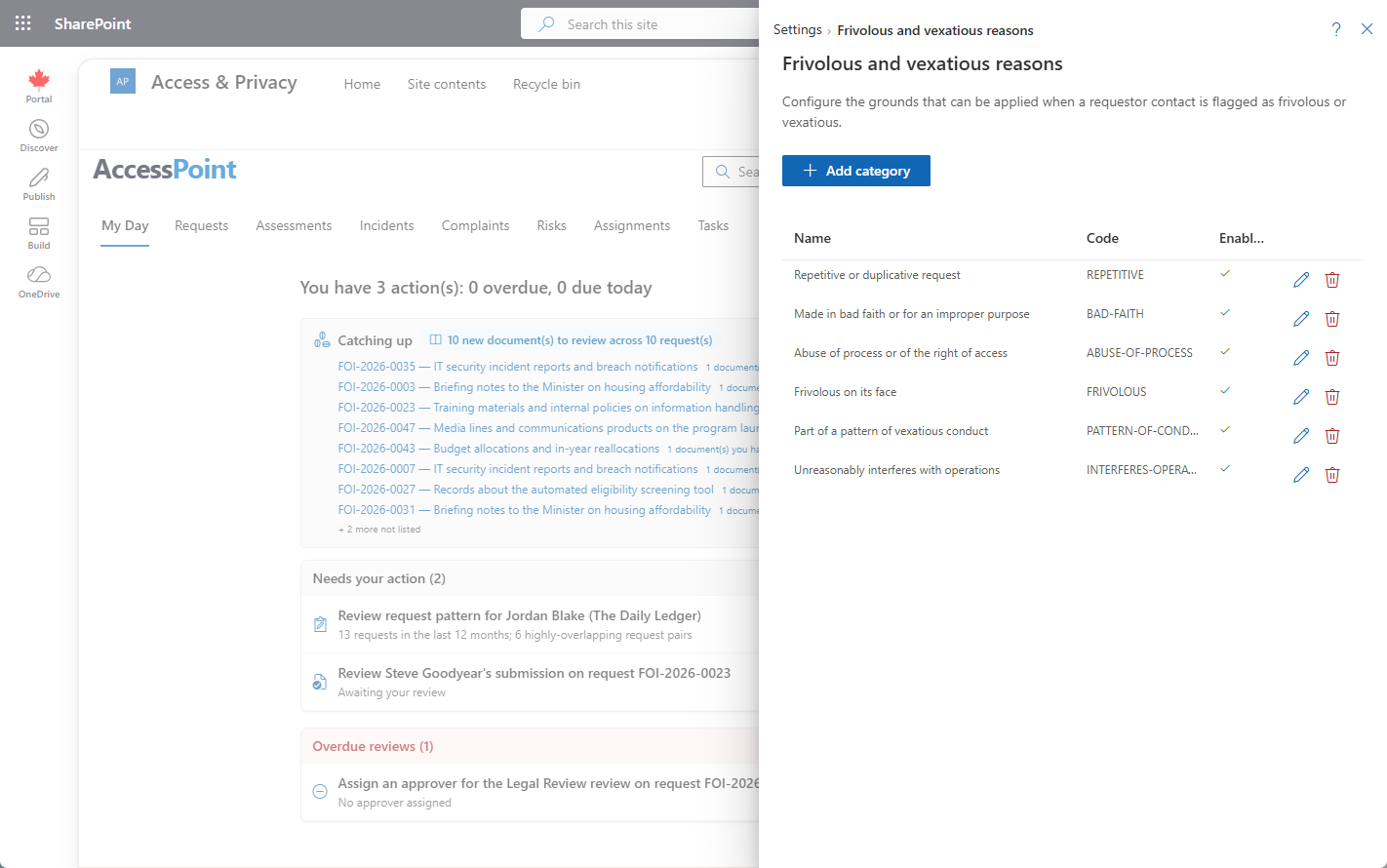
Frivolous & vexatious reasons are the configurable list of grounds offered when a requestor contact is marked frivolous or vexatious. An F&V determination is a legally consequential decision about a person — the decision most likely to be challenged before a commissioner — so the grounds you can cite are yours to define rather than a fixed set baked into the product.
Where to Find It
Open Settings from the app toolbar and choose Frivolous and vexatious reasons in the Requestors group. The panel follows the standard list-plus-editor pattern: the list of existing reasons with Add, and an inline edit form.
What a Reason Carries
A reason is a plain, translatable list entry. It carries three things and nothing more:
| Field | What it holds |
|---|---|
| Code | The short identifier for the ground, used to reference it consistently. |
| Name | The label shown in the grounds picker on an F&V determination, translatable across your tenant's active languages. |
| Description | The longer explanation of what the ground covers, to keep staff citing it the same way. |
The Legal Authority Lives on the Determination
A reason does not carry a legal authority. The legal basis is recorded on the determination itself — the coordinator selects a Legal Authority when raising the flag — not on the reason in this list.
Keeping the two apart matters: the same ground can be cited under different statutory provisions, and the authority that permits the determination is a property of that decision on that requestor, not of the vocabulary term. Define the grounds here; let the determination record which law it was made under.
How Reasons Are Used on a Determination
Reasons are consumed in the Conduct (F&V) tab of a requestor contact. When the F&V flag is turned on, the coordinator records the legal basis, one or more grounds drawn from this list, the determination date, and who determined it.
The reasons you pick are what appears in the append-only conduct log and in any correspondence explaining the decision, so the wording here ends up in front of the requestor and, potentially, a regulator.
Managing the List
- Add — click Add, enter the code, name, and description, supply translations for each of your tenant's active languages, and save.
- Edit — open a reason to revise its wording or translations.
- Disable rather than delete — a reason can be disabled instead of removed. It drops out of the picker for new determinations while a reason cited on a past determination stays intact in the record. Retiring a ground must never rewrite a decision already made.
Best Practice
Keep this list aligned to the grounds your statute actually recognizes rather than to internal shorthand. A ground named for how the office talks about a requestor is not a ground a commissioner can review; a ground drawn from the wording of the legislation is. Import a jurisdiction pack to seed a starter set, then adjust the wording to your own legislation.
Related Pages
- Legal Authorities — the "which law" reference selected as the legal basis on a determination.
- Requestor Contact — the Conduct (F&V) tab where signals, the conduct assessment, the conduct log, and the determination live.
- Requestors — the contact directory, including the frivolous/vexatious filter on the list.
- Requestor Flow Control — the other half of intake governance: active-request limits and holds.
- System Languages — the active languages a reason's name and description are translated into.