
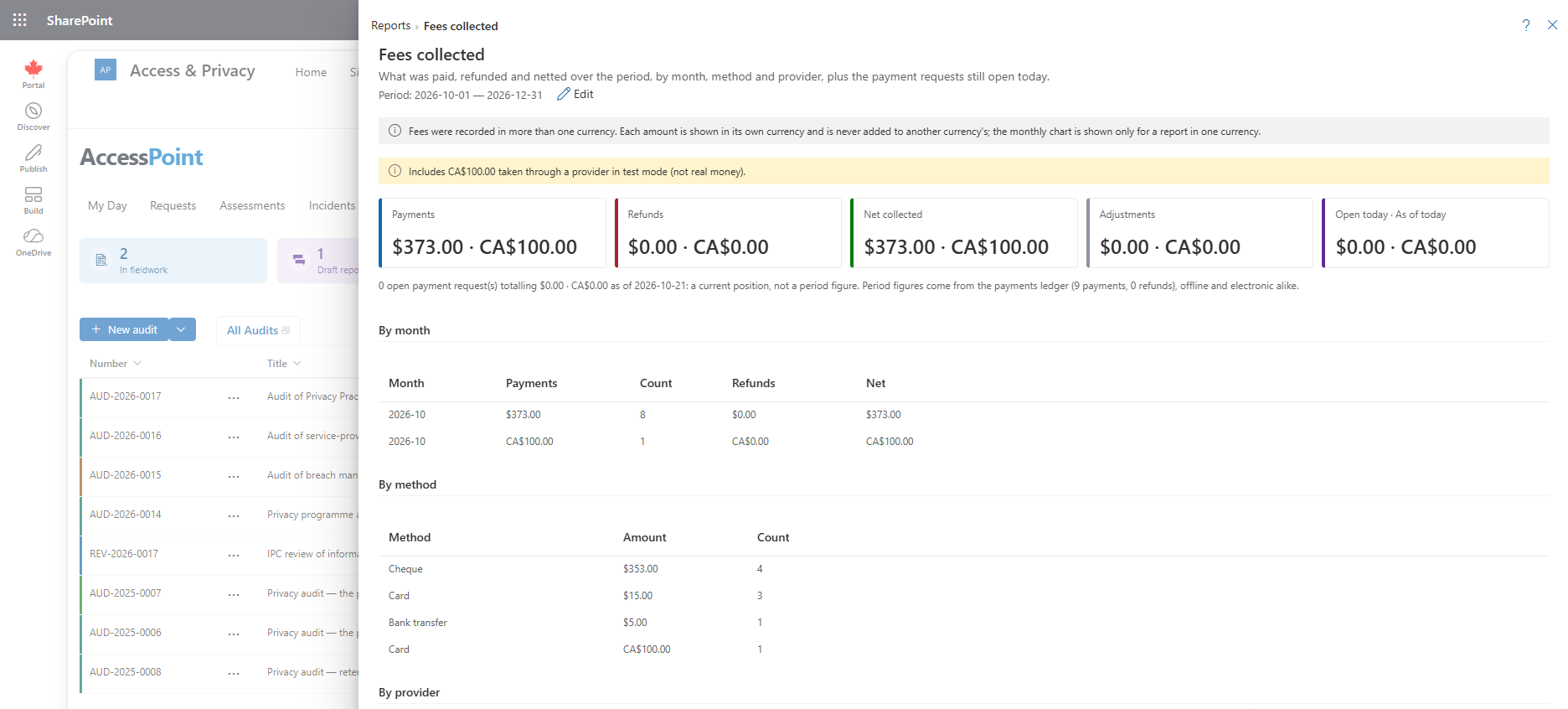
What was paid, refunded and netted in the period from the payments ledger, by month, method, provider and kind, plus the payment requests still open today.
Last updated: October 20, 2026 by Steve
Fees Collected Report
The Fees collected report shows the money that moved on requests during the period: payments, refunds and adjustments, and the net of the three. It reads the payments ledger, the record of every payment kept on each request's Fee panel, so it covers electronic payments through a provider and payments staff recorded by hand.
It is on the Reports menu under Requestors, fees and intake. You need both report.view and fee.view to open it.
What This Report Shows
For the period you choose, the report shows payments, refunds, adjustments and the net, broken down by:
- Month — when the money moved.
- Method — for example card, bank transfer, cash, cheque or counter.
- Provider — the payment provider the payment went through, or Offline for payments staff recorded. A registered Offline provider appears under its display name.
- Kind — whether the payment was a deposit, a balance, or unrequested (money that arrived without an open payment request).
Test-mode payments, taken through a provider registered in test mode, are captioned separately so they never mix with real money.
The Open Today Figure
Beside the period figures, one state figure shows the amount still open on payment requests. It is labelled with its as-of date, Open today. It does not follow the date range: a payment request raised last quarter and still unpaid is still owed today, so narrowing it to the period would hide exactly what the figure is for.
Where the Numbers Come From
The report adds up the ledger shown in the Payments section of each request's Fee panel. There, Record payment logs money received outside the system, a Refund on a payment row records a refund with its reason, and an electronic payment appears only when the provider confirms it server-side. A requestor returning to the portal never marks anything paid.
Money is shown in each request's own currency.
Using This Report
- Compare a month's net with your bank or the provider's settlement report. The Reconciliation tab under Settings → Payment providers lists daily differences. See Payment Providers.
- Use the Provider and Method splits to see how much is paid online and how much at the counter.
- Check the test-mode caption before relying on a total while a new provider is still being tried.
- Follow Open today to see how much is waiting on requestors.
Related Pages
- Reports — the reports menu this report opens from.
- Request Response — the Fee panel, payments, refunds and payment links.
- Payment Providers — registering providers and reconciling settlements.
- Portal Inbox — the portal that requestors use to pay.