
The privacy program's register of third parties that process personal information — agreements, contracts, reviews, risk, changing terms and the subjects each vendor serves.
Last updated: October 20, 2026 by Steve
Vendor Register
The Vendors register of the privacy program's Inventory is the register of third parties that process personal information for your institution, the list a privacy office is asked for in every audit. Open Privacy program → Inventory → Vendors. Everyone who can open the panel can see it.
The Vendor Cards
Each vendor card shows its role (processor, sub-processor, controller, joint controller, or service provider; hover for the definition), risk level, and at-a-glance compliance chips:
- DPA in place, DPA expires (date) when expiry is within 90 days, DPA expired.
- No DPA, escalating to a red No DPA — in use when the vendor is linked to a subject without any agreement recorded.
- Contract ended or Contract ends (date).
- Review overdue when the next-review date has passed.
A vendor linked to processing activities shows Used by N subjects. Click it to expand the list of subjects, each with the vendor's role in that processing.
The Vendor Detail
Click a vendor name to open its detail panel, the same drill-in pattern as a privacy subject. Each block has its own edit pencil for assessment-modify holders:
- Identity and contact.
- Data processing agreement. Whether it is in place, signed, and its expiry.
- Contract, review and risk. Contract start and end, last and next review dates, processing jurisdiction and risk level.
- Notes.
- Linked privacy subjects. Every processing activity (ROPA record) that names this vendor.
The linked-subjects section is read-only from the vendor side. The actual links are added or removed from each subject's Records of processing (ROPA) section (open a subject → ROPA → edit → Processors / vendors), so a vendor and its subjects stay related in both directions.
Adding and Retiring Vendors
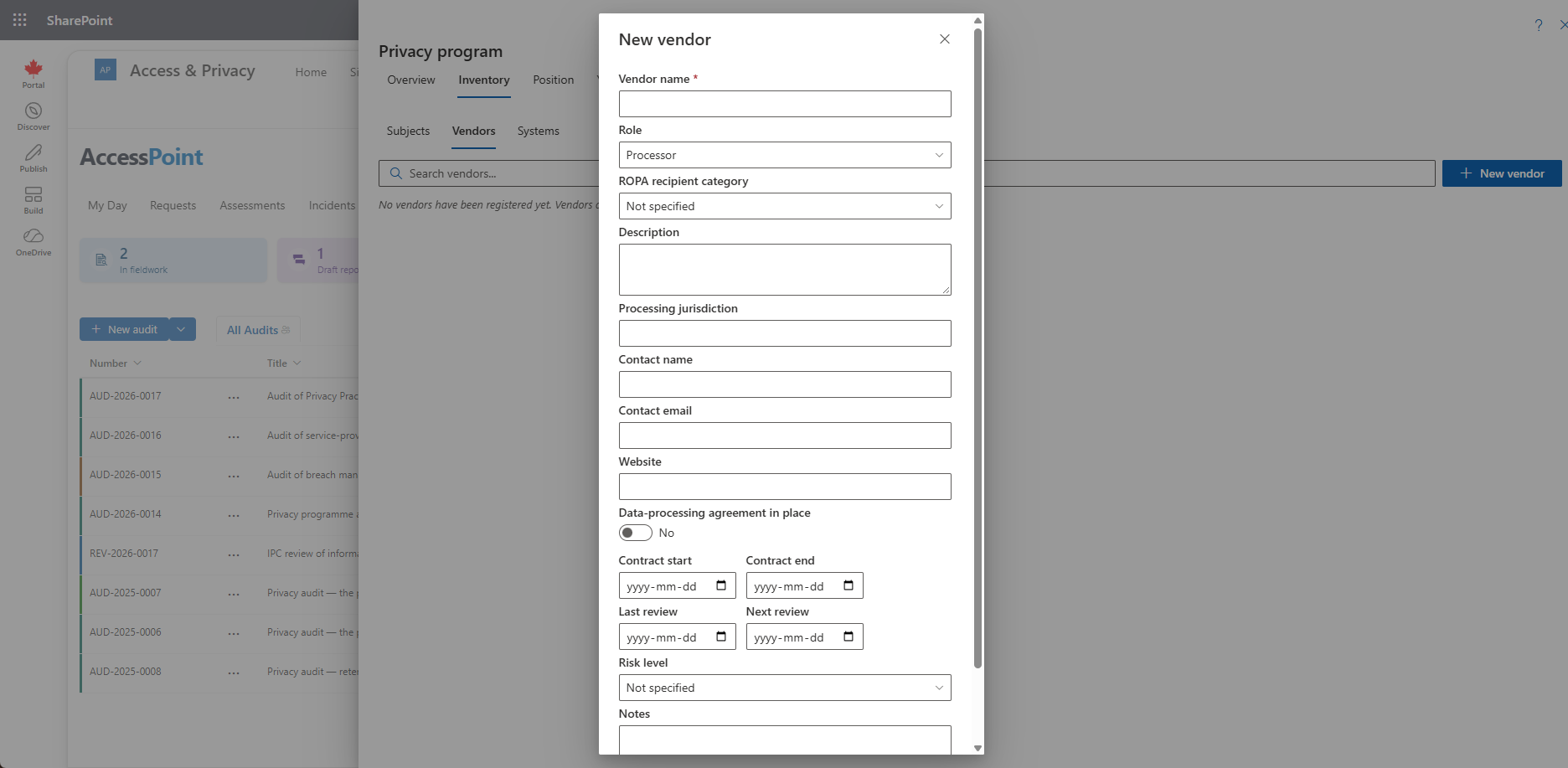
New vendor (needs assessment-create) captures the vendor's identity and contacts, the data processing agreement facts (in place, signed, expiry), contract start and end, last and next review dates, processing jurisdiction, risk level, notes, and an optional link to a ROPA recipient category so the register lines up with your Article 30 taxonomy.
Retiring a vendor keeps it on the register greyed out rather than deleting history. A vendor still linked to privacy subjects cannot be deleted; remove the links or retire it instead, so ROPA records never point at a vanished processor. A vendor that hosts a system cannot be deleted either.
Agreements and Terms
Vendors change their master agreement, product terms, data processing agreement, privacy policy, service terms, acceptable use policy, service-level agreement and subprocessor list after you sign. The vendor panel's Agreements and terms section keeps every version.
Record a version with its document, title, version, effective date, the date the vendor told you, a link to the published document and a summary of what changed. Each document shows its current version (the newest effective date) with the earlier versions underneath, so you can show how the terms drifted.
Select This version widens the vendor's data use when the new terms let the vendor collect, use, keep or share more, such as usage or telemetry data, AI features, new subprocessors or processing locations. Saving it flags every in-effect assessment that relies on the vendor (the assessments of the privacy subjects that link it, and an audit that names it) for reassessment, and the panel tells you how many.
- Every new subprocessor list does the same.
- Changing where a vendor processes the data, or its role, flags the same assessments. A contract's end date does not.
- Record the privacy office's review date on the version once you have looked at it. That never flags anything again.
- Delete a version only when it was recorded by mistake.
Contract End Reminders
When an active vendor's contract ends within 90 days, or has ended, while systems your programs run on come from that vendor, everyone who can manage the privacy program sees it on My Day, and the Year view lists vendor agreements expiring, contracts ending and reviews due. See Privacy Program.
Related Pages
- Privacy Program — the hub and its Inventory.
- Systems Register — the systems vendors host.
- Privacy Subject Details — where vendors are linked as processors.
- Privacy Subject Choice Fields — the recipient categories a vendor can link to.