
Numbering configuration — setting up automatic request number generation with prefix, suffix, and sequence patterns
Last updated: March 29, 2026 by Steve
Numbering Configuration
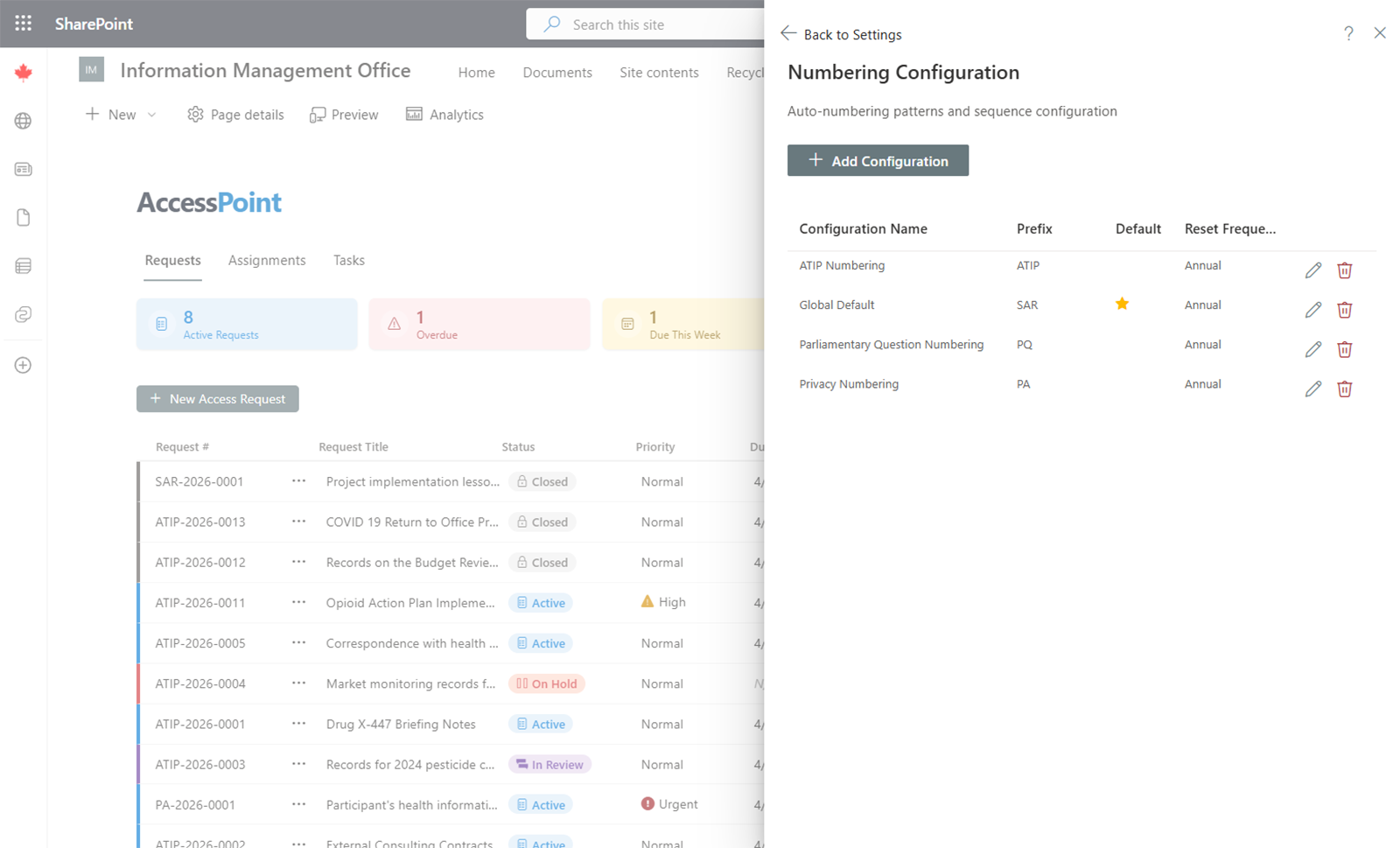
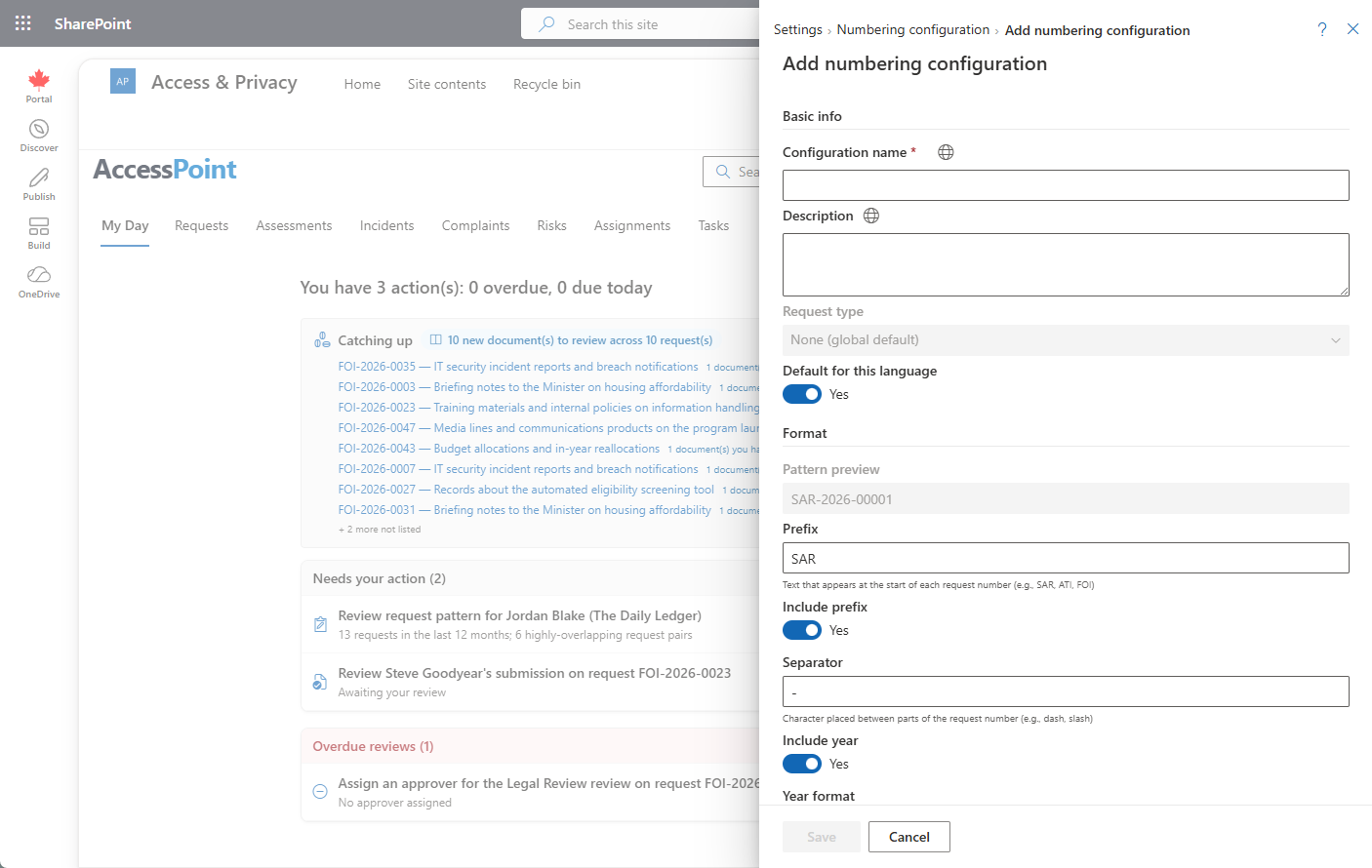
The Numbering Configuration screen controls how request numbers are automatically generated when new requests are created.
Configuration Options
- Prefix — A text string that appears at the beginning of every request number (e.g.,
ATIP). - Year format — Choose how the year is represented (e.g.,
2026or26). - Sequence number pattern — Define the zero-padded length of the sequential number (e.g.,
0001for four digits). - Separator — The character between segments (typically a hyphen
-).
Example
With the prefix ATIP, a four-digit year, and a four-digit sequence, the generated number would look like:
ATIP-2026-0001
The sequence number increments automatically with each new request created.
Changing the Pattern
You can update the numbering pattern at any time. Existing request numbers are not affected — only new requests use the updated pattern. The sequence counter continues from its current value.