
Repository detail: type, location, binding to a connector folder or Microsoft 365 location, Browse here and Search here, and the search outcome
Last updated: October 20, 2026 by Steve
Repository Details
A repository records a place where responsive records might live — a SharePoint site, a file share, a mailbox, a Teams team, physical files, and so on. Custodians add repositories to an assignment to map out where to search; contributors record what each search turned up. The repository details panel is where that linked source, its particulars, and its search outcome are kept.

Opening a Repository
- Open the assignment's Details tab.
- Click Add repository to record a place records might live, giving it a name, type, location, and description.
- Click the repository card to open its detail panel.
Editing the Repository
In the detail panel you can edit the repository's name, type (SharePoint Site, File Share, Database, Email, Teams, Physical Files, Cloud Storage, Application, or Other), location, and description, and see the count of tasks drawing from it. The panel guards against closing with unsaved changes. Custodians own this record — they link and unlink repositories on the assignment — while contributors have read-only access to these particulars and instead record the search outcome.
Binding a Repository to a Place
A repository can be bound to a folder in a repository connector or to a Microsoft 365 location (a site, drive, mailbox, team, channel or notebook). Repository types come from a configurable choice list shipped by the Universal baseline pack. Coordinators as well as custodians may add repository rows and edit them, binding included, until the assignment is submitted, approved or cancelled.
A bound repository offers two actions, on a task's Repositories section and on the assignment's repository cards:
- Browse here opens the Add records picker directly at that place.
- Search here opens the picker with a search scoped to that folder. A Microsoft 365 binding opens the Microsoft 365 search, which has no location scope.
Records captured from there link back to the repository row, and the row shows how many. When linked captures exist, the search outcome is suggested as Records found. It is only a suggestion; the custodian's own statement stands. See Documents for how the picker works.
Where the Inventory Says to Look
A request's Assignments tab opens with Programs this request concerns: link the privacy subjects the request is about with Link a program. An assignment on the request then opens Add repository with Suggested from the inventory, the systems those programs ran on during the request's scope dates (a decommissioned one with the note on where its records went). Use fills the form with the system's name, type and that note. A repository added this way remembers its system, so the custodian's attestation shows the search covered the places your own inventory says hold those records. Nothing is added by itself.
Removing a Repository
The row's Remove action (the custodian, or whoever manages the assignment, until it is submitted, approved or cancelled) takes a repository off the assignment after a confirmation. A repository still linked to a task, or one that records were captured from, cannot be removed: unlink it from its tasks first, and one with captured records stays.
Recording a Search Outcome
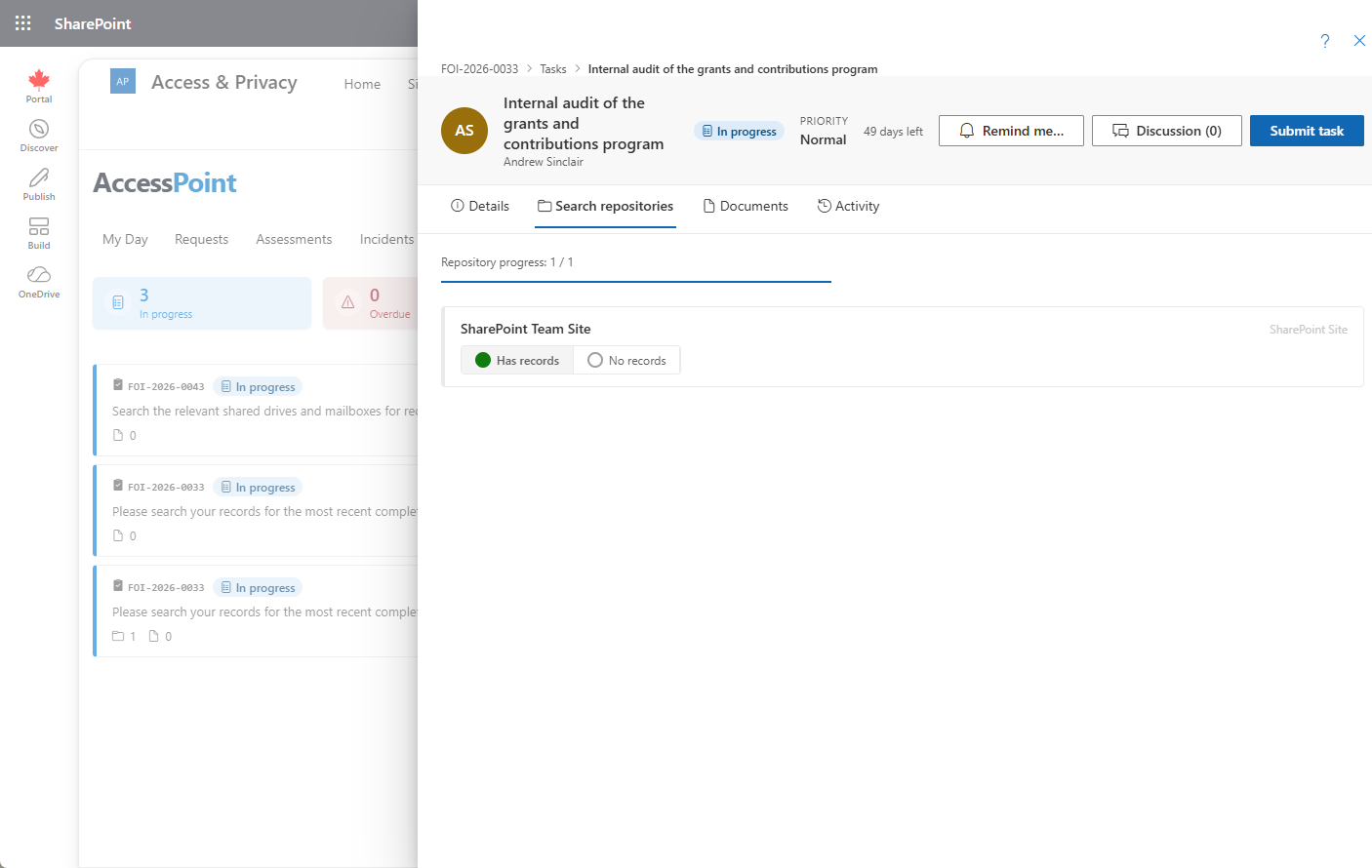
Contributors record the result of searching each linked repository from the task it is attached to — for example, records found or no records. The outcome, along with any documents the contributor uploads, is captured against the repository on that task.
How a Repository Links to Work
A repository belongs to a custodian assignment. When the custodian delegates a slice of the assignment as a task, they can tick which of the assignment's repositories that task covers, so the contributor knows exactly where to look. The division of labour is enforced on both the screen and the server: custodians can link or unlink repositories and cancel the task, but they have read-only access to the contributor's outcomes and documents.
