
The shared containment and remediation measure panel, plus confirming containment on an incident
Last updated: October 20, 2026 by Steve
Incident Measures
Containment and remediation actions on an incident are both recorded as measures, and both open the same measure panel. A containment measure stops or limits the breach; a remediation measure is a corrective or preventive action that stops the incident recurring. This page covers the shared measure panel and the incident-level containment confirmation that rolls the measures up.
The Measure Panel
Both the Containment and Remediation tabs open the same measure panel. It carries the measure title, a status badge, lifecycle buttons, and a Discussion button for threaded comments. It has two tabs:
- Details — edit the description (required), type, effectiveness assessment, responsible owner (people picker), the primary date (Taken on for containment or Target date for remediation), completed date, and notes. The description and notes support optional per-language translations.
- Progress log — a running history of dated, attributed update notes. Add one with the note box and Add update.
In Add mode the panel shows the Details form only; saving creates the measure and returns you to the tab.

Measure Lifecycle
Move a measure through its lifecycle with the panel buttons:
- Start — begins work on the measure.
- Mark complete — closes it out and stamps today's date automatically.
- Reopen — returns a completed measure to open.
Measures are a permanent part of the incident record. They can be edited but not deleted, so the containment and remediation history stays intact.
Confirming Containment
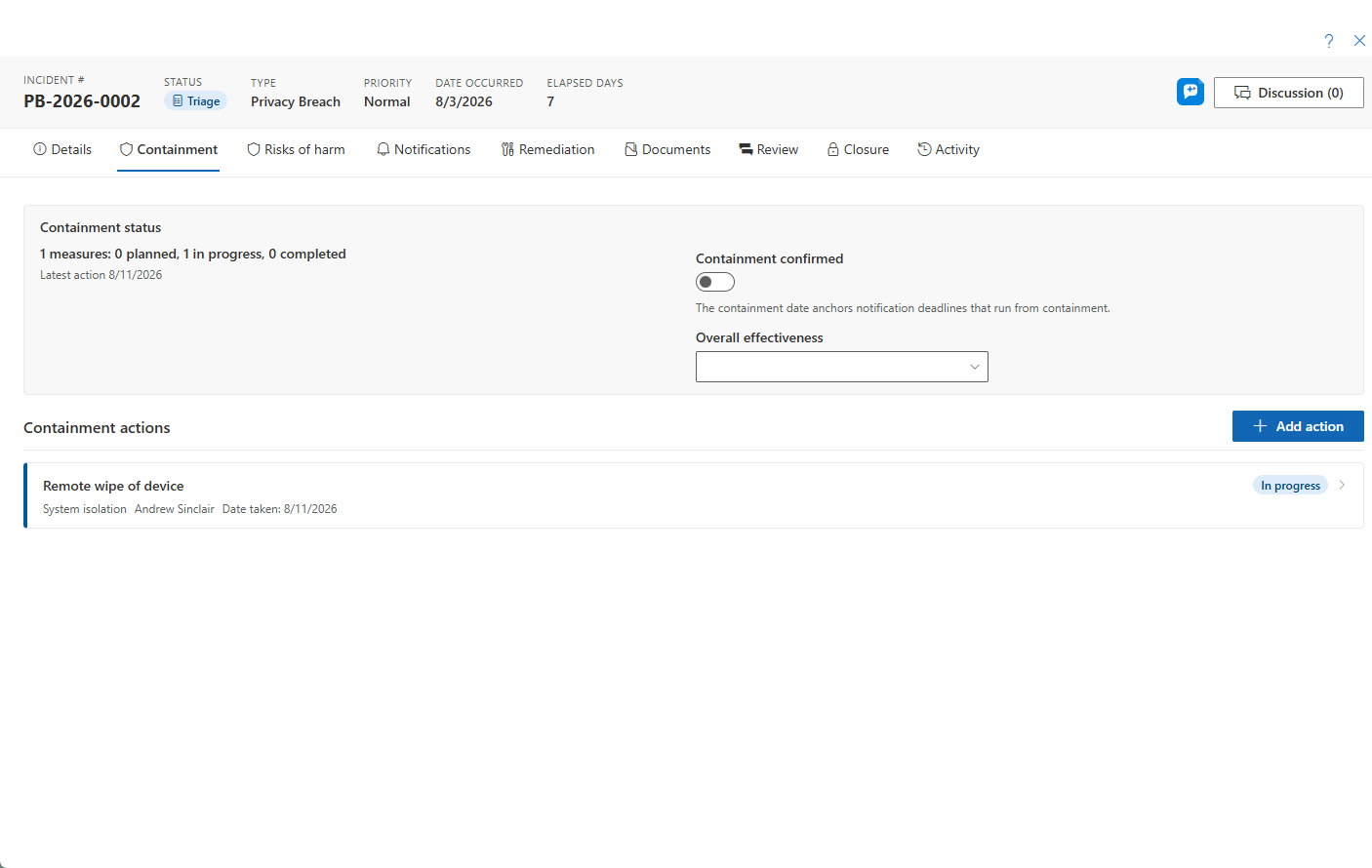
The Containment tab carries a summary card that rolls up the measures (planned / in progress / completed) along with the incident-level Containment confirmed toggle and an overall effectiveness rating.
- Add each action with Add containment measure — these open the measure panel described above.
- When the breach is contained, switch on Containment confirmed. If any measures are still open, a dialog warns you and asks you to confirm.
- Confirming stamps who confirmed it and the date, shown with a green shield in the incident header.
- If your tenant has a Contained status configured, a one-click Set status to Contained suggestion appears after you confirm.
To reverse a confirmation, switch the toggle off. A reason is mandatory, and the original containment date is preserved.
Remediation and Commitments
The Remediation tab uses the same measure panel for corrective and preventive actions. A remediation measure is flagged overdue when its target date passes before it is completed. Longer-term promises that come out of an incident are recorded beside the measures as commitments on the Remediation tab — see Commitments and Incident Details.
Overall Effectiveness
The containment summary card also carries an overall effectiveness rating for the containment as a whole, separate from the per-measure effectiveness assessment recorded on each measure's Details tab.