
Assessment section assignments (formerly section delegations) — assigning a questionnaire section to a collaborator and merging their draft
Last updated: October 20, 2026 by Steve
Section Assignments
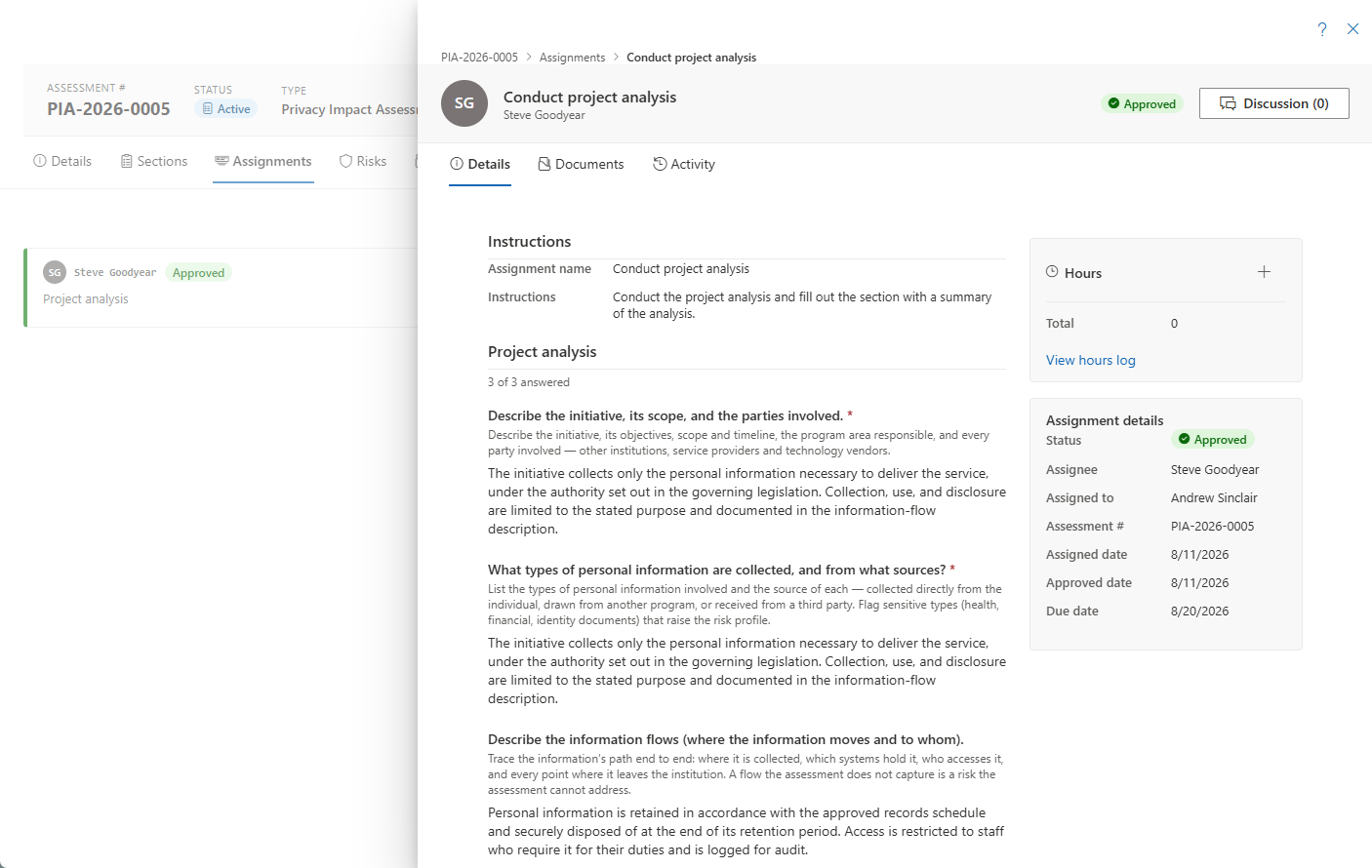
Coordinators can hand a questionnaire section to a subject-matter expert who never needs access to the whole assessment. The assignee works in the section-assignment panel (breadcrumb: assessment # › Assignments › section name); the coordinator manages and reviews section assignments from the assessment's Assignments tab — see Assessment Details.
Completing a Delegated Section
As the assignee:
- Read the Instructions and the section's questions.
- Fill in answers — free-text (optionally per-language), Yes/No, single/multi-choice, date, number, and attachment references. A risk table linked to the assessment's risk register is shown read-only with the assessment's current risks — the coordinator records risks on the assessment.
- Log Hours against the assignment and attach reference Documents from that panel's tabs.
- Click Submit when done.

Autosave and When You Can Edit
Answers autosave as drafts — the last keystrokes are flushed even if the panel is closed quickly. Editing is allowed only while the work is with the assignee: In Progress or Changes Requested.
Approving or Requesting Changes
When the section is submitted, the coordinator either:
- Approves — merging the answers into the assessment, or
- Requests changes with a note that sends the section back to the assignee.
A returned-count and status chip track the round trips, and a Discussion thread is available on the assignment for back-and-forth.

Privacy by Design
Delegates work only within their assigned section and see no requestor PII.
Help and Related Pages
Help on the assessment's Assignments tab opens this page. Section assignments are also counted in the Assignment Coverage Report, and the coordinator's view of them sits on the assessment's Assignments tab — see Assessment Details.