
PIA findings by requirement — which checklist requirements live assessments keep failing, and the risks and action items each finding raised.
Last updated: September 03, 2026 by Steve
PIA Findings Report
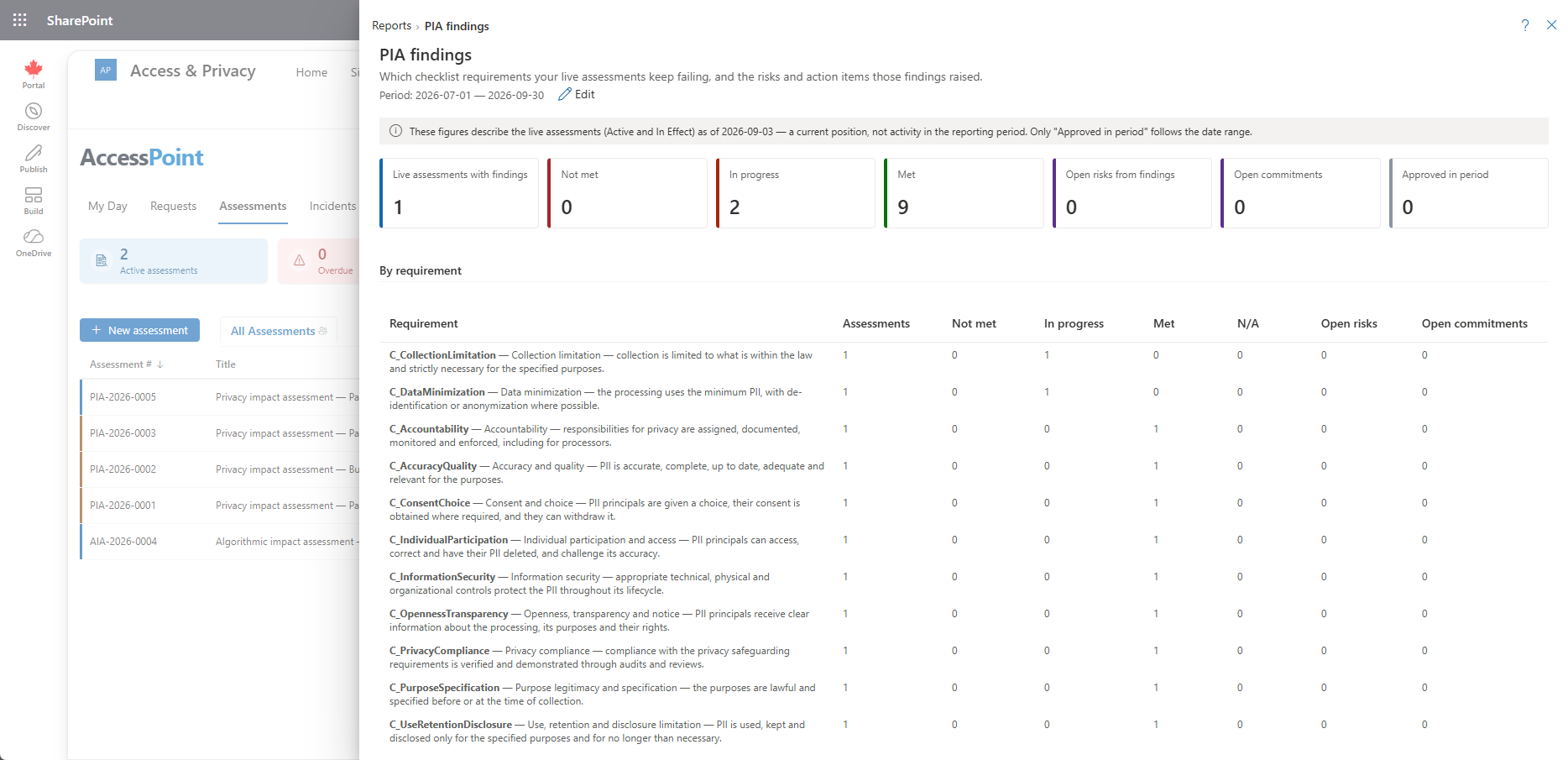
The PIA Findings report reads across every live privacy assessment and groups the Finding answers by checklist requirement, so a privacy office can see which requirements programs keep failing — and what was done about it — without opening assessments one at a time.
What This Report Shows
- Findings by requirement — for each checklist requirement in your assessment templates, how many live assessments recorded a pass, a fail, an in-progress finding, or not applicable.
- Risks raised — the register risks that a failing finding raised, so a recurring gap can be traced to the treatment plans it produced.
- Action items raised — the action items opened from findings, and whether they are still open.
- Assessments behind the numbers — each requirement drills through to the assessments that recorded it.
Findings are read by their code — the canonical yes, no, in-progress, and not-applicable scale, with the common template scales mapped onto it — so a template that uses its own wording still counts correctly. Anything the report cannot map is shown as other rather than dropped.
Reading the As-Of Banner
The report describes a current position across live assessments, not activity inside the selected period. It carries an as-of banner rather than narrowing to a date range, because a requirement that has been failing since last quarter is still a gap today.
Using This Report
Work it from the requirement down: pick the requirement with the most failing findings, open the assessments behind it, and check whether the risks and action items it raised have owners and due dates. Where the same requirement fails across several programs, the fix is usually organizational — a control in the Controls library or a change to the template's guidance — rather than assessment by assessment.
Related Pages
- Reports — the reports menu this report opens from.
- Assessments Report — volume, status mix, and timeliness of assessments over the period.
- Assessment Details — where findings, risks, and action items are recorded on an assessment.
- Risk Register Report — the register view of the risks findings raise.