
Settings → Audits → Audit settings — the management response window, the finding age threshold and the Audits board toggle.
Last updated: October 20, 2026 by Steve
Audit Settings
Settings → Audits → Audit settings holds three settings that apply to every audit.
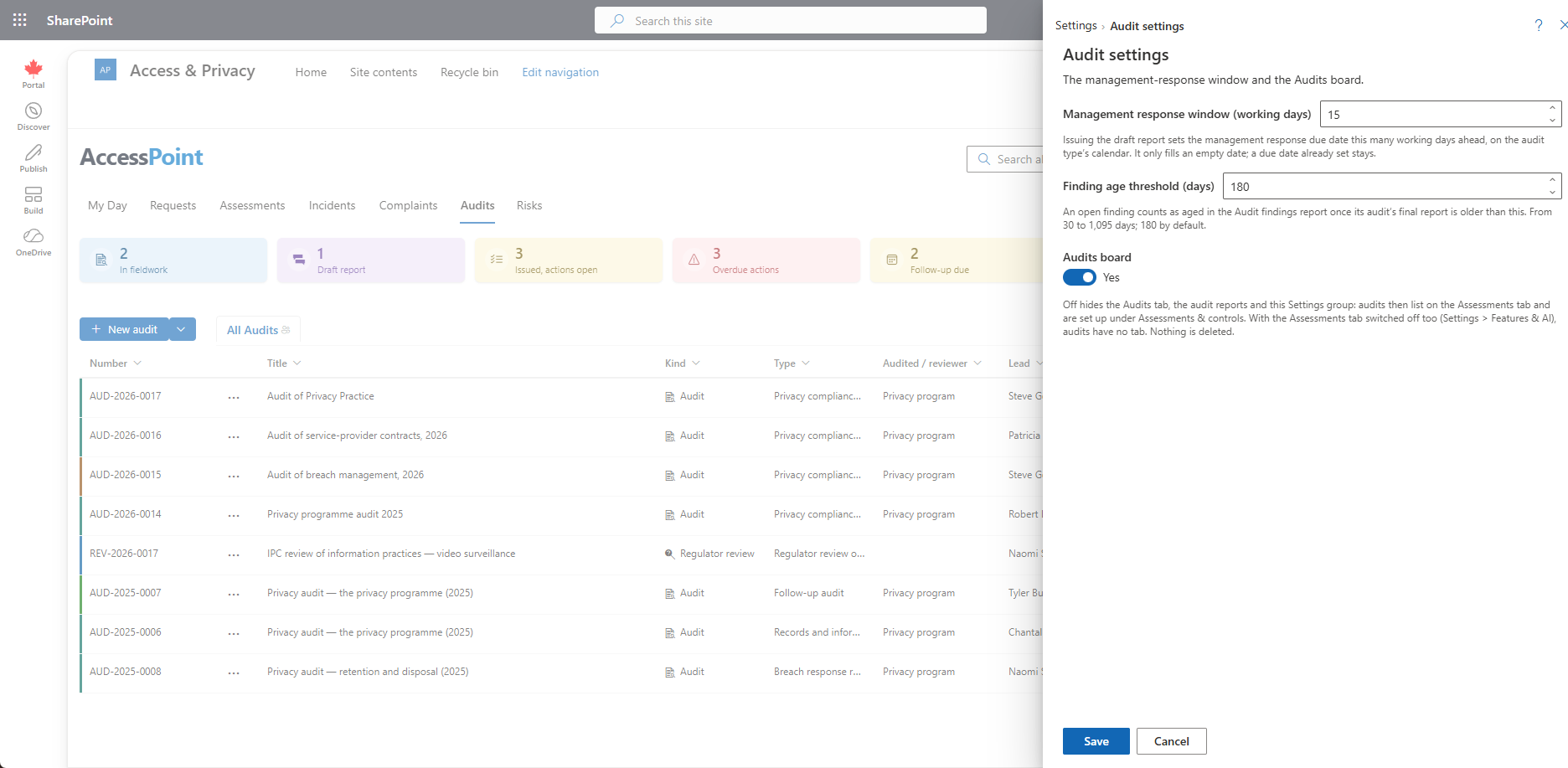
Management Response Window
The management response window is counted in working days (1–365, default 15). Issuing the draft report sets the response due date that far ahead, when it is empty.
The days are counted on the audit's working calendar:
- The one chosen for the audit type.
- Otherwise, the calendar of its jurisdiction, the one your access requests under the same law count on.
- Otherwise, the one most of your request types count on.
Public holidays such as Thanksgiving are skipped. When no calendar applies, the count is Monday to Friday.
Finding Age Threshold
The finding age threshold is in days (30–1,095, default 180). An open finding counts as aged in the Audit Findings report, in the Open more than … days figure and its list, once its audit's final report is older than this.
Audits Board Toggle
The Audits board toggle switches the whole feature. Turning the board off:
- Hides the Audits tab, the audit reports and the Audits group in Settings.
- Lists audits on the Assessments tab instead, where they are configured under Assessments & controls.
- Leaves audits with no tab if the Assessments tab is switched off too.
Nothing is deleted. The same switch is in Settings → Features. See Features.
Related Pages
- Audit Types — types, scales and follow-up interval.
- Audit Statuses — status landing rules.
- Audits Board — the board these settings govern.
- Audit Details — the response due date on an audit.
- Custom Fields — fields scoped to Audit.