
Whether requests arrive ready to work — intake channel, clarification rate, time to first custodian assignment, portal scope completeness and the portal funnel.
Last updated: October 20, 2026 by Steve
Intake Quality Report
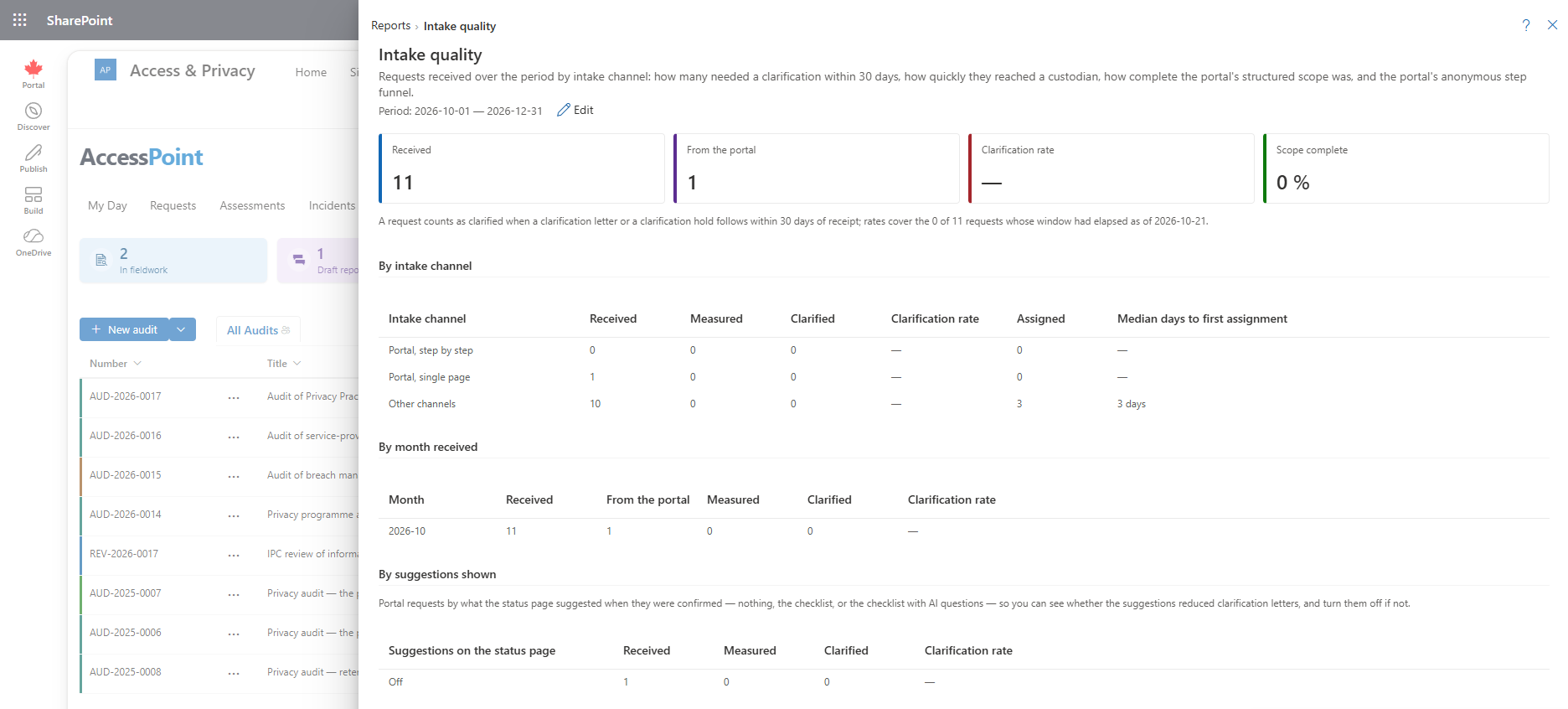
The Intake quality report answers one question: do requests arrive ready to work? It compares the channels requests come in through, shows how often a request needed a clarification letter, how quickly the first custodian was assigned, and — for the public portal — how completely requestors described what they wanted and how far through the form they got. Use it to find out whether the guided portal form is working before you make it the default.
It is on the Reports menu under Requestors, fees and intake, and is open to people who hold report.view. Nothing in it identifies a requestor.
What This Report Shows
The report covers requests received in the selected period.
- Requests by intake channel — the public portal's step-by-step form, its single-page form, and every other channel (counter, e-mail, mail and so on).
- Clarification rate — the share of requests that needed a clarification letter or a clarification hold within 30 days of receipt.
- Median days to first custodian assignment — how long a request typically waits before records are first assigned to a custodian.
- Portal scope completeness — how many portal requests answered each structured scope question: a time period, the kinds of records, and a program area.
- The portal funnel — anonymous counts of how many visitors opened the form, reached each step, reached the review step, sent the request and confirmed it with their code, shown for each form version.
- Clarity assistant split — when the portal's clarity assistant is on, requests are also split by what the requestor was shown, so you can see whether the questions reduced clarification letters.
The 30-Day Window
A request is only counted in the clarification rate once its 30 days have passed. Last week's intake is shown, but it is not judged yet. This keeps a recent surge of requests from making the rate look better than it will turn out to be.
Reading the Portal Funnel
The funnel counts anonymous visits to a form version: opened, each step, review, sent, confirmed. A large drop between two steps points at the step that loses people. A step-by-step form and a single-page form can carry identical text, so comparing their finish rates shows which layout requestors complete more often.
Capture a month on the current form before you switch the default, so the guided form has a baseline to beat.
Using This Report
- Compare the clarification rate of the guided form with that of your other channels. A lower rate means fewer letters asking requestors what they meant.
- Check scope completeness. If few portal requests give a time period, the form's hint or worked example may need work. An administrator edits these in Public Portal.
- Watch the median days to first assignment. If it is long for one channel, look at how those requests are triaged in the Portal Inbox or the Requests dashboard.
Related Pages
- Reports — the reports menu this report opens from.
- Portal Inbox — where portal submissions are triaged.
- Public Portal — intake forms, program areas and the clarity assistant.
- Requestor Volume Report — who is making the requests.