
The Training hub — one place for train mode, training cases, your assigned training, team exercises and, for training leads, paths, progress and the training reports.
Last updated: October 20, 2026 by Steve
Training Hub
AccessPoint helps people learn on the real screens without any risk to your real cases. Everything about training starts from the Training button in the toolbar — the graduation-cap icon just left of Settings. It opens the Training hub, laid out like Settings: a Train mode card at the top, then rows that each open their own panel. Select Training at the top of any of those panels to return to the hub.
Training has three parts, all on by default:
- Train mode — practise on fictional training cases in a training copy of your organization.
- Guided learning — Get started on My Day, Guide me highlights on the real screens, and short tips the first time someone reaches a new screen.
- Training for teams — training paths a lead assigns, with a progress table, and team exercises run on one shared training case.
An administrator can switch each part off under Settings → Training.
What the Hub Shows
- Train mode — whether you can open train mode now and, if not, why. When it is ready the card reads Ready — configuration as of with Open train mode. Otherwise it gives the reason in the same words a refusal would use: the training copy is being prepared or updated, the last copy of your setup into the training copy failed (an administrator sees Open training settings), or train mode is limited to a role you do not have. In train mode the card says so and offers Return to my real work.
- Practise — Training cases, the gallery of fictional cases for each register.
- Your training — My training (your Get started list and the paths assigned to you, with a to do badge counting the open ones) and Team exercises (the exercises you lead or play, each with a live or planned badge). A training lead also plans exercises there.
- Lead training — for people who hold Manage training: Training paths and progress, and the two training reports, Training readiness and Exercise activity (the reports also need the report permission).
- Administration — Training settings, for administrators and training leads.
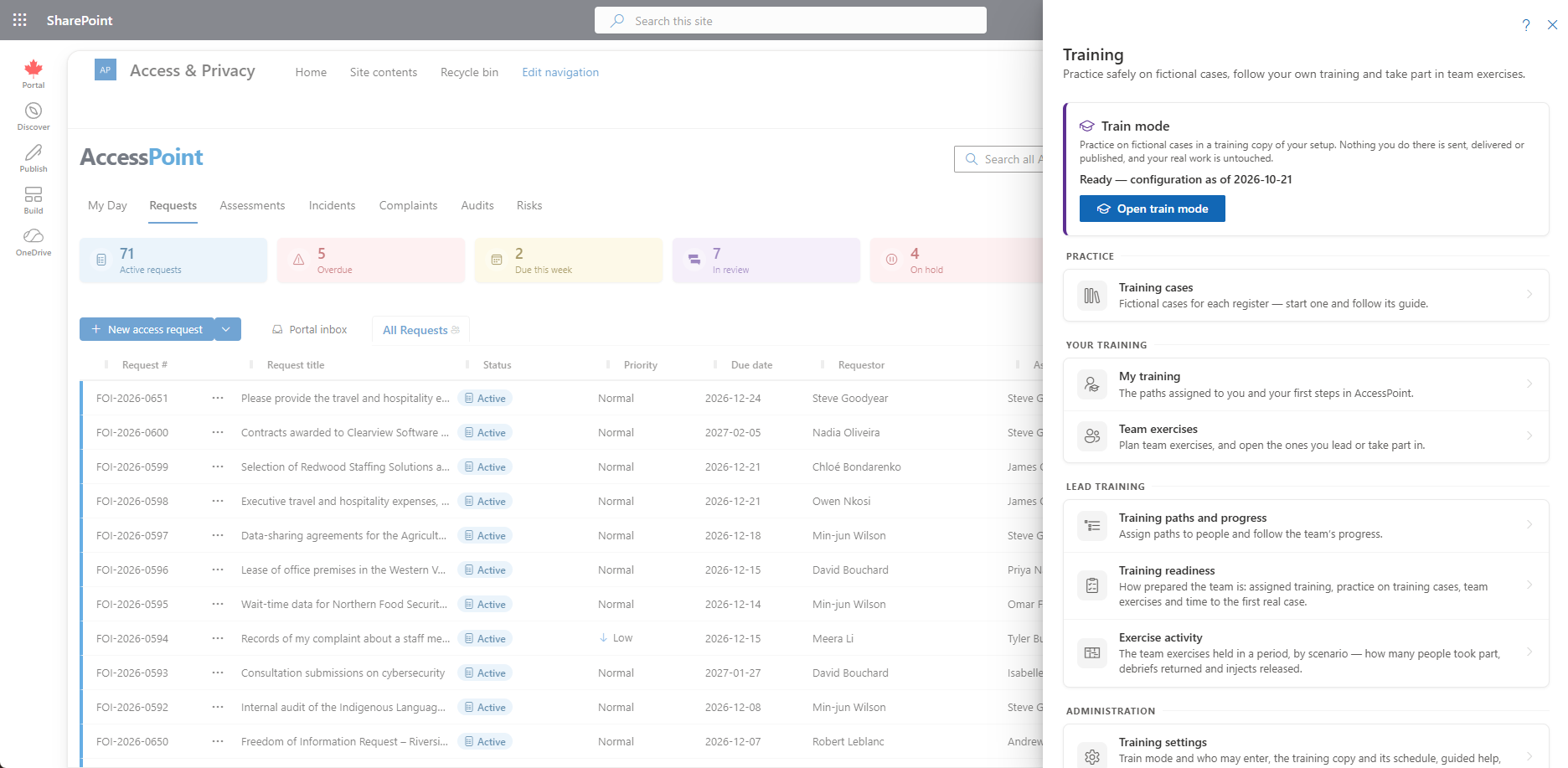
A row you cannot use is not shown. While a tab is in train mode the toolbar button is shown in the training colour. On a narrow screen it is in the toolbar's More menu. The button itself is hidden only when every part of training is switched off and you manage none of it.
Opening Help from the Hub
The Help panel's Guide me button starts a tour on any screen that has one. Anywhere else it opens the Training hub, where Get started, the training cases and your training paths are.
Related Pages
- Train Mode — the training copy, the band, and what is simulated or refused.
- Training Cases — the gallery, starting a case and the case guide.
- Get Started — the topics and steps on My Day.
- Guide Me — short highlights of a real screen.
- Training Paths — assigning training and following progress.
- Team Exercises — running one scenario with a team.
- Training Readiness Report — how prepared the team is.
- Exercise Activity Report — exercises held in a period.
- Settings → Training — the administrator's settings for training.