
Requestor fee categories — the fee schedule (rates, free search hours, electronic copies, free pages, minimum fee), payment thresholds and a fee change on a date
Last updated: November 12, 2026 by Steve
Requestor Categories
Requestor Categories classify the type of requestor making an access or privacy request. Each one carries the fee schedule for that kind of requestor, and the categories are also used in volume reporting. In Settings the row is called Requestor fee categories and sits in the Requests group, beside Request types, because fees are request-processing policy.
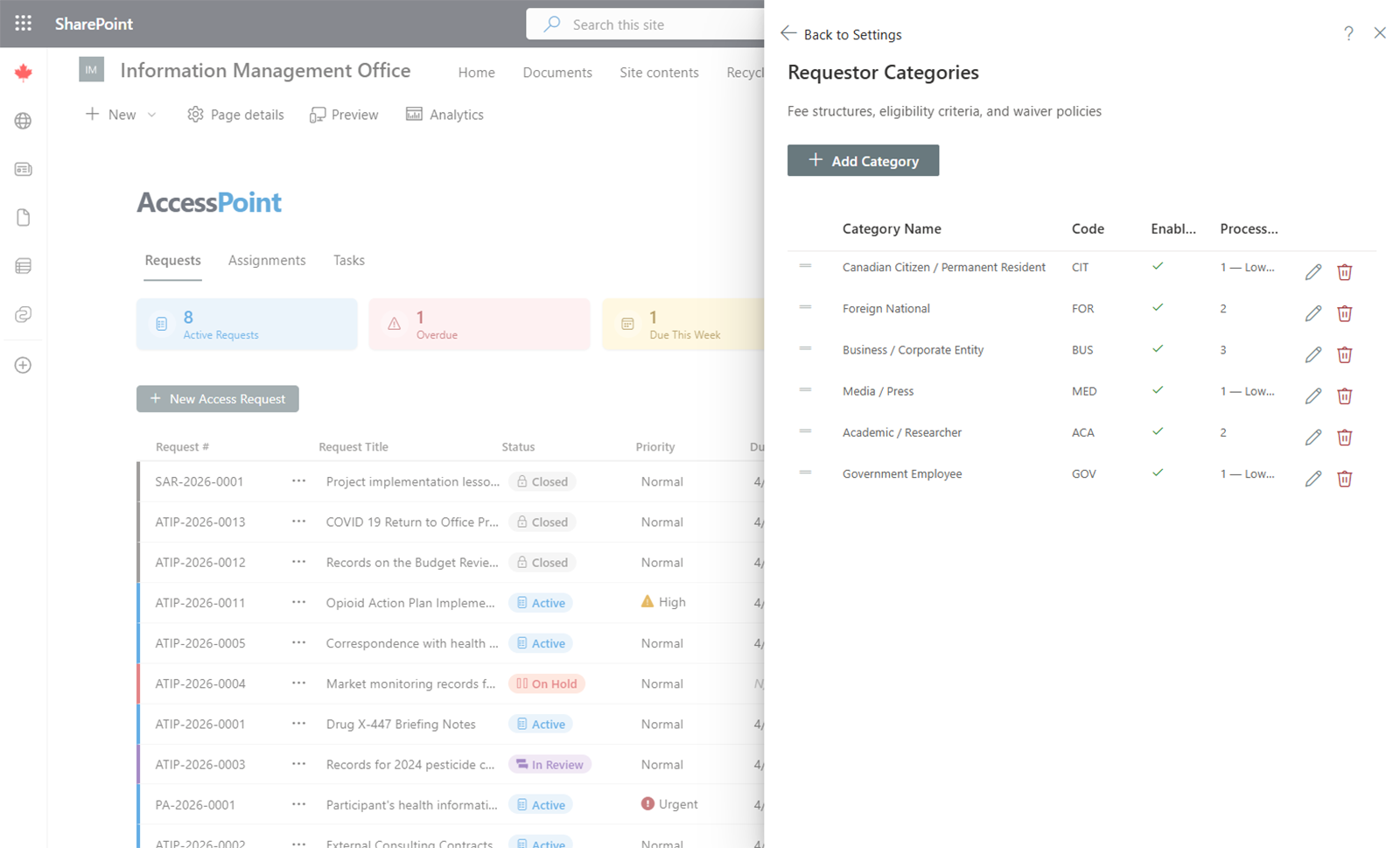

Common Categories
Typical requestor categories include:
- Individual / member of the public
- Media / press
- Organization / business
- Academic / researcher
- Government / public body
The Fee Schedule
Each category's fee schedule holds:
- The application fee and the search, review and duplication rates.
- The search fee unit — the search rate is charged per hour, per 30 minutes, per 15 minutes or per minute, as the statute sets it, and part of a unit counts as a whole one. A rate a pack sets per 15 minutes shows as billed per 15 minutes, not as its hourly equivalent.
- Free search hours — the search time given before fees begin to apply. It can be part of an hour: it takes two decimals and is entered in quarter-hour steps (0.25, 0.5, 1.5 …), and the fee estimate and final fee subtract exactly that. (Before 2.6.0 it took whole hours, so a statute's free first half hour or quarter hour could not be applied.)
- Electronic copies — Charged like paper copies (the default), Free, or Their own rate per page. The request's estimate and final fee, and each release's instalment, read it: electronic copies are charged at this rate, paper copies at the duplication rate, and inspection nothing per page. How a request's copies go is read from its response method (Email and Portal are electronic, Mail is paper, In person is inspection). See Response & Fees.
- Free pages and the minimum fee.
Fee change on a date
A schedule can carry a Fee change on a date: the day the amounts on the schedule take effect, and the amounts that applied before it (blank = the same as now). The estimate, the final fee and each release's instalment charge the amounts that applied on the request's received date. See Settings that change on a date.
Payment Thresholds
A category also carries the thresholds that drive fee payment:
- Waive-below amount — a net fee under this amount is waived in full automatically.
- Prepayment threshold — an issued estimate at or above this amount raises a deposit request.
- Deposit percent — the share of the estimate requested as the deposit. Empty = the whole estimate.
Each fee schedule states its own currency; see Localization & Formats. The providers that take the payments are set up under Payment Providers.
Managing Categories
- Add — Click Add Category, enter the name (and translations if multiple languages are enabled), and save.
- Edit — Click on an existing category to change its name or translations.
- Remove — Delete categories that are no longer needed. This does not affect existing requests already assigned that category.
Usage
When an SAO creates or edits a request, they select the requestor category from a dropdown. This classification feeds into statistical reports and decides how the request's fees are calculated. Jurisdiction packs ship fee schedules from the statute — a starting point built from public information about the legislation, not legal advice; your legal counsel validates and adjusts them.