Contributor tasks dashboard — task assignments, recording repository outcomes, uploading documents, and submitting
Last updated: July 12, 2026 by Steve
Tasks Dashboard
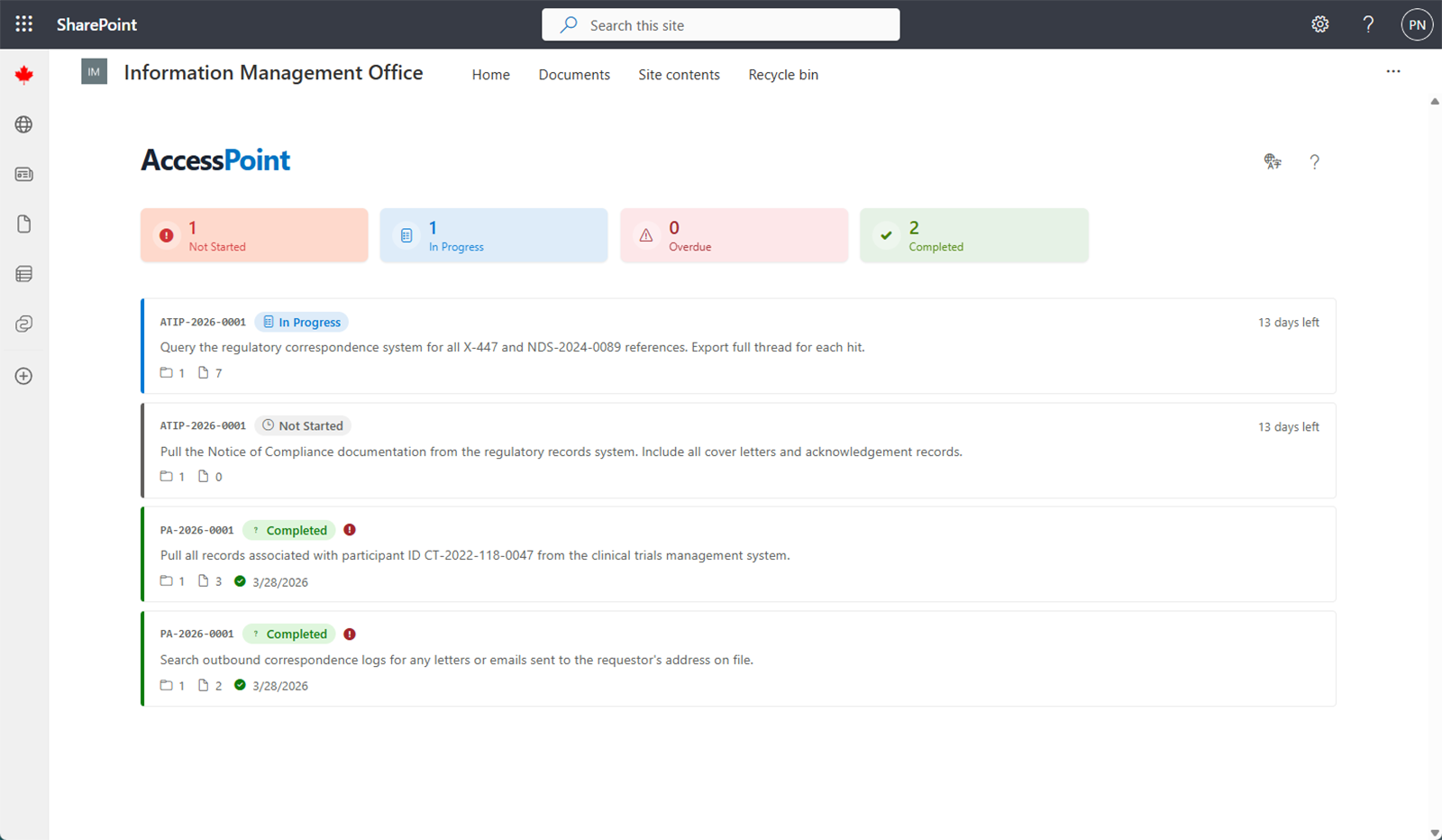
The Tasks Dashboard is the home screen for Contributors. It lists every task assigned to you, alongside any risk-treatment tasks from the assessment module, so you can see what work is waiting and track your progress.
Summary Cards
Three summary cards filter the list the same way the assignment cards do. Click one to narrow the list; click it again to clear:
| Card | Shows |
|---|---|
| In progress | Tasks you are actively working on |
| Overdue | Tasks past their due date |
| Completed | Tasks you have finished and submitted |
By default the list hides completed and cancelled tasks.
The Task List
Each card shows the request number, status, priority, a due-date countdown, a repository count, and a submitted-document count. All instructions are sanitized — you never see the requestor's personal information.
Click any task to open the full Task Details, where you:
- Read the detailed instructions from the Custodian
- Record the outcome against each linked repository (for example, "records found" or "no records")
- Upload, edit, and delete documents, including capturing records from Microsoft 365 when that feature is enabled
- Submit the task back to the Custodian
A Discussion button anchors a conversation to the task. A Custodian who opens the same task can link or unlink repositories and cancel the task, but has read-only access to your documents and outcomes — the division of labour is enforced on screen and on the server.
Privacy
As a Contributor, you work from sanitized instructions only. You will never see the requestor's name, email, or other identifying information. This keeps requestor privacy intact throughout document collection.