
A team exercise runs one scenario on one shared fictional case — plan it, start it, release injects, move the exercise clock, end it and collect debriefs.
Last updated: October 20, 2026 by Steve
Team Exercises
A team exercise runs one scenario on one shared fictional training case. The lead releases developments (called injects) as the exercise goes, moves the exercise clock, and everyone plays a role and answers a short debrief. The Universal baseline pack, for example, includes a lost-laptop breach exercise for a coordinator, a privacy officer and a senior official.
Open Team exercises from the Training hub. It lists the exercises you lead or play, each with a live or planned badge.
Running an Exercise
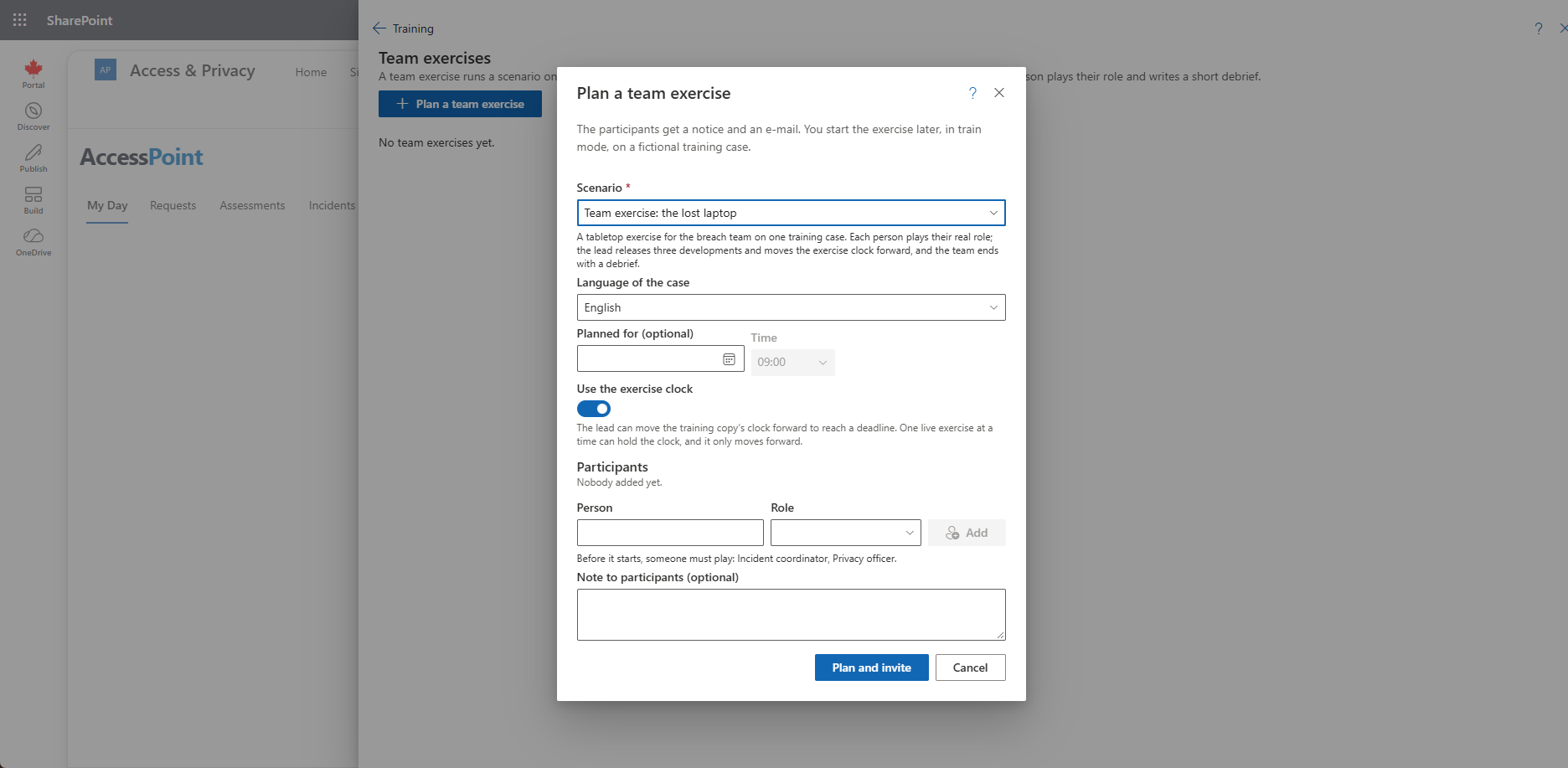
- Plan (in your real work). Select Plan a team exercise and choose the scenario, the language, the date and time, whether to Use the exercise clock, the participants and the role each plays, and a note. Each participant gets a notice and an e-mail (Training exercise invited).
- Start (in train mode). Open train mode, then select Start exercise. Every required role needs a participant first; otherwise the console names the missing roles. The training case is created and each participant's role is written on it.
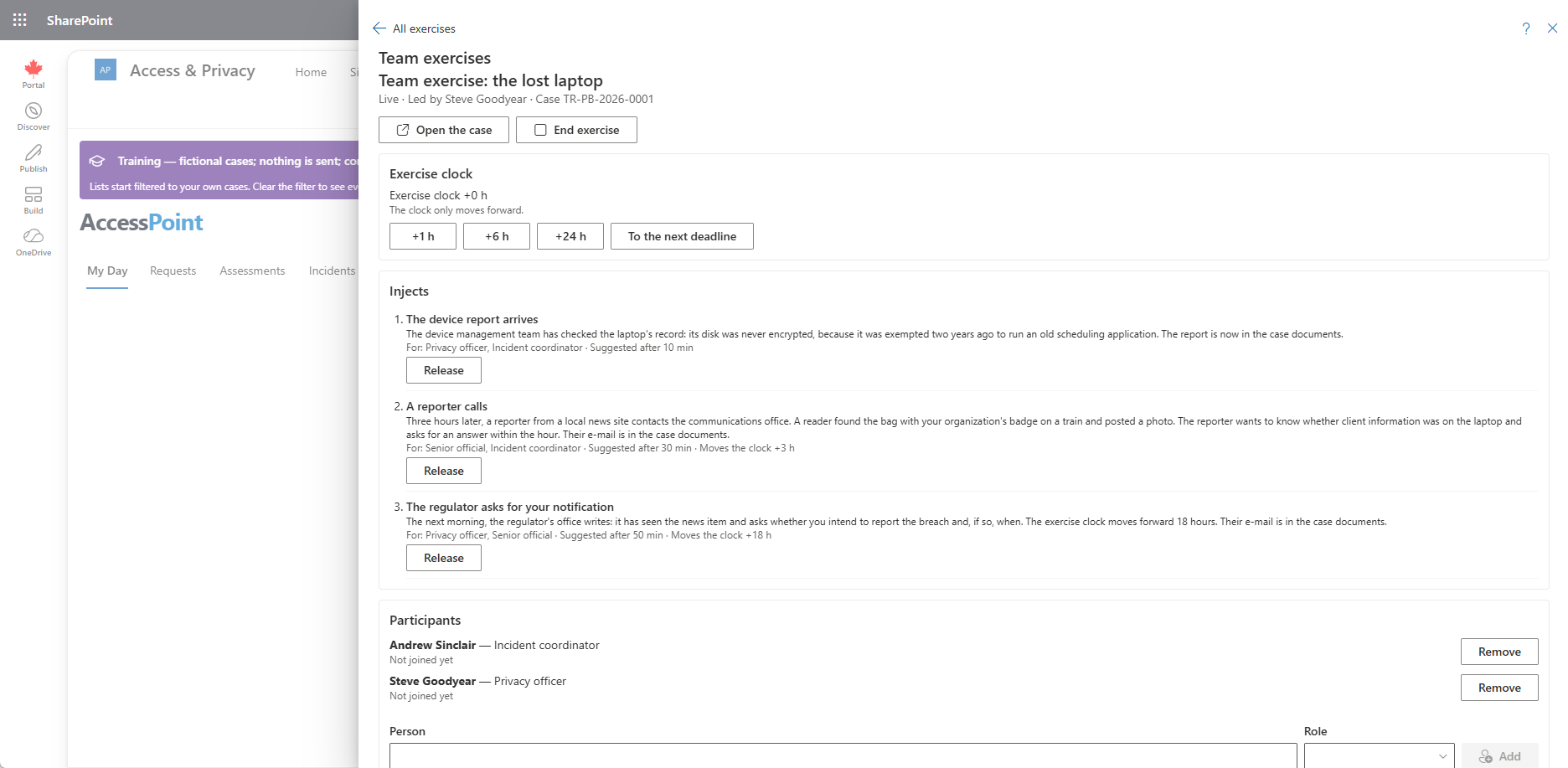
- Run. Participants select Join exercise on My Day, which opens train mode at the case. The lead's console adds or removes participants, Releases each inject, and moves the clock forward.
- End. Select End exercise (with a confirmation). It ends the exercise for everyone and releases the clock.
- Debrief. Each participant answers the debrief questions for themselves. The lead, and anyone with Manage training, reads everyone's answers.
What Taking Part Allows
Taking part lets each participant (and the lead) open the exercise's case and read its discussion, whatever their own roles. It does nothing more: what they can do on the case, and whether they see the requestor's details, still comes from the role they play and their own roles.
Injects
When the lead releases an inject, its message is posted on the case under the lead's name and its records are added to the case.
The Exercise Clock
Only the lead of a live exercise that uses the clock can move it, and only forward: +1 h, +6 h, +24 h or To the next deadline, or through an inject that moves it. While it is ahead, the band reads exercise clock + h. Due dates, overdue flags, notice deadlines and reminders in the training copy follow it; the times in each case's history stay real. Ending the exercise releases the clock but keeps its time until your setup is next copied or the training cases are reset, which sets it back to zero. One live exercise at a time can use the clock.
Related Pages
- Train Mode — the training copy and the band.
- Training Hub — where Team exercises opens.
- Exercise Activity Report — exercises held in a period.
- Training Readiness Report — when each scenario was last held.
- Settings → Training — allowing team exercises.