Features — per-tenant toggles for delegation, attestation, register tabs, connectors, portal, payments and date corrections, plus search, OCR and AI
Last updated: October 20, 2026 by Steve
Features
The Features panel holds your tenant's toggles — switches that turn optional product capabilities off (or back on) for the whole tenant. Nearly every toggle is on by default (two ship off, noted below) and applies instantly; there is no Save button.

Where to Find It
Open Settings from the app toolbar and choose Features in the Getting started group.
Toggles
| Toggle | Default | What it controls |
|---|---|---|
| Task delegation | On | Whether new delegated tasks can be created. |
| Require attestation | On | Shown directly under task delegation. While on, a custodian attests to their search before submitting an assignment, and AccessPoint refuses a submission without an attestation. Turned off, they submit with a plain Submit and a short confirmation, and the assignment records that no attestation was required. Jurisdiction packs never change it. |
| M365 capture — requests | On | Microsoft 365 capture on requests. |
| M365 capture — assignments | On | Microsoft 365 capture on assignments. |
| Risk dashboard | On | The risk dashboard. |
| Audits tab | On | The Audits board. Switching it off hides the Audits tab, the audit reports and the Settings Audits group; audits then list on the Assessments tab. See Audit Settings. |
| Assessments tab, Incidents tab, Complaints tab | On | Turn off a register you do not use. Each hides that register's tab, its New button, its reports and its rows in Settings. Nothing is deleted and nothing changes on the server: a link, notice, search result, My Day item or report row that points at one of its cases still opens the case, and switching the register back on brings everything back. |
| Repository connectors | On | The tenant kill switch for the connector tiles and every connector call. The tiles also need at least one enabled connector; while none exists the row carries a hint pointing there. |
| Reconcile users with the directory | On | Under Users and directory: the nightly Microsoft Entra ID check that flags disabled or deleted accounts. See Manage Users. |
| Group-based roles | On | Under Users and directory: lets roles be bound to Entra groups. The row carries a hint while the managed identity lacks the permission it needs. See Roles & Permissions. |
| Public portal | Off | The intake portal, the Portal inbox, secure deliveries and share-on-portal. The row says so when the portal web app is not deployed. See Public Portal. |
| Payments | Off | Payment requests, provider sessions and the portal pay page. The offline Record payment works regardless. See Payment Providers. |
| Allow received-date corrections on active requests | Off | When on, people who hold Correct the received date get Correct received date on an active request. |
| Second approver for received-date corrections | Only when the date moves later | Never, Only when the date moves later (the default, because a later date gives the institution more time) or Always. Approving takes someone who holds Act as senior official, and never the person who asked. |
| Email attachment extraction | On | Whether the attachments of an imported .eml/.msg are extracted as their own records under the email. Emails imported while this is off can be processed later with Extract attachments on the row. |
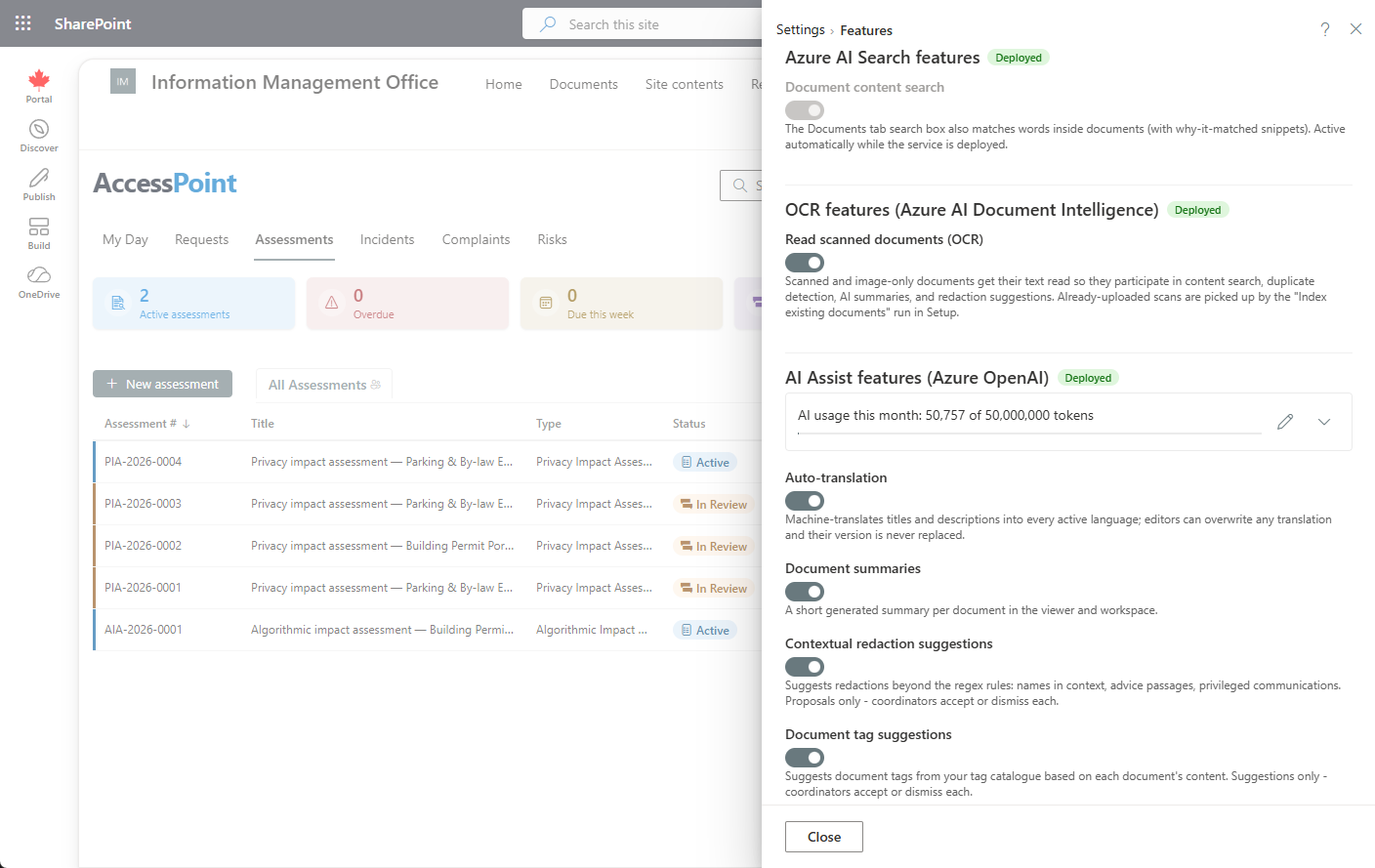
| Document content search | On (when deployed) | Full-text search inside documents, backed by your Azure AI Search resource. |
| OCR | On (when deployed) | Text extraction from scanned, image-only documents, backed by your Azure AI Document Intelligence resource. |
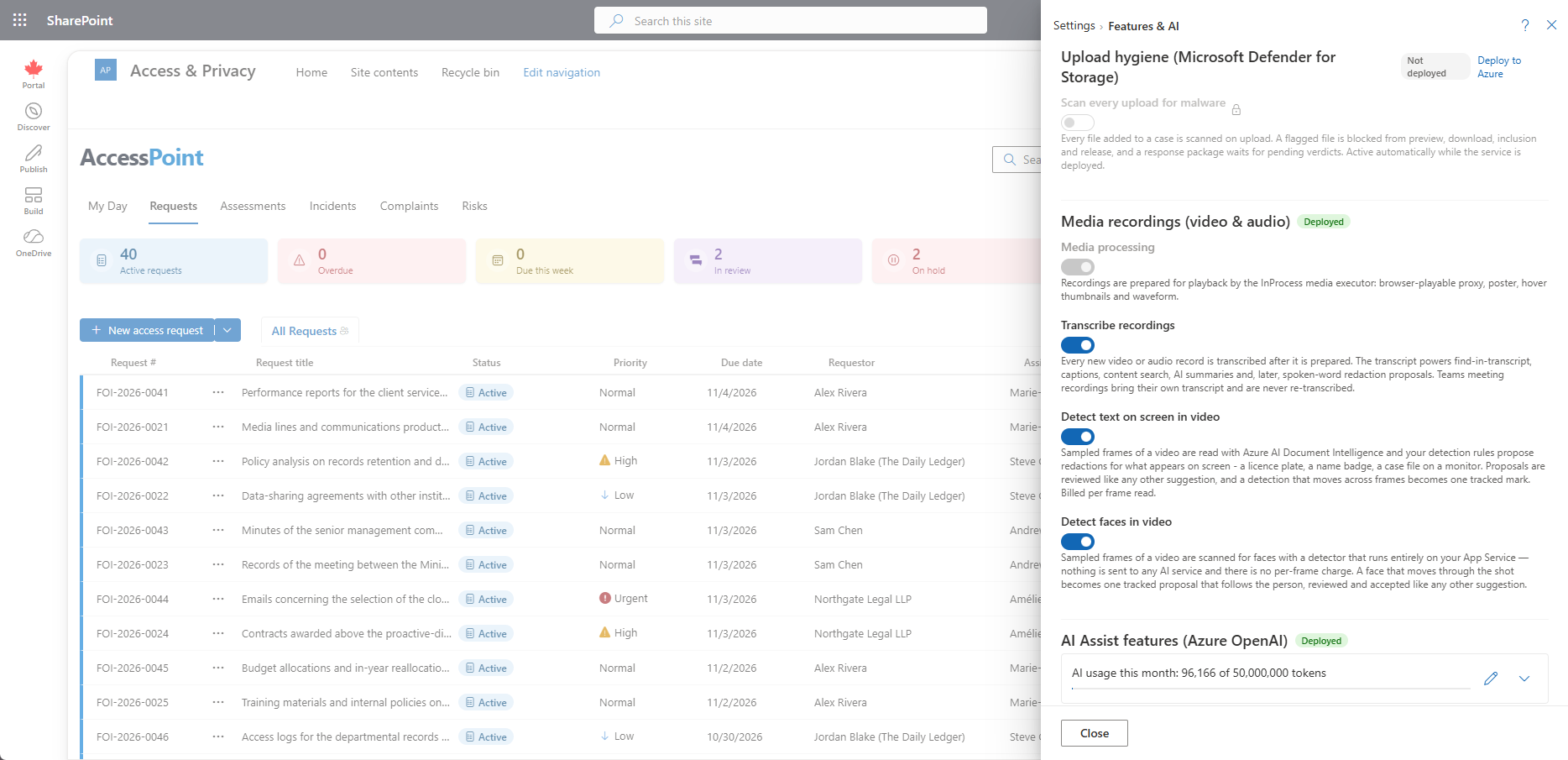
| Scan every upload for malware | On (when deployed) | Microsoft Defender for Storage on-upload scanning of every file added to a case. A flagged file is blocked from preview, playback, download, inclusion, and release, and a response package waits for pending verdicts. Active automatically while the service is deployed. |
| Transcribe recordings | On (when deployed) | Every new video or audio record is transcribed after it is prepared, backed by your Azure AI Speech resource. Teams meeting recordings bring their own transcript and are never re-transcribed. |
| Detect text on screen in video | On (when deployed) | Sampled frames of a video are read with Azure AI Document Intelligence and your detection rules propose redactions for what appears on screen — a licence plate, a name badge, a case file on a monitor. Billed per frame read. |
| Detect faces in video | On | Sampled frames are scanned for faces with a detector that runs entirely on your App Service — nothing is sent to any AI service and there is no per-frame charge. A face that moves through the shot becomes one tracked proposal. |
| AI Assist features | On (when deployed) | The individual AI Assist toggles described below, backed by your Azure OpenAI resource. |
Resource-gated toggles are grouped by the Azure resource they depend on. When the underlying resource (AI Search, Document Intelligence, Azure OpenAI, Azure AI Speech, Defender for Storage) isn't deployed, its group shows locked toggles with a hint explaining what to deploy — the rest of AccessPoint is unaffected.
Media Recordings (Video & Audio)
The Media recordings group shows which media processor is active — in-process on the App Service, a Container Apps job when the optional media processing module is deployed, or none — alongside the transcription and detection toggles above. The processor is a deployment choice, not a toggle: recordings are prepared for playback (a browser-playable proxy, poster, hover thumbnails, and waveform) by whichever executor the template deployed. A switch, Caption, transcript and description files with released recordings (on by default), turns off the caption, transcript and description files — and the MP4's caption track — for response packages generated afterwards. See the Deployment Guide for the deploySpeech, deployMediaProcessing, and deployDefenderForStorage parameters, and Video & Audio Records for what reviewers see.
How the Toggles Behave
- Mostly opt-out — features ship enabled; you visit this panel to switch something off. The Public portal, Payments and received-date corrections ship off and you switch them on when you are ready.
- Instant apply — a change takes effect the moment you flip the toggle. There is no Save button.
- Task delegation drain policy — turning off task delegation while open tasks exist prompts for confirmation and explains the drain policy: existing tasks run to completion; only the creation of new ones stops.
- Server-side enforcement — the flags hide the related UI, but server-side gates are the real enforcement.
- Modules your subscription does not include — a feature whose module is not in your subscription (AI Assist, Public portal, Media, Repository connectors) shows its switches locked with Not included in your subscription. Contact Realizer to add the … module. The Public portal, Payment providers, Repository connectors and AI suggestions pages say the same.
AI Assist (Optional)
AI Assist is an optional capability — it is present only when your Azure OpenAI resource has been deployed with the Azure template. When it isn't deployed, none of its toggles appear and the rest of AccessPoint is unaffected. AI Assist runs entirely in your organization's own Azure subscription and region: prompts and responses are never stored, Microsoft does not train its models on your data, and every AI output is a suggestion or an editable draft that a person reviews and decides on.
When the resource is deployed, its features show up as individual toggles in this same Features panel — auto-translation, document summaries, redaction analysis, drafting, intake triage, suggested next action, case check, capture learnings, question mining, how similar cases went, risk suggestions, and the rest. Each has its own switch and is on by default when the resource is deployed; turn off any you don't want. The M365 capture toggles above and the other tenant feature switches sit alongside them in the same panel.
- Ask AccessPoint history — how many days a conversation about no case is kept without activity (365 by default; 0 keeps it until its user deletes it). A conversation about a case is always deleted with the case. After an upgrade, nothing is deleted for inactivity for 30 days from the first daily clean-up; the box shows the date, and saving a period ends that grace period.
- Month-to-date token meter and budget — the panel shows a month-to-date token meter against a hard monthly budget you control. Background AI work pauses quietly when the budget is reached; the rest of AccessPoint keeps working.
- Responsible-AI acknowledgement — the first time AI Assist is available, an Administrator confirms a one-time, per-tenant responsible-AI acknowledgement. It is recorded with the confirming user and the date — the same points many organizations reuse for their own privacy impact assessment or authority-to-operate paperwork.
- Diagnostics — if AI features seem inactive, an Administrator can open
api/ai/diagnosticsin the browser (or check the capability chip in this panel): it live-probes the deployment and reports the exact error.