
The Evidence requests tab (PBC items) — asking for, receiving and reviewing evidence, and what the person asked sees from My Day.
Last updated: October 20, 2026 by Steve
Audit Evidence Requests
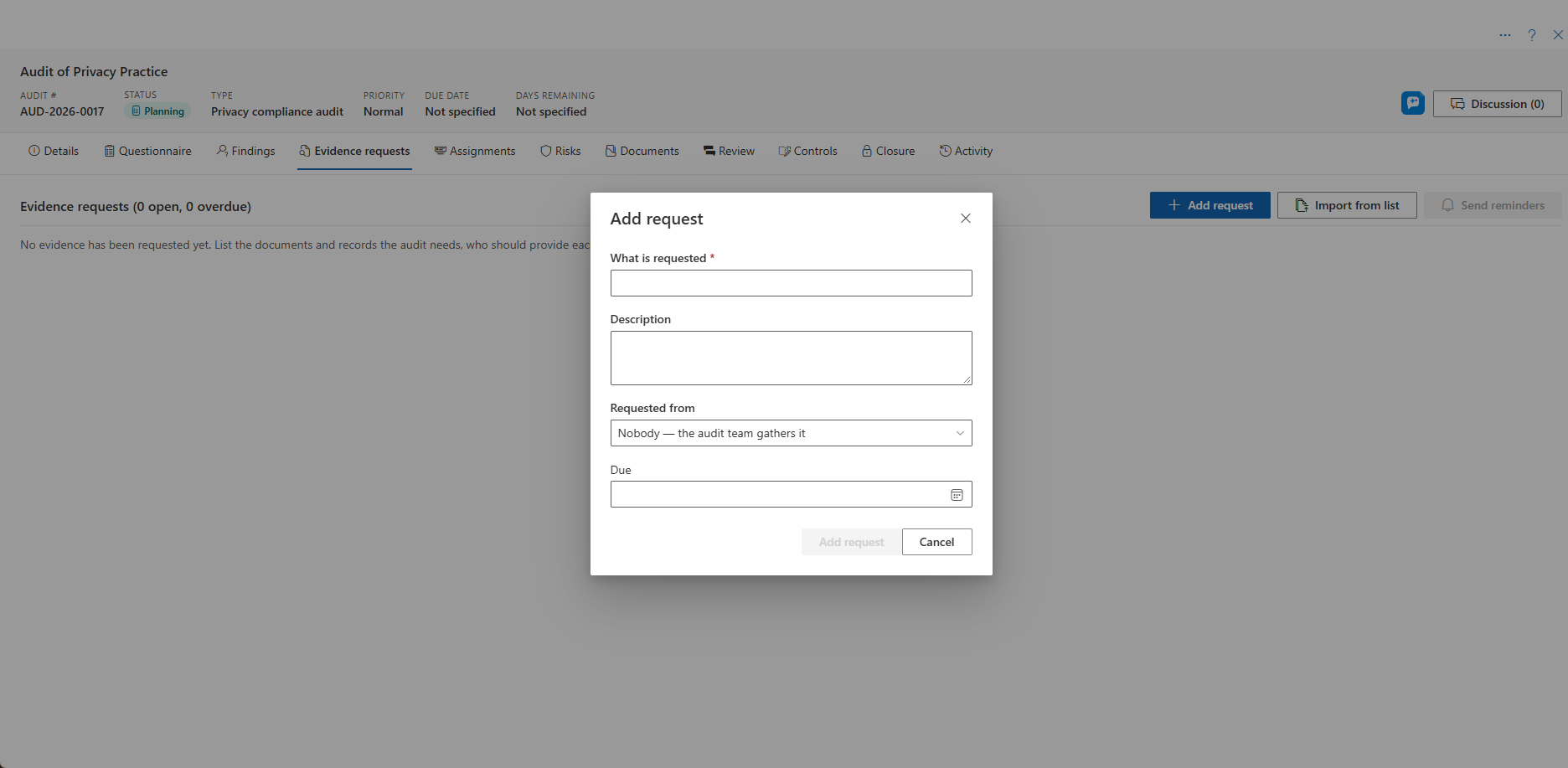
The Evidence requests tab is the list of what the audit asked for (PBC-01, PBC-02 …): what is requested, from whom, when it is due, its status and the documents received. It is shown for audit types with evidence requests on. See Audit Details.
Adding Requests
- Add request asks for one item: from a person in your organization, from a contact (tracked only, you attach what they send), or from nobody when the team gathers it.
- Import from list adds many at once. Paste one request per line, optionally followed by a tab and the due date (YYYY-MM-DD) and another tab and a description.
- Send reminders sends each person in your organization who still owes evidence one reminder listing their open requests.
Working a Request
Open a request to change it, attach or link documents, and set its status:
- Received, Accepted, Not available or Withdrawn.
- Back to Open, with review notes saying what is missing.
Overdue requests are marked. A contact named on a request cannot be deleted until the request no longer names them.
Notices and Links
The notices about an evidence request (requested and reminder to the person asked, submitted to the lead) open it from the notices feed or Teams. The person asked gets their own view of the request, never the audit. The audit team gets the audit, on its Evidence requests tab with the request open. Anyone else is told the link could not be opened.
For the Person Asked
Someone in your organization who is asked for evidence gets a notification and an item in My Day. It opens the request: what is needed, by when, who asked and the auditor's notes, with the files they uploaded to it.
- Open the item from My Day.
- Upload the files while the request is open.
- Choose Submit when it is ready. This tells the lead auditor.
You never see the rest of the audit.
Related Pages
- Audit Details — the audit panel and its contacts.
- Audit Findings — linking evidence to findings.
- Audits Board — all audits and reviews.