
The New audit dialog — choose an audit type and template, name the audit, and say what is audited, or audit the whole privacy program.
Last updated: October 20, 2026 by Steve
Creating an Audit
New audit on the Audits board opens a short dialog. You need the Initiate assessments permission. An audit is an assessment whose type is in the Audit category, so the dialog is the audit-language counterpart of starting an assessment.
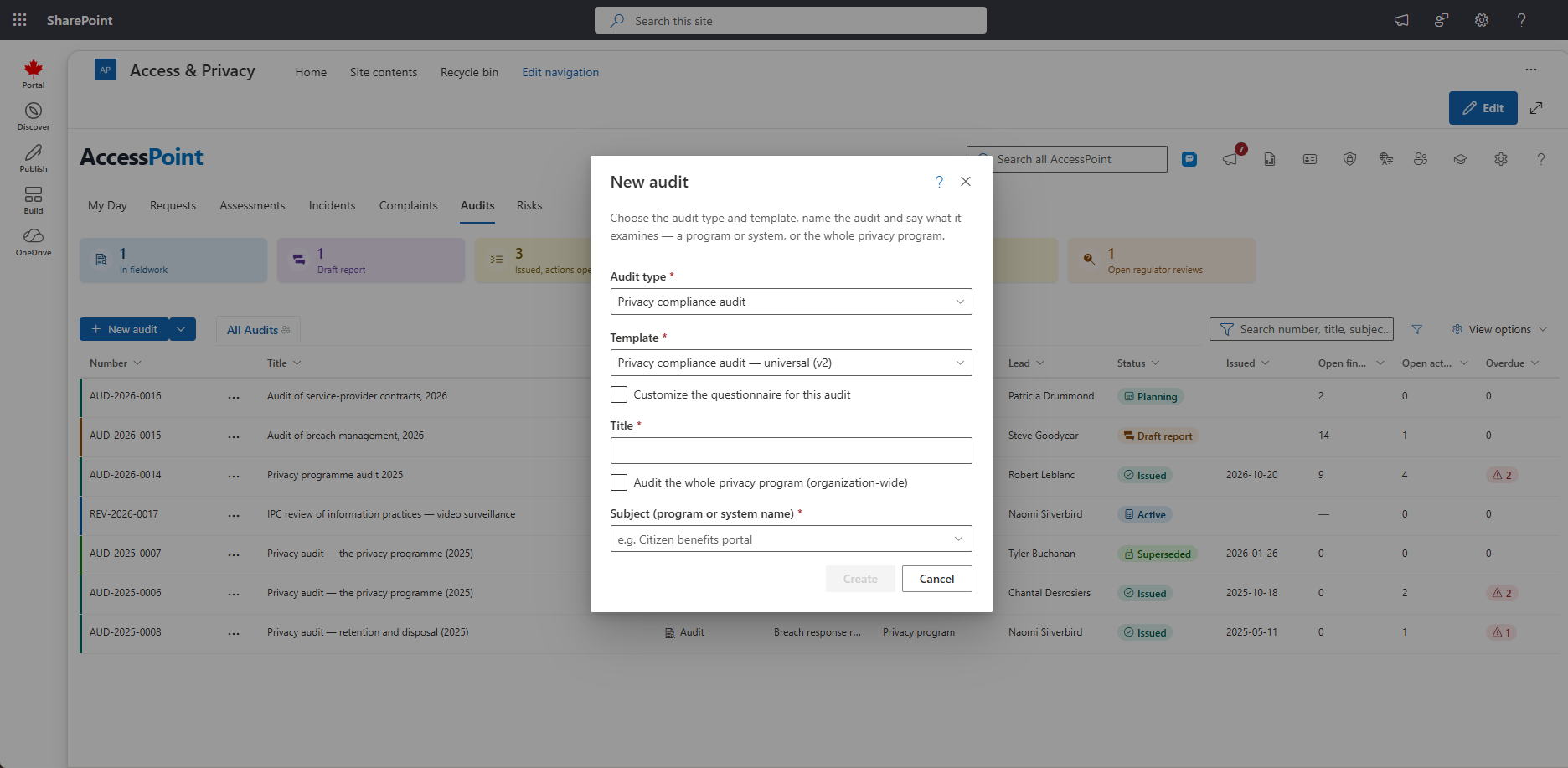
Steps
- Audit type. Only types in the Audit category are offered. The Universal baseline pack ships seven, among them the privacy compliance audit, the vendor audit and the follow-up audit. If none is enabled, the dialog says so: re-apply the Universal baseline pack, or move an assessment type to the Audit category under Settings → Assessment types.
- Template. Choose from the templates of that type. The governing authority shows beneath it.
- Title. What the audit is called on the board and in its report.
- What is audited. Pick a privacy subject (a program or a system), type a new name to create one, or tick Audit the whole privacy program (organization-wide).
- Create. The audit opens in its panel, in the type's first status (for example Planning), with its number from the audits' own yearly sequence.
What Is Audited
- A subject. A program or a system from the privacy program's inventory. Typing a new name creates the subject.
- The whole privacy program. The organization-wide subject, created the first time you tick the box and reused after.
- A follow-up audit. When you start the next audit of a subject from an issued audit (Start follow-up audit), the subject is filled in and locked.
Starting Points
The Universal baseline pack ships an Internal privacy audit template: the engagement (objective, scope, criteria, period, auditee, independence, method), one finding for each accountability building block (governance, inventory, policies, risk assessment, training, breach management, service providers, notices, access and correction, retention, safeguards, monitoring), the management response, and the overall conclusion. Jurisdiction packs add audit questionnaires built around the legislation. These are a starting point built from public information about the legislation, not legal advice. Your legal counsel validates and adjusts them.
Related Pages
- Audits Board — where audits are listed.
- Audit Details — the panel the new audit opens in.
- Audit Types — which types the dialog offers.
- Audit Templates — the questionnaires behind the Template choice.
- Assessment Details — the assessment panel an audit builds on.