
Exemptions — configuring exemption and exclusion provisions for document redaction
Last updated: August 06, 2026 by Steve
Exemptions
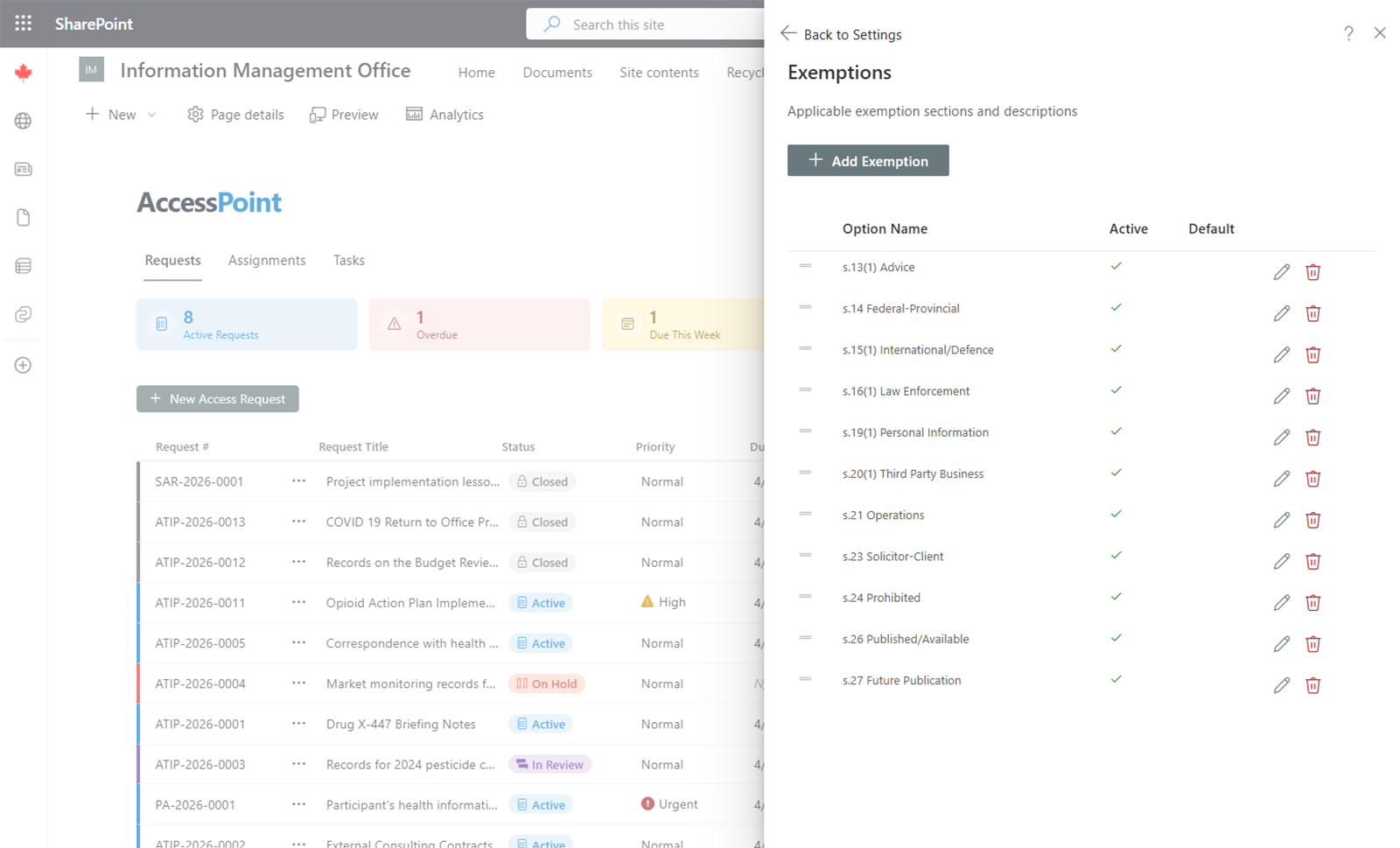
Exemptions define the specific legislative provisions that can be applied to documents during review to justify redactions or withholding of information.
How Exemptions Work
Each exemption represents a specific section or subsection of legislation that authorizes withholding information. For example:
- s.13(1)(a) — Information obtained in confidence from a government of a foreign state (ATIA)
- s.19(1) — Personal information (ATIA)
- s.26 — Information to be published (PA)
Every exemption belongs to a Legal Authority, which identifies the legislation it comes from.
Managing Exemptions
- Add — Click Add Exemption, select the parent legal authority, enter the section reference and description (with translations), and save.
- Edit — Click on an existing exemption to modify it.
- Remove — Delete exemptions that are no longer needed.
Jurisdiction Packs
Pre-configured libraries of exemptions are available for supported jurisdictions through jurisdiction packs. These include the full set of exemption and exclusion provisions for the applicable legislation, ready to use immediately after import.
Usage
During document review, reviewers select exemption codes to apply to specific pages or passages. The applied exemptions are tracked per document and summarized in reports, providing a complete record of the legal basis for all redactions.