
Attestation templates — managing the formal certification text for custodian attestations
Last updated: October 20, 2026 by Steve
Attestation Templates
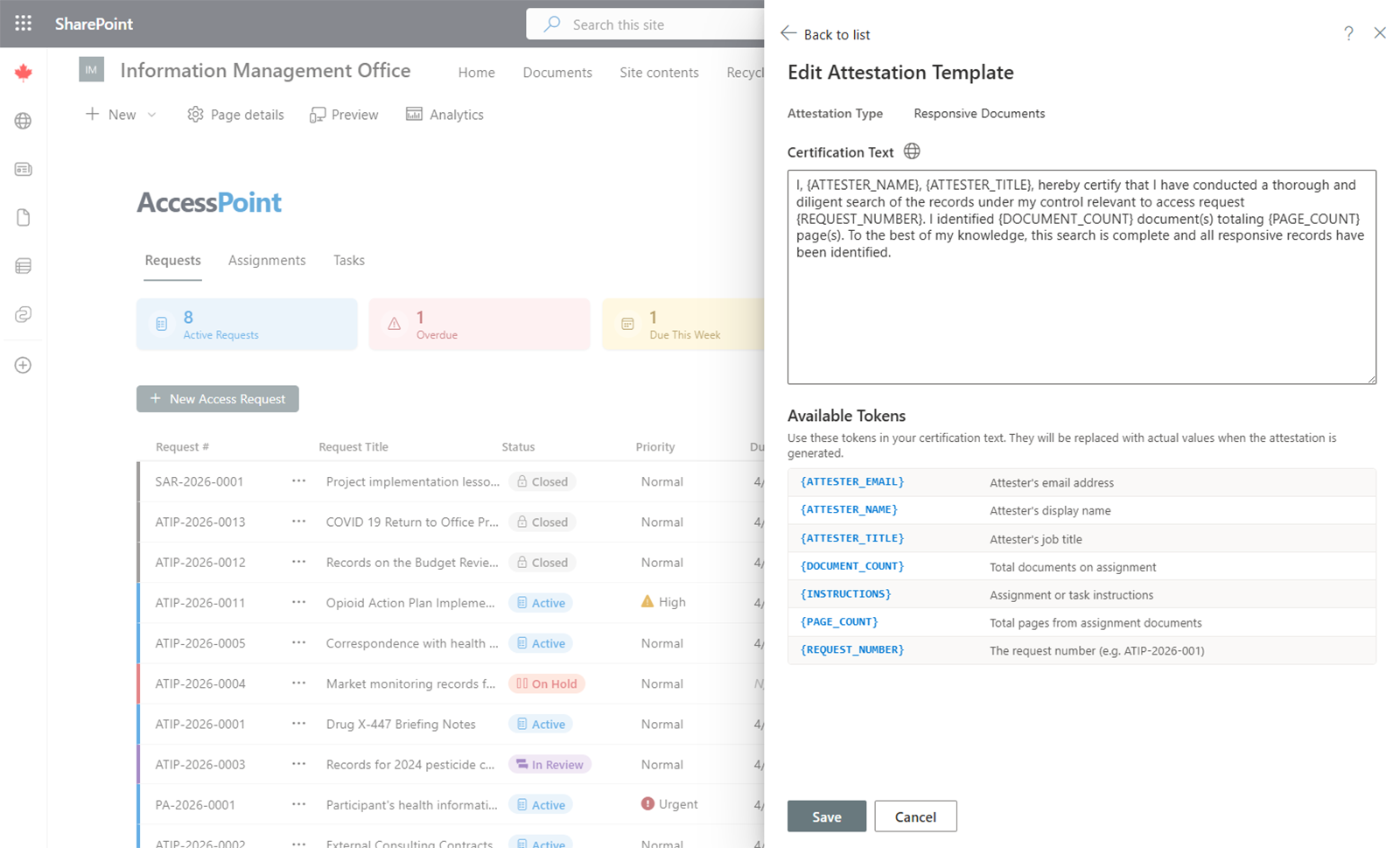
Attestation Templates define the formal certification text that custodians review and sign when submitting their document collection work.
What Is an Attestation?
An attestation is a formal statement in which a custodian confirms that they have:
- Searched the specified repositories and locations
- Submitted all relevant documents found
- Reported the results of their search accurately
Attestations create an auditable record that the document collection process was thorough and complete.
Scenarios
Each template belongs to an attestation scenario: records found or no records found. The custodian is shown the template that matches what they report.
Managing Templates
- Add — Click Add template, choose the scenario, enter the attestation text, and save.
- Edit — Click on an existing template to modify the certification language.
- Scope — Each template can be scoped to a specific request type and/or jurisdiction (legal authority). When an attestation is generated, the most specific matching template wins, falling back to the tenant default.
- Letterhead — Optionally pick a certificate letterhead for the signed attestation.
- Reorder — Drag templates to reorder them within a scenario, or use Alt+Arrow from the keyboard.
- Remove — Delete a template that is no longer needed, as long as its scenario keeps at least one.
Custodians and contributors work from sanitized instructions and never see requestor personal information, so attestation text must not assume that they can.
Multi-Language Support
Attestation templates can be configured for each enabled system language. The system presents the attestation in the custodian's preferred language.
Usage
When a custodian completes their document collection assignment and is ready to submit, they are presented with the attestation text. They must review and sign the attestation before their submission is accepted. The signed attestation is recorded with a timestamp and the custodian's identity for audit purposes.
If your organization has turned Require attestation off under Settings → Features & AI, custodians submit with a plain Submit and a short confirmation instead. The assignment records that no attestation was required, and no attestation certificate is produced. While it is on (the default), AccessPoint refuses a submission without an attestation. See Features.