
Place or release a preservation hold to keep a case exactly as it is during an investigation, litigation, audit or regulator review.
Last updated: October 20, 2026 by Steve
Preservation Holds on a Case
A preservation hold keeps a case exactly as it is while a matter is open — an investigation, litigation, an audit or a regulator's review. While a hold stands:
- the case cannot be deleted or purged. Retention review lists it as A preservation hold is placed on the case and never purges it;
- none of its documents, working files or response packages can be deleted;
- housekeeping skips it, disposition refuses it, and the nightly sweep never archives its files.
Placing a hold moves and deletes nothing by itself. Portal deliveries still expire and can be revoked, reading-room entries can still be withdrawn, and redaction marks can still be edited. Those are copies or work in progress, not the record.
Placing a Hold
You need the Place preservation holds permission (case.hold). Administrators have it.
- Open the case: a request, assessment, audit, incident, complaint, risk or privacy subject.
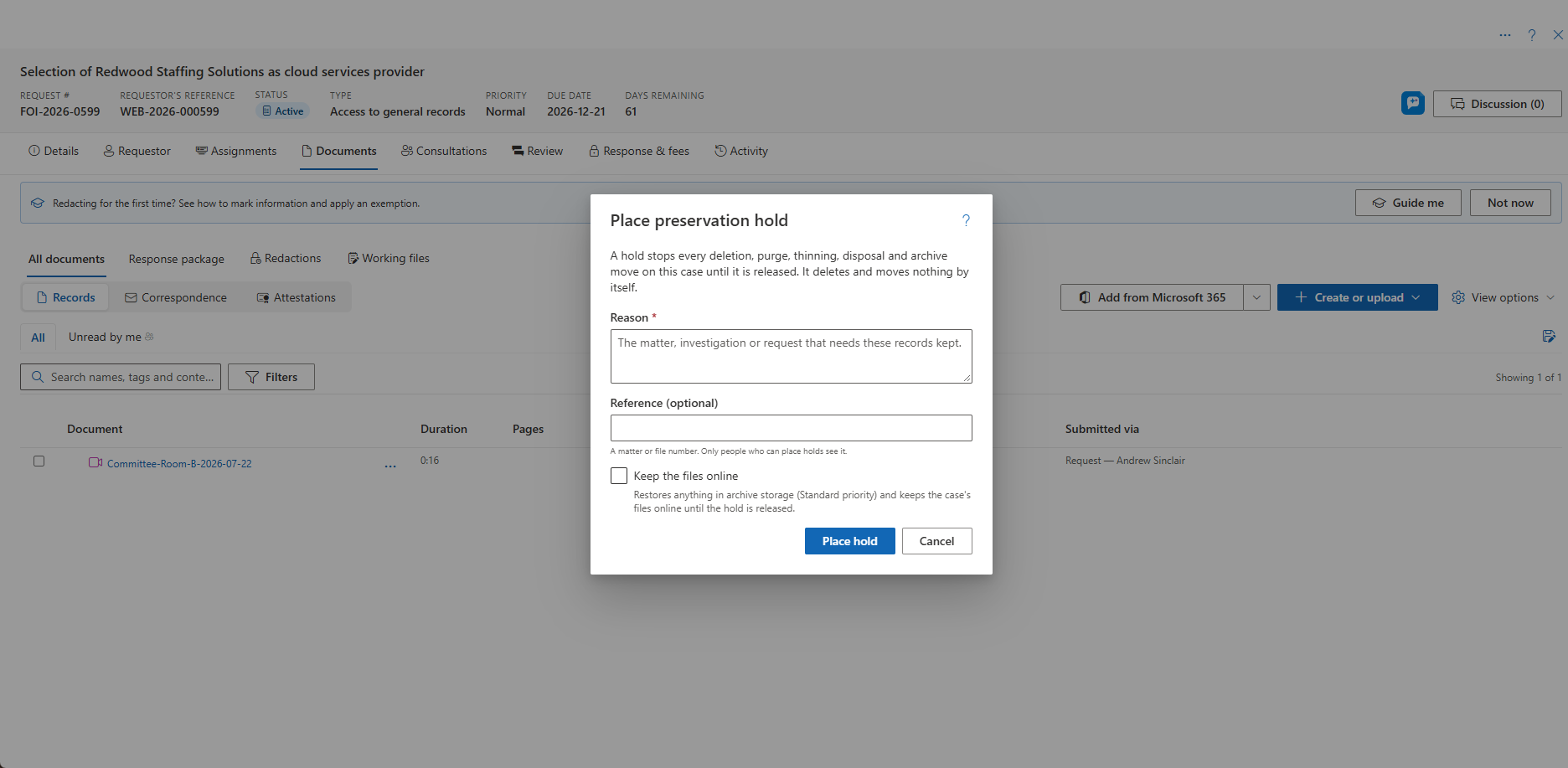
- Choose … → Place preservation hold….
- Give the reason (required, up to 1,000 characters).
- Optionally add a reference, such as a matter or file number. It is shown only to people who can place holds.
- On the four registers that hold documents, tick Keep the files online if you want anything in archive storage restored (Standard priority) and kept online until the hold is released.
- Confirm.
Several holds can stand on one case, each for its own matter.
Releasing a Hold
Choose … → Release preservation hold… and give a reason. The case stays held while another hold remains. Administrators and anyone with Place preservation holds can also release holds from Preservation Holds in Settings.
Every place and release is recorded in the audit ledger, reason and reference included, for good. The case's own history shows that a hold was placed or released, without the reason.
Holds That Reach Other Cases
- A hold on a complaint also holds every request linked to it, because an appeal can need the request's originals. It is released on the complaint.
- A hold on a risk also holds the assessment or incident it is attached to, because deleting that case would delete the risk.
- A hold on a request does not reach its complaints.
Who Sees What
Everyone who can open the case sees that it is held, since when and by whom, in the Preservation hold group of the Details sidebar. Delete is switched off and explains why. The reason and reference are shown only to people who can place holds. A hold inherited through a linked complaint is shown as such.
Related Pages
- Files in Archive Storage — what archiving does, and the restore that Keep the files online starts.
- Retention Review — where a held case is listed and never purged.
- Disposition — refused for a held case.
- Preservation Holds — every active hold, in Settings.