
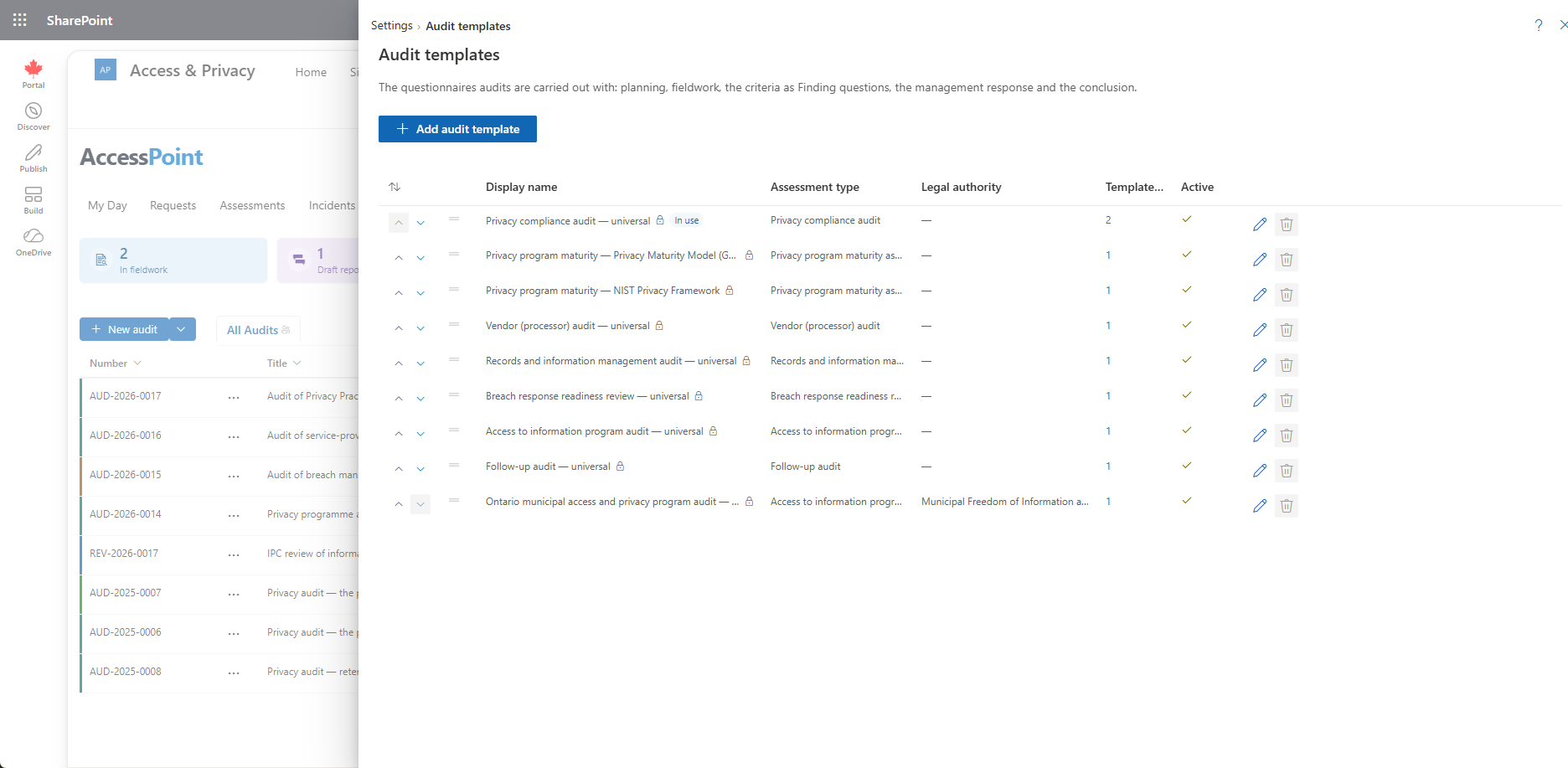
Settings → Audits → Audit templates — the questionnaires of audit types, with the standard Planning, Fieldwork, Response and Conclusion sections.
Last updated: October 20, 2026 by Steve
Audit Templates
Settings → Audits → Audit templates lists the templates of the audit types, with their type, legal authority and version. It is the assessment templates panel shown for audits only; everything beyond what is described here is the questionnaire editor of Assessment Templates.
Adding a Template
Add audit template offers only audit types and starts on the first.
Shipped Questionnaires
The Universal baseline pack ships an Internal privacy audit template: the engagement, one finding for each accountability building block, the management response and the overall conclusion. Jurisdiction packs add audit questionnaires built from the statute's criteria, each placed under one of the baseline's audit types rather than as a type of its own. Every audit questionnaire shares the same skeleton: Planning and Fieldwork first, Response and Conclusion last, and the criteria in between as Finding questions with the test and evidence in their guidance.
Pack content is a starting point built from public information about the legislation, not legal advice. Your legal counsel validates and adjusts it.
Add the Standard Sections
Under the sections of an audit template, once its header is saved, Add the standard sections inserts the outline every audit questionnaire shares:
- Planning and scope and Fieldwork and evidence at the start.
- Management response and Conclusion at the end.
Their questions (objective, scope, criteria, risk-based scoping, sampling, interviews, the management response, the conclusion and the others) are copied from the Universal baseline pack's audit questionnaires, in every language your tenant has.
- Their section and question codes are the shipped ones, so the audit reports and Ask AccessPoint read your questionnaire like the built-in ones.
- A section the template already has (by its code) is left exactly as it is and not added twice.
- Your own sections keep their content and their order between the opening and closing ones.
- The message says what was added.
- The copies are yours to edit, reorder or remove.
The action is offered on a template no audit uses yet. A template in use is locked: create a new version first. It needs the Universal baseline pack 2.41 or later.
Finding Questions
The criteria of an audit are Finding questions. On an audit, a criterion answered Not met or In progress offers Raise finding. See Audit Findings.
Related Pages
- Audit Types — the types templates belong to.
- Assessment Templates — the questionnaire editor.
- Creating an Audit — choosing a template for an audit.
- Audit Details — the questionnaire on an audit.