
Guide me highlights the real control on the real screen in a few short steps — how to start a tour, move through it and close it.
Last updated: October 20, 2026 by Steve
Guide Me
Guide me shows you where things are on the real screen. It highlights the real control, in at most four short steps (Step of ), and leaves you to do the work yourself. Nothing is changed for you.
Starting a Tour
- From Get Started on My Day, select Guide me (the training icon) on a step.
- From the Help panel, select Guide me in the footer. On a screen that has a tour it closes the help and starts the tour. Tours exist for My Day, a register's list, a request's Requestor, Assignments and Documents tabs, an assessment, the privacy program and a privacy subject, Reports and Report Studio, coverage delegations, your assignments, tasks and reviews, and Settings → Training. Anywhere else, Guide me opens the Training hub.
- From a training case's guide, where a step has Guide me.
- From the short note that appears the first time you reach an empty My Day, an empty Requests list, your first assignment, your first review step, or the Documents tab before your first redaction. The note offers Guide me or Not now; it never takes focus away from what you are doing, and once you choose Not now it stays away.
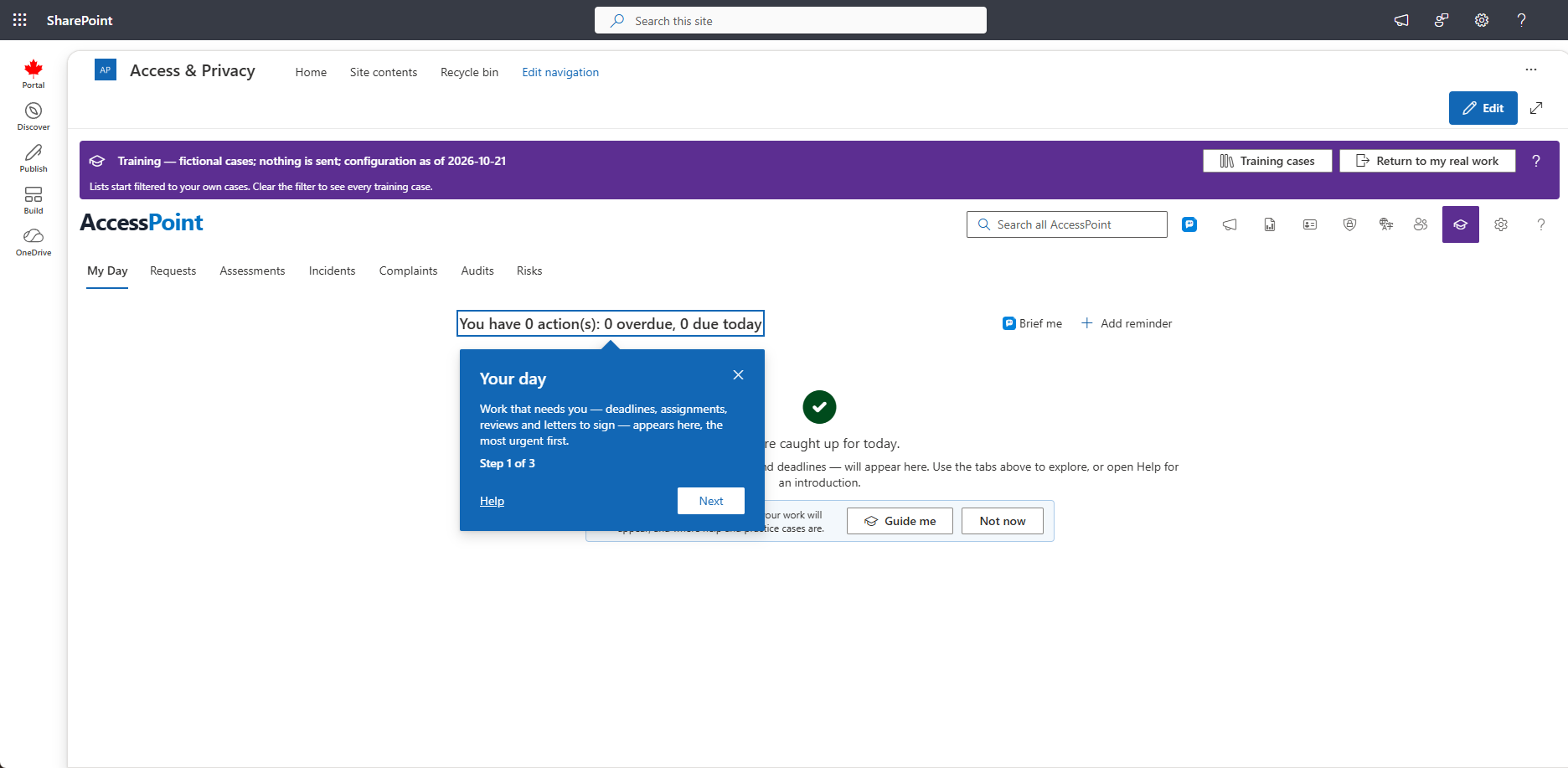
Moving Through a Tour
- The highlighted control gets an outline and stays usable. Press Tab to reach it and Shift+Tab to come back to the tip.
- Escape closes the tour and returns you to where you started.
- If the part of the screen a step points at is not open yet — for example a case's tab — the step says so and points at what opens it (the tab, or the button). It moves on to the control itself once it is open. Guide me never opens a case for you.
- Started from inside an open case, a tour begins at the first step whose control is already on the screen. The case stays open under the tip, and the tour never switches you to another tab.
- A step about something waiting for you on My Day — a letter to sign off, a survey to answer — points at My Day's list and tells you when none is waiting.
- A tour follows you into the dialogs the task uses. Redacting for the first time? walks from a record's name into the redaction viewer, to Redact, and, once you select the words to withhold, to the exemption. A New… tour goes on into the form it opens, to the button that creates the case. The assignment and task tours point at the upload area and at the hand-over itself.
- The privacy program's tours open the program at Inventory › Subjects themselves; the first one points at the toolbar's Privacy program button so you know where it is.
Turning Tips Off and On
Choose Don't offer tips from the ⋯ menu on the Get started group to stop the first-time notes. To bring them back, open the Training hub, then My training, and select Show Get started tips again. If your administrator switches off guided help, Guide me is hidden altogether.
Related Pages
- Get Started — the topics and steps that start tours.
- Training Hub — where My training and the training cases are.
- Training Cases — practising with a step-by-step guide.