
Export History records which response package actually reached the requestor, how and when — and why archiving relies on that record.
Last updated: October 20, 2026 by Steve
Mark Package as Sent
Export History records which response package actually reached the requestor, and when. A request can have several packages for one response — drafts, a corrected version, the one that went out — and the sent mark says which one was the real disclosure. Case archiving relies on it: the sent package is the record of disclosure that disposition keeps, duplicate cleanup removes the drafts it superseded, and Keep only what was released is offered only for a request whose package was marked as sent.
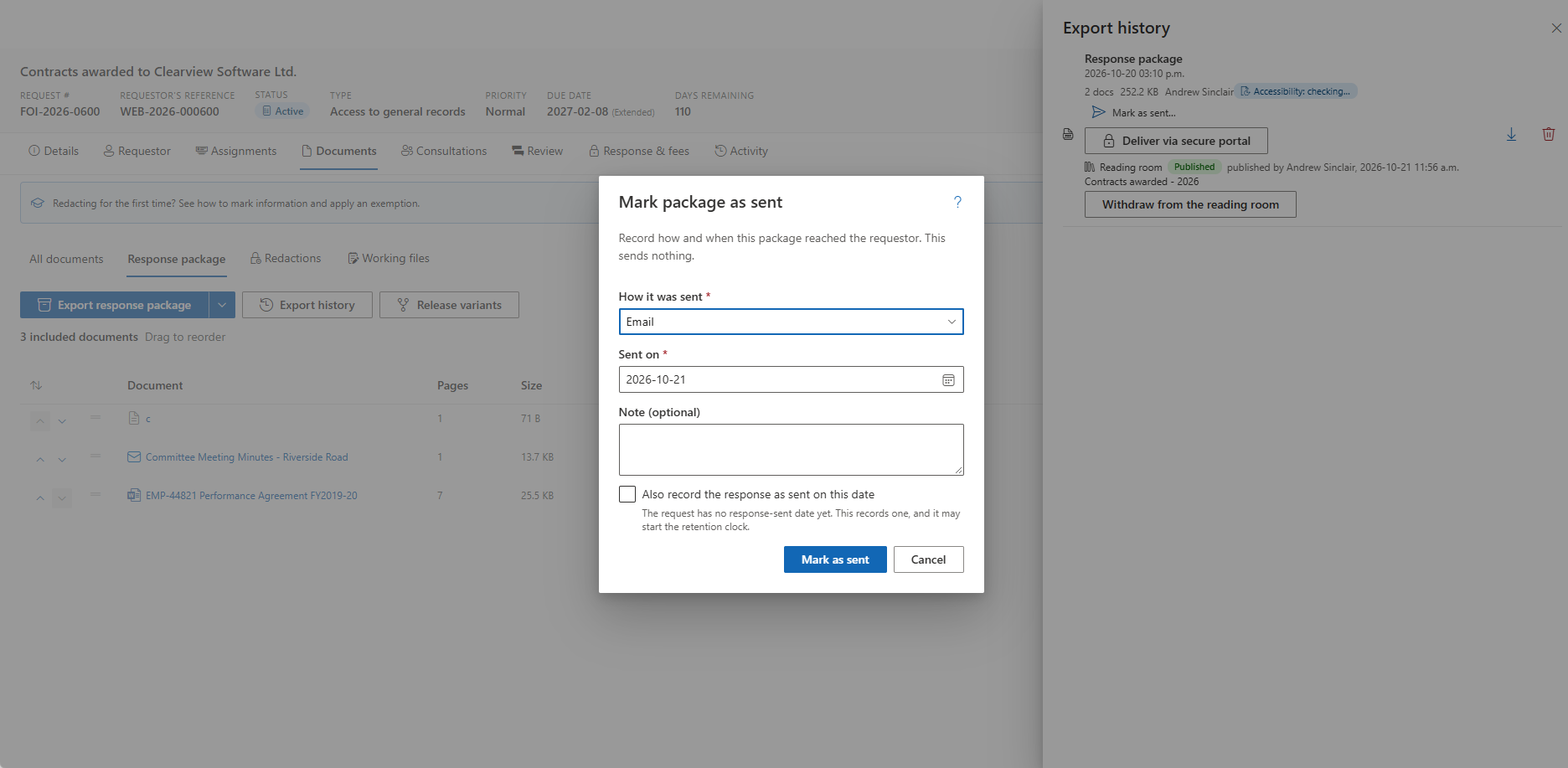
Marking a Package
You need the permission to send final response packages (package.send) on the request.
- Open the request's Export History and find a ready Response package.
- Choose Mark as sent….
- Pick how it went: Email, Mail, In person, Courier, Fax or Other.
- Pick the day. It cannot be in the future or before the package was made.
- Add a note if you want one.
- If the request has no response-sent date yet, Also record the response as sent on this date records it too, which may start the retention clock. An existing date is never changed.
The row then shows the Sent pill with Sent
Packages the Portal Marks
A package delivered through the secure portal is marked by the portal itself, on the day the requestor could download it (Secure portal). That mark cannot be cleared, and revoking the delivery does not remove it, because the requestor may already have downloaded the package.
A review or originals package, or one whose type is in doubt, cannot be marked.
How This Differs from the Request's Mark as Sent
The request's own Mark as sent on the Response tab records that the response went out. The package mark says which package it was. Also record the response as sent on this date sets the first when you record the second.
Packages Made Before 2.5.0
Packages made before 2.5.0 have no sent mark, including ones that did reach the requestor. When a later package of the same response is marked as sent, housekeeping treats those older, unmarked packages as superseded drafts and removes them. Before an administrator switches duplicate cleanup on, open Export History on the closed requests you care about and mark as sent the packages that were actually sent. A request with no package marked as sent is never offered for Keep only what was released.
When a Package's File Was Disposed Of
If an administrator has disposed of a package's file under a storage policy, the row says so. It keeps its sent mark and fingerprint, so the record of what was sent and when remains.
Related Pages
- Request Response — the Response tab and the request's own sent date.
- Files in Archive Storage — what archiving does to a closed case's files.
- Disposition — how the sent package is kept when originals are disposed of.
- Storage and Archiving — the policies, including duplicate cleanup.