
Solutions · By capability
Video and audio redaction with the exemption on every mark
Body-worn camera, CCTV, 911 and dispatch audio, interview recordings, voicemail, Teams meetings — reviewed, transcribed, and severed in the browser, with the statutory exemption cited on every span, and released as a burned MP4 or MP3 with a hash manifest and a time-based redaction log. All of it in your own Microsoft 365 tenant.
Recordings are the fastest-growing category of responsive record and the slowest to process. Four independent measurements — the Canada Border Services Agency's procurement challenge, a Washington county's 2026 fee study, a vendor's police-department customer story, and a California Supreme Court record — land in the same band: four to six analyst hours for every hour of footage, and often more. Most request-management software leaves that work outside the system entirely, in a desktop tool or a separately licensed service.
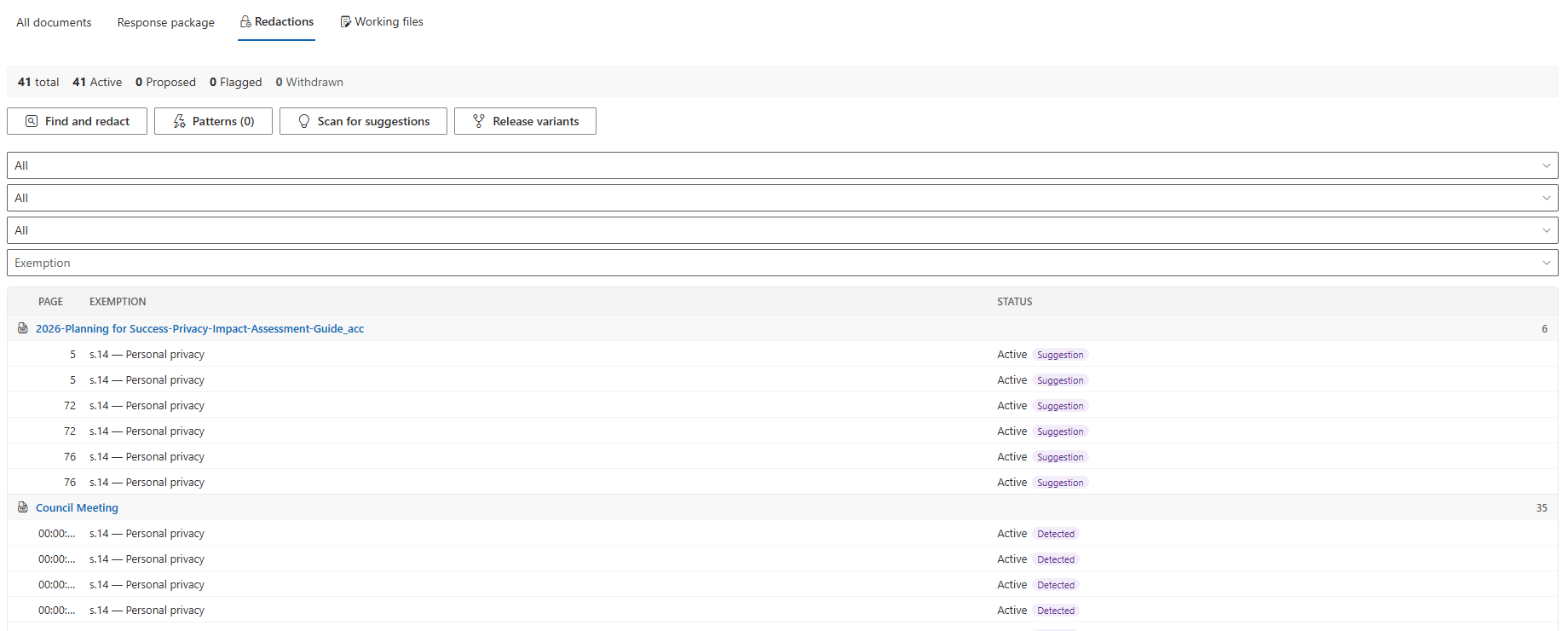
Where the request suites do offer video redaction, they integrate a separately licensed third-party tool, and by that vendor's own description the round trip returns the redacted file and an audit log. The exemption codes a reviewer applies inside the video tool are burned into the picture and listed in that tool's own report; they do not become the case file's redaction record. The time-based withholding index — what was withheld, from when to when, under which provision — lives outside the request system.
AccessPoint treats a recording as a document. It sits in the same workspace as the PDFs, opens in a viewer built for review, and every mark — a blurred face, a muted span, a distorted voice — carries the exemption, the alternates, the approval, and the audit entry that a page redaction does. The released copy burns the citation into the frame at the place in the record where the deletion is made, and the redaction log records every span.
Sound familiar?
Three moments every office that handles footage recognizes — and what each one risks.
Five hours of work per hour of footage
A body-worn camera request arrives with eleven hours of video. Someone scrubs through it in a desktop tool, blurring frame by frame, then writes down in a separate spreadsheet which exemption covered each blur — because the tool has nowhere to put it.
The citation that didn't survive the handoff
The video went out to a separate redaction service and came back as a file. The exemption codes stayed behind. When the commissioner asks why 3:17 to 4:02 was withheld, the answer lives in someone's memory.
The wrong cut, released
Two versions of the same clip sit in a folder — the internal review copy and the release copy. The unblurred one gets attached, and there is no manifest to prove which one went out.
Watch it work
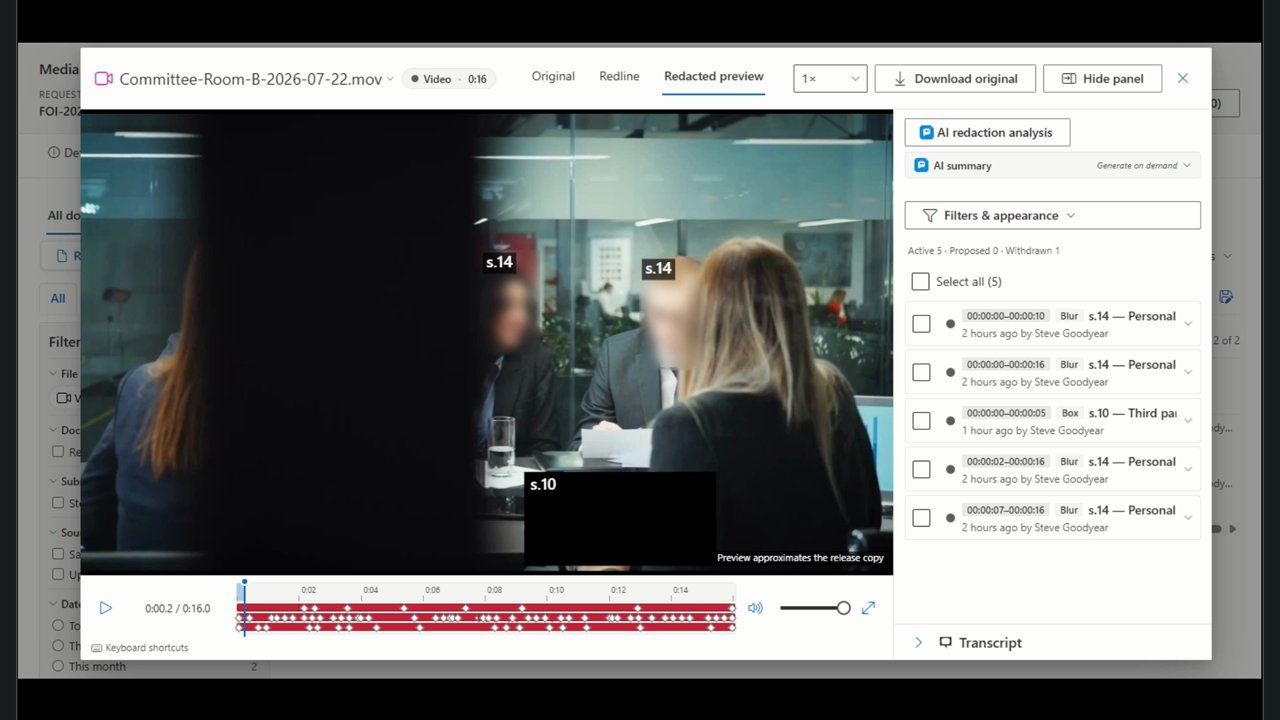
Two minutes in the media viewer: faces detected and blurred, an area marked for severance by hand, and the exemption cited on every mark.
What to look for in video and audio redaction software
Whatever you buy — including if it isn't AccessPoint — these are the capabilities that separate a blur tool from a system that can defend a release.
How AccessPoint redacts video and audio
One workspace for the PDFs and the footage — these are the load-bearing pieces.
Every recording is a document
Upload recordings up to 50 GB through a resumable queue, or capture a Teams meeting recording with its transcript. Recordings sit beside the PDFs on the request, assessment, incident, or complaint, with a Duration column and processing chips. Footage held in Axon Evidence comes in through the Axon Evidence connector.
The Axon Evidence connector →Marks that follow the subject
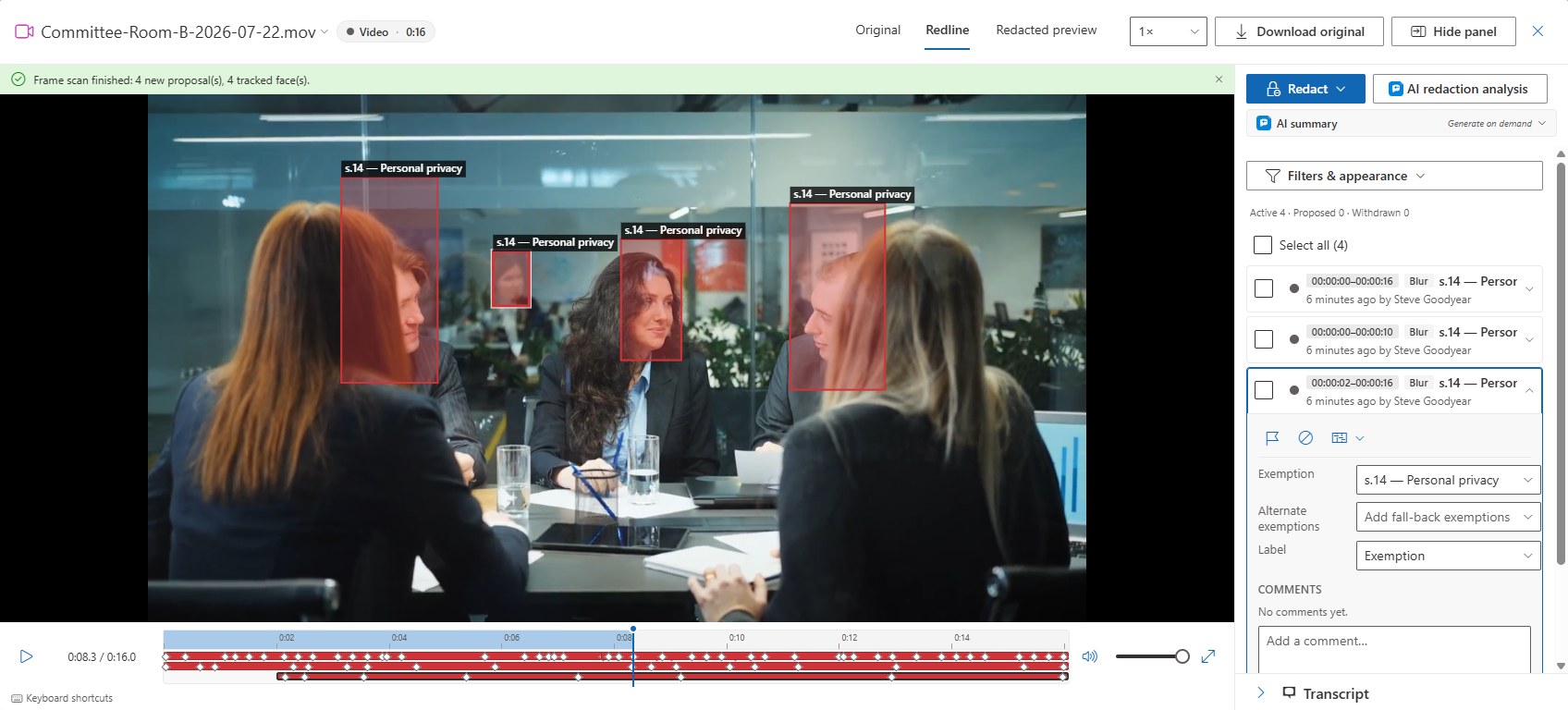
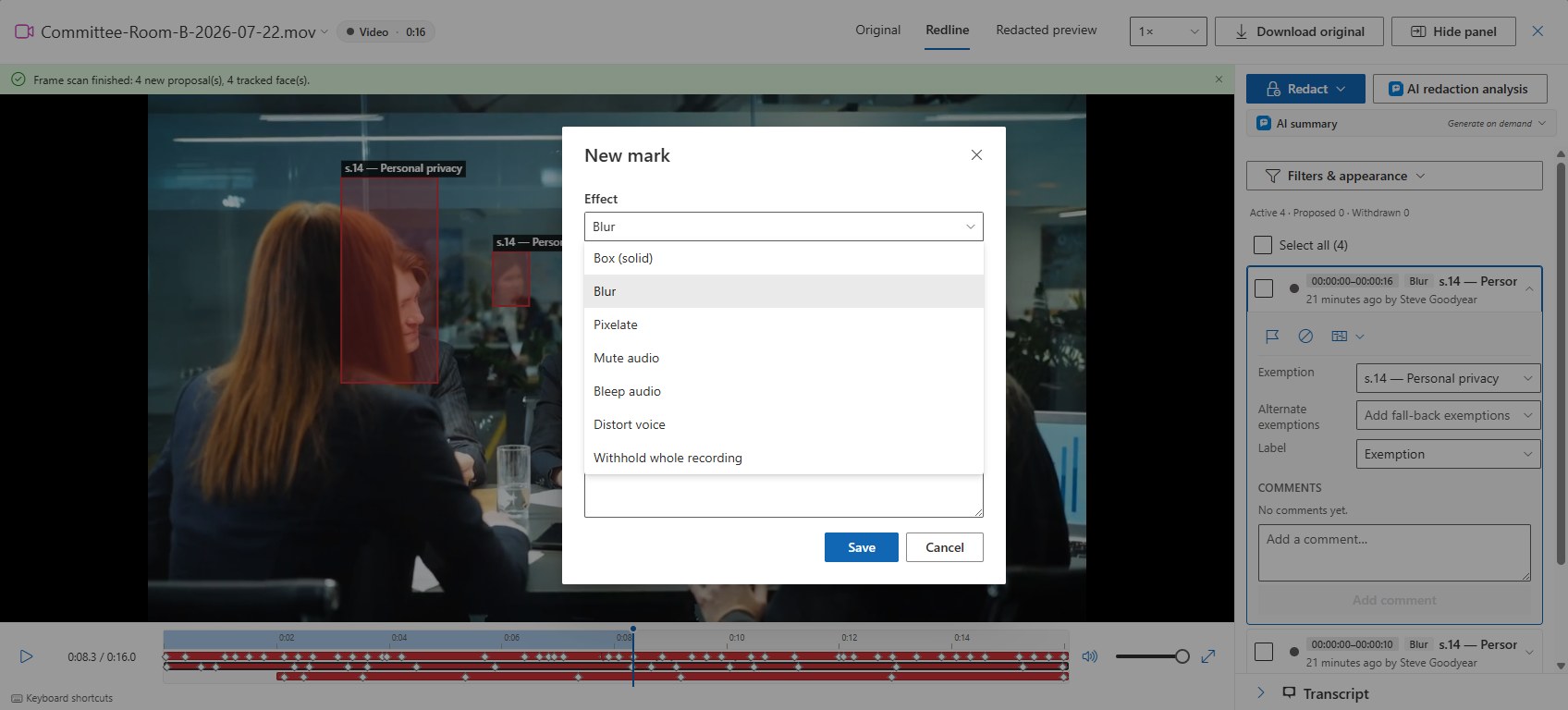
Draw a box, blur, or pixelate over a span; keyframe it, or let automatic tracking follow the person through the clip in both directions. Mute, bleep, or distort the voice for the sound. Withhold the whole recording where that is the decision.
Detection in your own tenant
Detect faces and on-screen text — a licence plate, a name badge, a case file on a monitor — and receive one tracked proposal per hit. Face detection runs on your own App Service, so nothing leaves the tenant, and nothing is applied until a person accepts it.
Transcript-anchored redaction
Azure AI Speech transcribes in your own subscription; Teams recordings bring their own transcript. Find a word, jump to the moment it is spoken, and let find-and-redact, your detection rules, and the AI pass propose mute marks over the spoken span.
The exemption survives to the release
Each mark cites its exemption and alternates, passes approval, and is audited like a page redaction. The released MP4 or MP3 carries the citation captioned in the frame, and the redaction log records every span, effect, and exemption.
Effort and fees that match the statute
The Fees panel estimates media review from the recording's duration — four reviewer-hours per recorded hour by default, tunable to your office — and pre-fills the fee line where your schedule bills review time.
See it in AccessPoint
Real screens from the product, running in a Microsoft 365 tenant. Click any one to enlarge.
The structural difference
The citation does not survive the handoff — except here
Elsewhere in this market, video redaction is a separate product. The request system sends the footage out and gets back a rendered file and another product's audit log; the exemption codes applied inside the video tool are burned into the picture and listed in that tool's report, not held as the case file's own redaction record. AccessPoint keeps the mark, its exemption and alternates, its approval, its audit entry, the burned caption, the release package, and the redaction log as one record that never crosses a vendor boundary. Where a statute asks that the amount withheld and the exemption be indicated at the place in the record where the deletion is made, the in-frame caption does exactly that.
From upload to release
The path for a body-worn camera request:
- Upload the footage or capture the Teams recording. It is prepared for playback and transcribed in your own subscription.
- Run Detect faces and text on screen, review the proposals, and add any span, region, or voice marks by hand.
- Cite the exemption and alternates on each mark, route the marks through approval, and check the Redacted preview.
- Export the response package: the MP4 or MP3 with the marks burned in, the manifest of hashes, and the redaction log.
Go deeper
Video & Audio Redaction Questions
What kinds of recordings can AccessPoint redact?
How does redaction work on a recording?
Can it find faces and on-screen text automatically?
Does the exemption citation go with the released file?
What does it cost, and what does it need?
Flat annual pricing, published in full. Every feature in every size — access requests, privacy impact assessments, breach response, complaints, video & audio redaction, the public portal, repository connectors, and AI Assist. No per-user or per-module fees.
- Under 500 employees$2,990/yr
- 500–1,999 employees$7,990/yr
- 2,000–9,999 employees$14,990/yr
- 10,000+ employees$29,990/yr
Redact the Footage Where It Lives.
Try AccessPoint free for 30 days in your own Microsoft 365 tenant — video and audio redaction included, no per-seat add-on.