
Solutions · By capability
Train your team on the real screens, with none of the real data
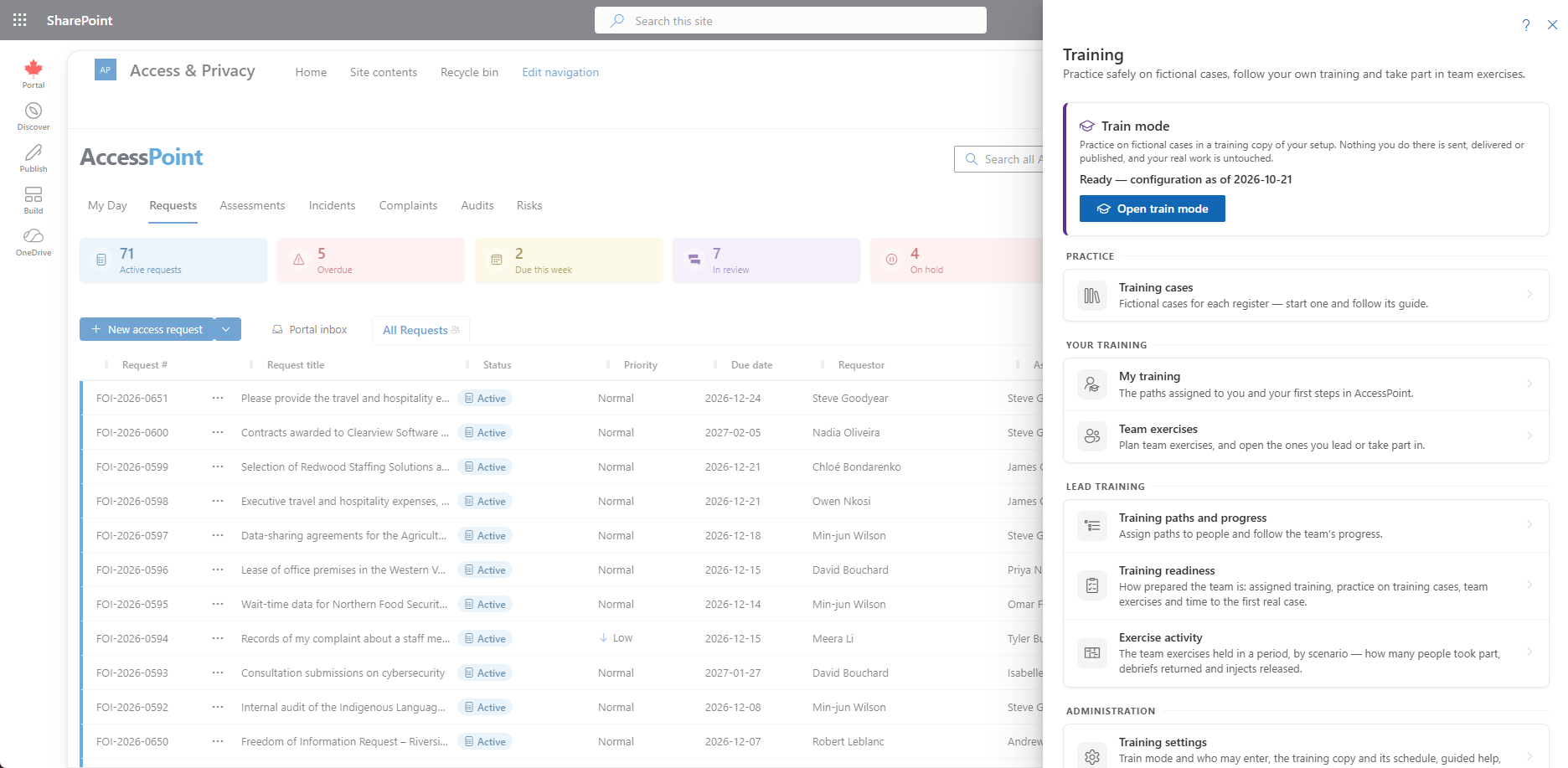
A training copy of your organization — your request types, templates, letters and settings, holding only fictional cases — where new coordinators and analysts practise until the work is second nature. Guided tours on the real screens, training paths with due dates, and breach tabletop exercises with an exercise clock, all in your own tenant, with nothing ever sent.
Access and privacy offices turn over, and the work does not wait. A new coordinator learns the statute, the request types, the letters and the exemptions on live files — with a real requestor's personal information on the screen and a statutory clock running — usually by shadowing whoever has been there longest. When that person leaves, much of what they knew leaves with them. And the breach plan in the binder is rehearsed, if at all, around a meeting-room table rather than in the system the team would actually use.
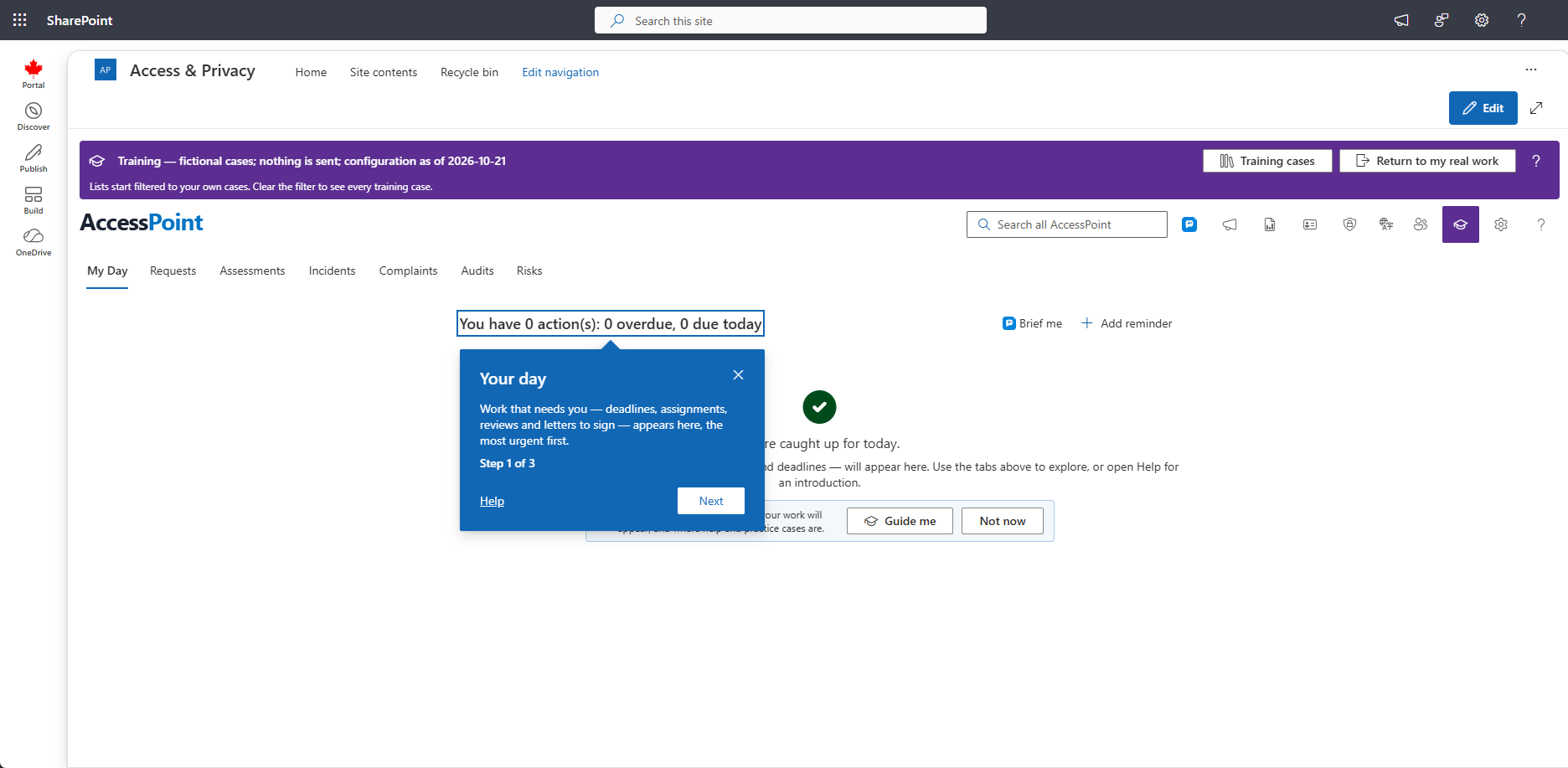
Train mode gives every AccessPoint organization a training copy of itself. It carries your real configuration — request types, statuses, templates, letters, languages and settings, copied from your live setup every week by default — and holds only fictional training cases, with invented people, organizations and records. People work in it with their real role, on the real screens, under a band that always says they are training. Letters are simulated; nothing is sent, delivered, paid for or published.
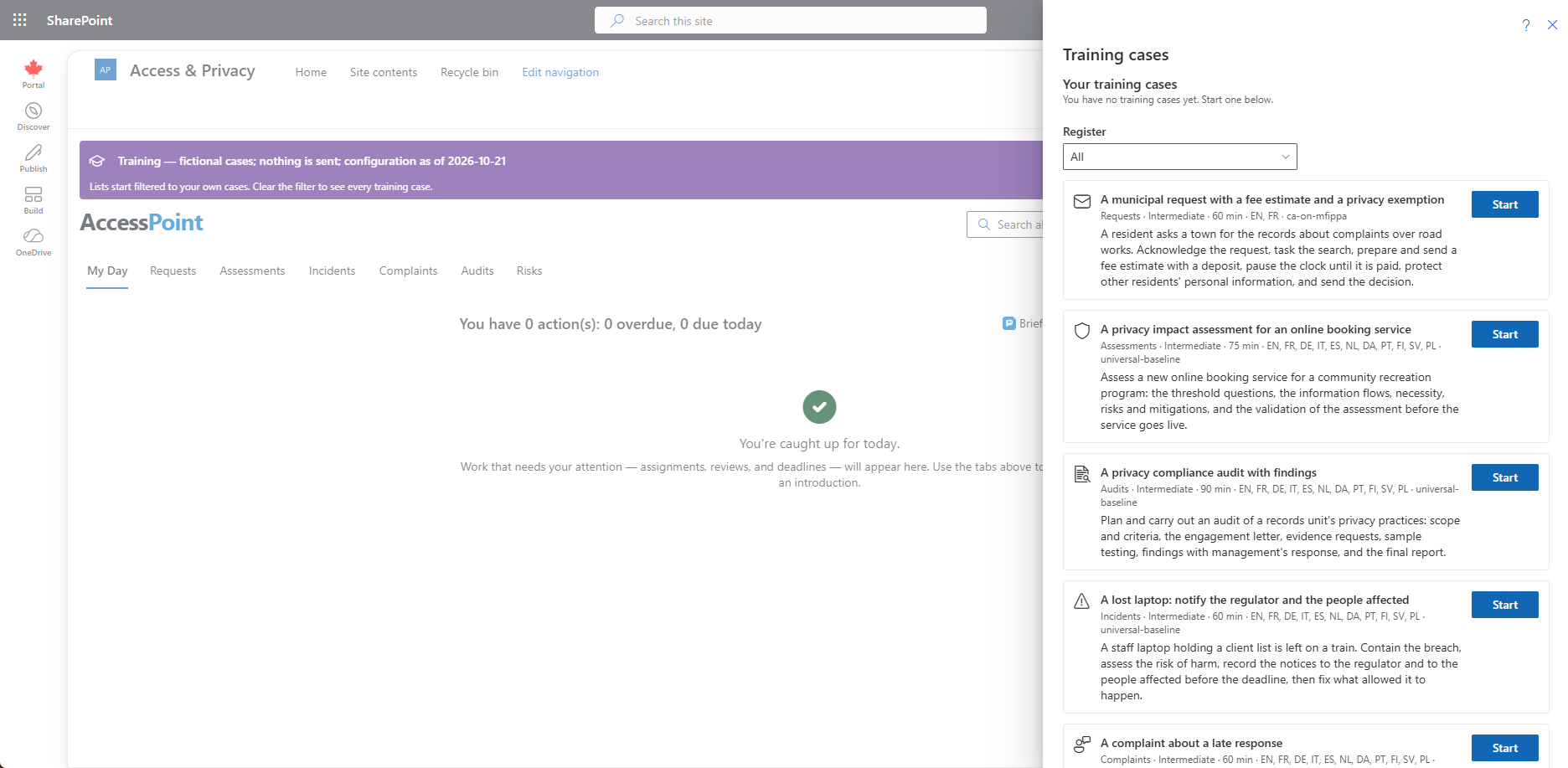
Around it sits the rest of a training program: Get started on My Day and Guide me tours that highlight the real control on the real screen; training cases whose guides tick themselves as the work is done; training paths a lead assigns with due dates; team exercises with roles, injects, debriefs and an exercise clock that can run a breach notification deadline forward; finished DPIA examples to read; and readiness reports that show totals, never a figure about one person.
Sound familiar?
Three moments every access and privacy office recognizes — whether the team is two people or twenty.
The first real request is the training
A new analyst's first file is a live one: a real requestor, real records, a real deadline. The letter goes out on the wrong template, the exemption is cited from memory, and the senior coordinator spends the week checking work instead of doing it.
The test site nobody maintains
There is a training environment, technically — versions behind, with request types nobody uses any more and someone's half-finished test cases. New staff learn from screenshots in a slide deck instead.
The breach plan nobody has rehearsed
The notification deadline is written into the policy. Nobody on the team has ever worked a breach against it in the system, so the first run-through is the real one — late on a Friday, with the clock already running.
What to look for in a training environment for access and privacy teams
Whatever you buy — including if it isn't AccessPoint — these are the capabilities that separate a demo site from training that actually shortens the time to a confident first file.
How AccessPoint trains your team
Practice, guidance and team drills in one place — these are the load-bearing pieces.
A training copy of your organization
Your configuration, copied in weekly by default — or monthly, or on demand — holding only fictional cases numbered TR-. Train mode belongs to one browser tab, says so in a band across the top and in the page title, and returns to your real work after 30 minutes without activity.
Get started and Guide me
Get started on My Day lists the first tasks for each person's kind of work and ticks them off as they do the real thing. Guide me highlights the real control on the real screen in at most four short steps — from a record's name into the redaction viewer, all the way to the exemption.
Training cases with a guide
Fictional requests, assessments, breaches, complaints and risks from your packs, each with a guide whose steps tick themselves as the work is done, and a Training library of fictional records to add, review and redact. Uploading your own files is off by default.
Training paths with due dates
Packs provide paths for a new coordinator, analyst, privacy officer, administrator, custodian and breach team member. Leads copy them or build their own, assign them with a due date and a note, and follow a team progress table with CSV export.
Team exercises with an exercise clock
Run a breach tabletop on one shared training case: assign participants to roles, release injects as the scenario unfolds, move the exercise clock forward by hours or to the next deadline, and collect each person's debrief.
Readiness you can report
Training readiness and Exercise activity show completion, overdue assignments, how many people practised, the exercises held and when each scenario was last drilled — totals only, never a figure about one person — plus the median days from first sign-in to first real case.
See it in AccessPoint
Real screens from the product, running in a Microsoft 365 tenant. Click any one to enlarge.
The structural difference
Practice that lives where the work lives
Training on case-management software often happens somewhere else: a vendor's demo site with someone else's request types, a test installation that drifts out of date, or a slide deck. AccessPoint's training copy lives in your own deployment, in your own Azure database, kept apart from your real work by the same tenant isolation that separates one organization from another. Nothing in it appears in your real lists, reports, search, exports or My Day, and nothing in your real work appears in it. One outbound guard refuses everything that would leave — portal delivery, the reading room, payment requests, repository connectors, Microsoft 365 capture and data import — and letters are generated and filed but never sent.
From a new hire's first day to a team drill
The path for onboarding a new coordinator:
- An administrator reviews Settings → Training — who may enter train mode, how often your setup is copied in, guided help and team options — and adds Manage training to the role your training leads hold.
- A training lead assigns a path, such as the new coordinator path, with a due date; it appears on the person's My Day.
- The new coordinator works through Get started and practises on training cases in train mode, with Guide me on the steps a tour covers.
- The lead plans a team exercise — the lost-laptop breach, for example — releases its injects, moves the exercise clock, and reads the debriefs.
- Training readiness shows what is complete, what is overdue and which drills are due.
Go deeper
Train Mode & Guided Training Questions
What is train mode in AccessPoint?
Can anything done in train mode reach a real requestor or appear in our real records?
What training scenarios come with AccessPoint?
How do we run a privacy breach tabletop exercise in AccessPoint?
What does AccessPoint record about each person's training?
Does train mode need separate infrastructure or cost extra?
Flat annual pricing, published in full. Every feature in every size — access requests, privacy impact assessments, breach response, complaints, video & audio redaction, the public portal, repository connectors, and AI Assist. No per-user or per-module fees.
- Under 500 employees$2,990/yr
- 500–1,999 employees$7,990/yr
- 2,000–9,999 employees$14,990/yr
- 10,000+ employees$29,990/yr
Let Them Practise Before It Counts.
Try AccessPoint free for 30 days in your own Microsoft 365 tenant — train mode, guided tours and team exercises included.