
Solutions · By capability
Breach management with the statute built in
Log a breach in seconds, assess real risk of significant harm, and get a live checklist of exactly who must be notified, by when, and what each notice must contain — computed from your governing legislation, worked to closure on one auditable record.
The first hours of a privacy breach are exactly when nobody should be reading legislation. Which threshold applies, which regulator must be told, what the notice to affected individuals must contain, and what clock started when — these are computable questions, and privacy breach management software should compute them. Most tools instead give you an incident form and leave the statutory reasoning to whoever is on call.
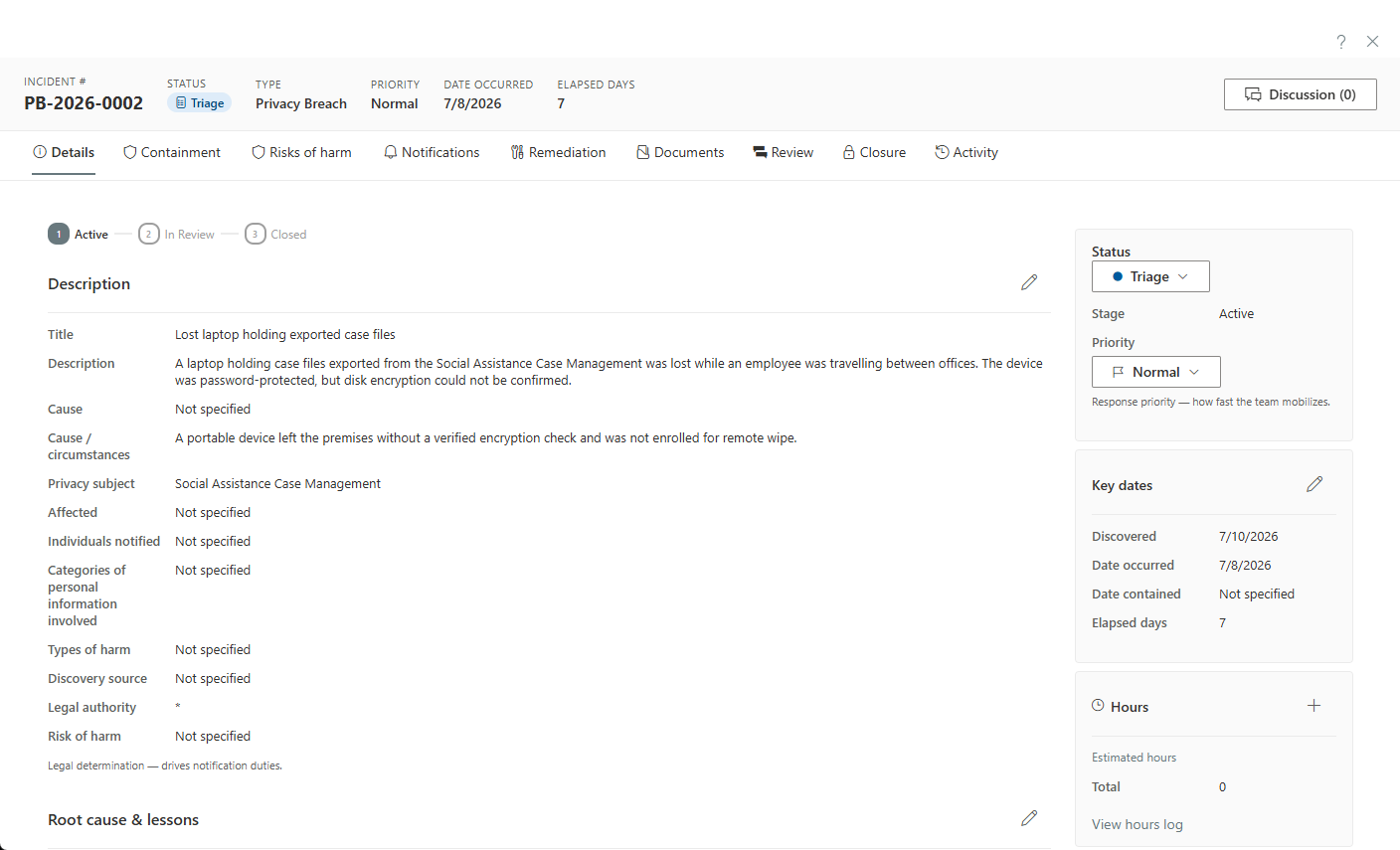
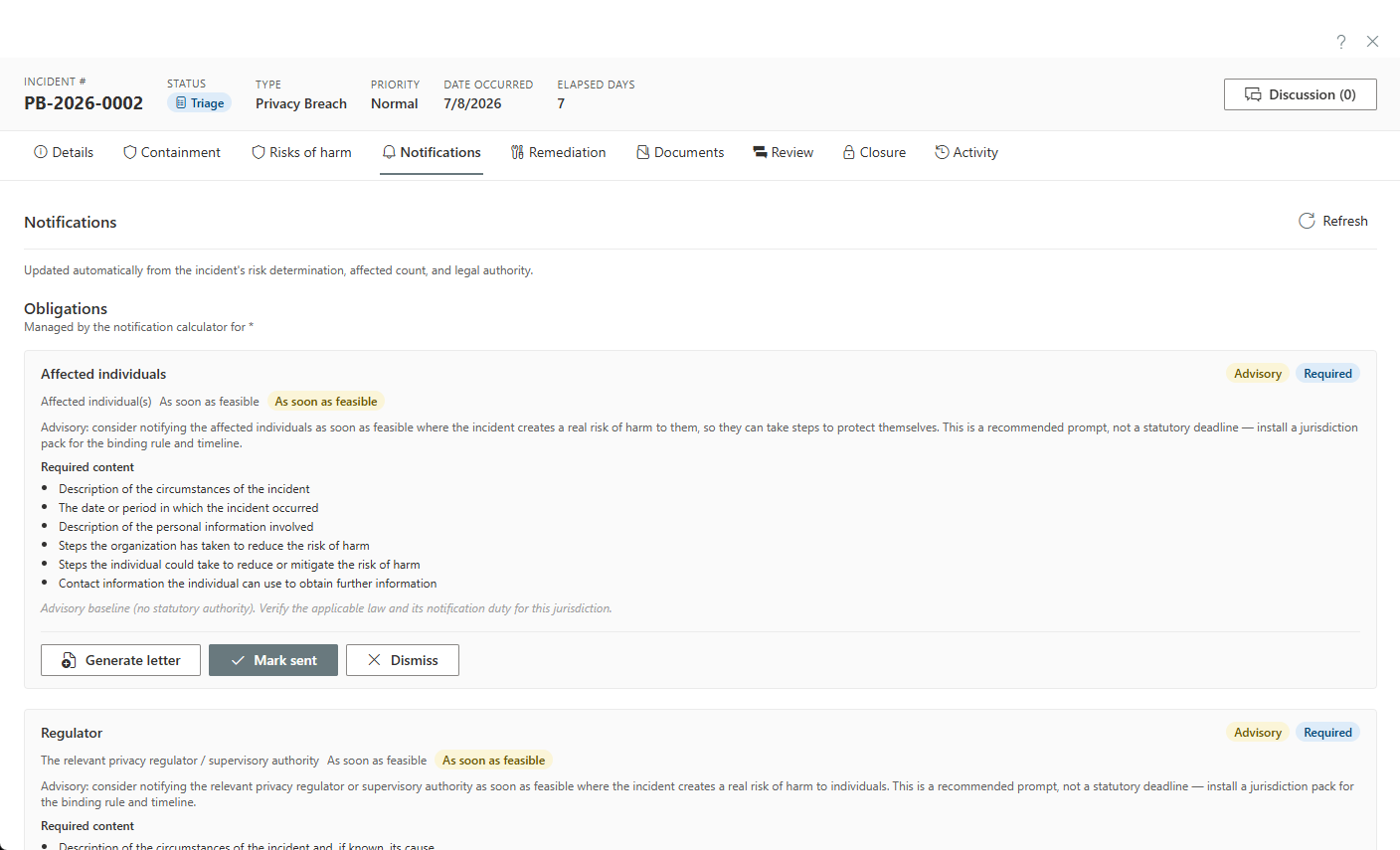
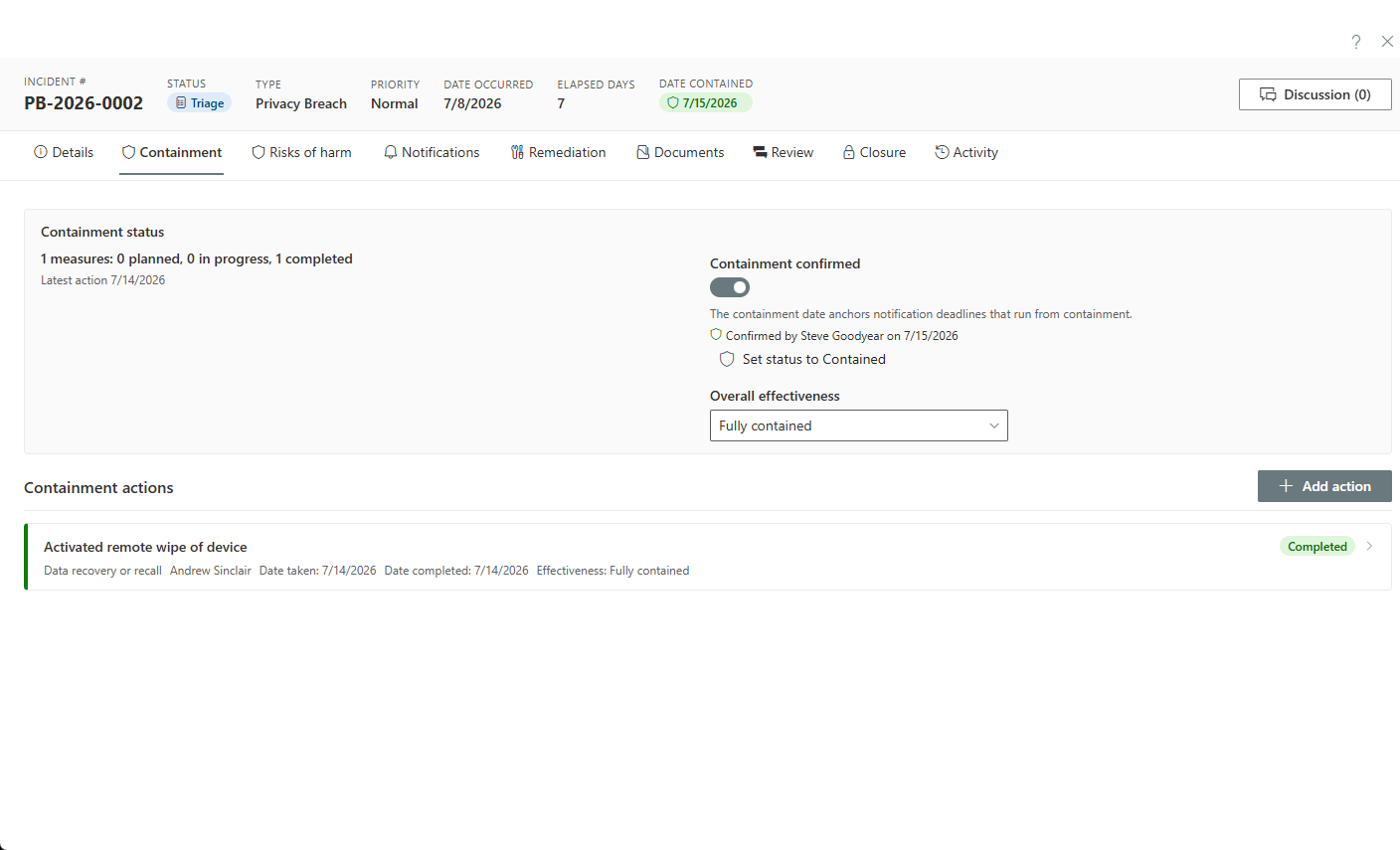
AccessPoint runs the whole incident lifecycle with the statute in the loop. Intake captures cause, circumstances, affected individuals, and the categories of personal information involved; a real-risk-of-significant-harm evaluation drives a live obligations checklist — who must be told, by when, with what content — computed from the incident's legal authority; and containment gets its own confirmed shield with date and signatory. Notices are marked sent, dismissed with a recorded rationale, or generated as letters from a composer that never stores affected-individual contact lists.
Then comes the part audits actually examine: remediation. Corrective and preventive measures are assignable records with owners, target dates, effectiveness ratings, and a progress log — a permanent part of the incident. Risks surfaced by the incident feed the program risk register, and the whole file sits on the same hash-chained audit ledger as the rest of your access and privacy work.
Sound familiar?
When a breach lands, an unprepared process fails in three predictable ways.
Triage by gut at 2 a.m.
The misdirected email surfaces after hours, and whoever is on call decides from memory whether this clears the harm threshold. There's no framework in front of them — just adrenaline and a guess that will later need defending in writing to a regulator.
Obligations reconstructed mid-incident
Who must be told, by when, and what the notice must say gets pieced together from a statute PDF and the letter from the last incident. Every hour goes to legal archaeology instead of containment — and the notification deadline doesn't wait for the research.
The breach log nobody updates
Incidents get handled in email and closed by silence; the spreadsheet's last entry is from March. When the commissioner asks for the year's breaches and what was remediated, the log has to be reconstructed — which is visible, and looks exactly like what it is.
What breach management software has to get right
Whatever you run, these are the capabilities that decide whether the tool helps during an actual incident or just documents it afterwards.
How AccessPoint runs a breach
From first report to closed, with the statute doing the arithmetic.
Intake in seconds, structure as it grows
Log the incident and work it to closure: cause and circumstances, affected individuals, categories of personal information, containment measures, and a confirmed-contained shield with date and signatory.
The live notification calculator
A real-risk-of-significant-harm evaluation drives a live obligations checklist — who must be told, by when, what each notice must contain — computed from the incident's legal authority, with urgency visible per item.
Letters without contact hoarding
Generate notification letters from templates — choosing template and language, as PDF or editable Word for mail-merge — filed under the incident's correspondence, with no affected-individual contact lists stored.
Containment & remediation that stick
Corrective and preventive actions as assignable measures with owners, target dates, effectiveness ratings, and a running progress log — permanently part of the incident record.
Incidents feed the risk register
Risks surfaced by an incident roll into the ISO 31000 register with scoring, treatments, and KRIs — so the program learns, not just the file.
AI drafting behind the firewall
Optional AI Assist drafts breach-notification rationales and letters grounded on the record's facts — flagged [VERIFY] where unverifiable, always landing in an editor for a person to decide.
See it in AccessPoint
Real screens from the product, running in a Microsoft 365 tenant. Click any one to enlarge.
The structural difference
Your worst day shouldn't happen in someone else's cloud
A breach file contains the most sensitive narrative your organization writes — what went wrong, who is affected, and how. AccessPoint keeps that record inside your own Microsoft 365 and Azure tenant, governed by your own security stack.
Go deeper
Privacy Breach Management Questions
What does privacy breach management software do?
How does the breach notification calculator work?
Does it handle our jurisdiction's specific breach rules?
Can we track what we fixed after the breach, not just that it closed?
We log breaches in a spreadsheet today. What actually changes?
Flat annual pricing, published in full. Every feature in every size — access requests, privacy impact assessments, breach response, complaints, video & audio redaction, and AI Assist. No per-user or per-module fees.
- Under 500 employees$2,990/yr
- 500–2,000 employees$7,990/yr
- Over 2,000 employees$14,990/yr
When It Happens, Let the Statute Do the Math.
Try AccessPoint free for 30 days in your own Microsoft 365 tenant — your regime's notification rules included.