
Solutions · By capability
Online FOI fee payments that lift the hold by themselves
Requestors pay deposits and balances from their request's status page, on your payment provider's own hosted page — AccessPoint never sees a card or bank detail. A payment is booked only on the provider's server-side confirmation; then the fee hold lifts, the receipt goes out and the ledger is ready to reconcile. Part of the public portal, in your own Azure subscription.
Fees are where many access requests stall. The estimate goes out, the request goes on hold, and the money arrives days later by cheque, at the counter, or through a general payment page that knows nothing about the request — leaving someone to match it to the file, record it, and resume the clock by hand.
AccessPoint takes FOI, ATIP and public records fees online through its public request portal. When an estimate is issued, a deposit is raised from the rules on the requestor's fee category; when the fee is finalized, the balance. The requestor sees what is due on their status page — or opens the payment link you e-mail — confirms with a one-time code, and pays on the provider's hosted page. AccessPoint records the payment only when the provider confirms it server to server, then closes the payment request, lifts the fee-pending clock pause, e-mails a receipt and updates the status page.
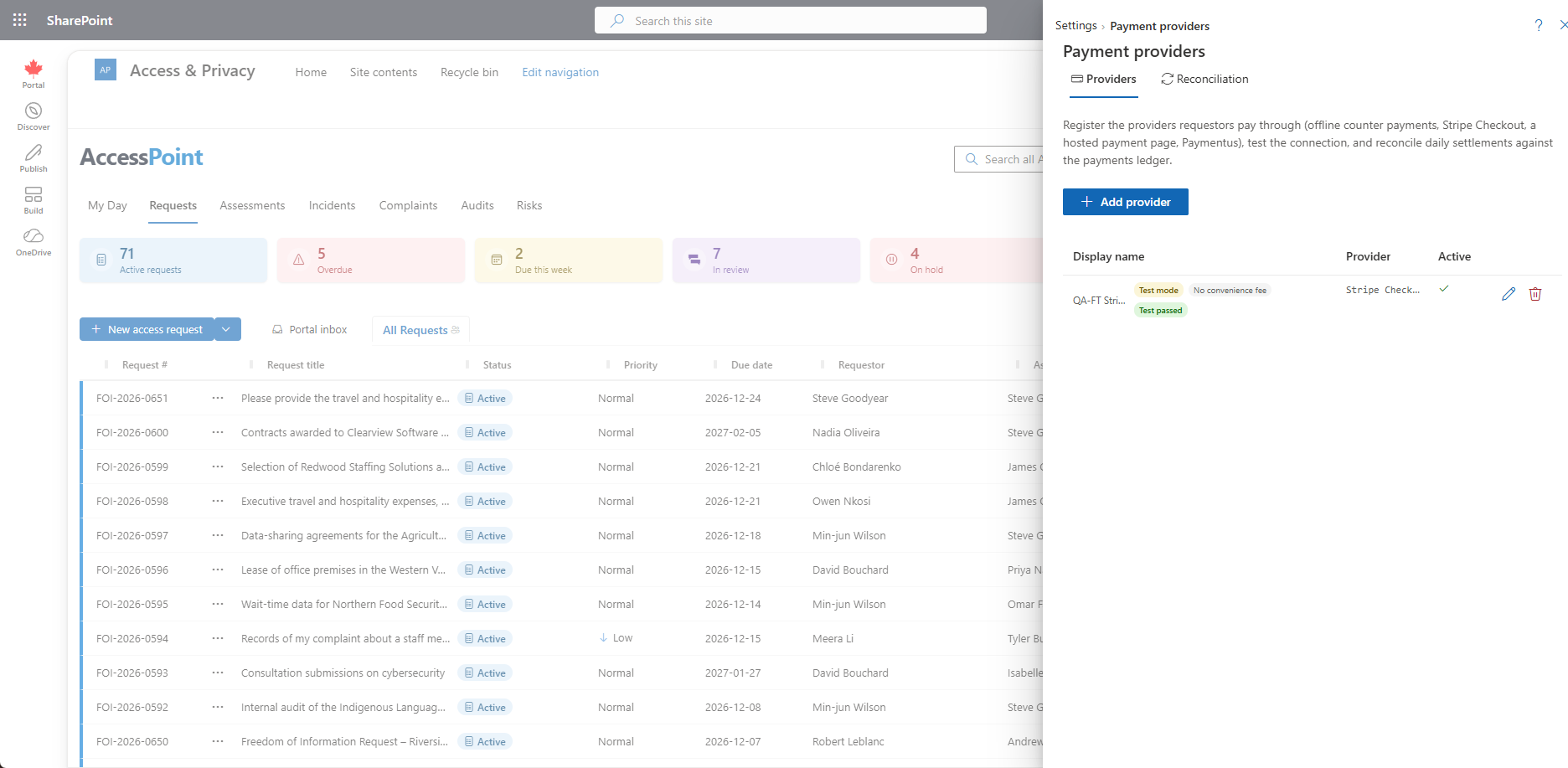
Your organization contracts with its own payment provider, and the provider receives the payment details. Stripe Checkout is the reference provider, with a full test sandbox; Paymentus is supported and set up with your Paymentus account team; and a configurable generic hosted payment page connects other processors that offer one, set up and verified with your processor. Payments taken any other way — cash, cheque, counter or bank transfer — go into the same ledger. Stripe and Paymentus are trademarks of their respective owners; AccessPoint is not affiliated with or endorsed by either company.
Sound familiar?
Three moments every office that charges fees recognizes — and what each one costs.
The cheque in the mail
The fee estimate goes out and the request goes on hold. Days later a cheque arrives at reception, travels to finance, and eventually someone tells the coordinator — who resumes the clock by hand and updates the spreadsheet.
"I paid — here's a screenshot"
The requestor paid through the organization's general online payment page. Finance sees a deposit with no request number on it. Matching the two takes an e-mail chain and a month-end spreadsheet.
The card number on a sticky note
A requestor offers to pay over the phone. Someone writes the card number down to key in later — and a process that was never designed to hold payment card data now does.
What to look for in online FOI fee payment
Whatever you buy — including if it isn't AccessPoint — these are the capabilities that separate a payment button from a fee process you can defend and reconcile.
How AccessPoint takes fees online
The fee engine you already use, the portal the requestor already has, and a provider you choose — these are the load-bearing pieces.
Pay from the status page
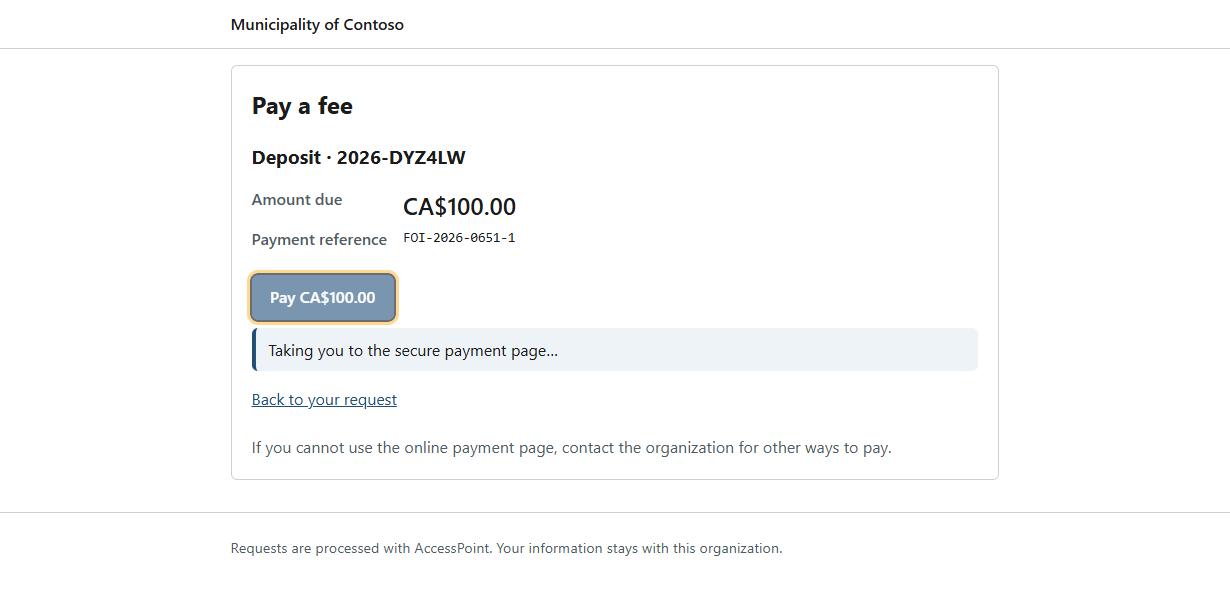
An open deposit or balance appears on the requestor's status page with a Pay button, and Send payment link e-mails the pay page directly. The requestor confirms with a one-time code, sees the amount and any convenience fee, and pays on the provider's hosted page.
Booked only on the provider's word
A payment is recorded from a signature-verified provider notification or an explicit status query — never from a browser redirect. Larger payments are confirmed by a status query even when signed, and a payment reported in another currency is refused.
Deposits and balances from the fee engine
The requestor fee category sets a prepayment threshold, a deposit percent and a waive-below amount: an issued estimate that reaches the threshold raises a deposit, finalizing raises the balance, and a fee under the minimum is waived without anyone asking.
The hold lifts itself
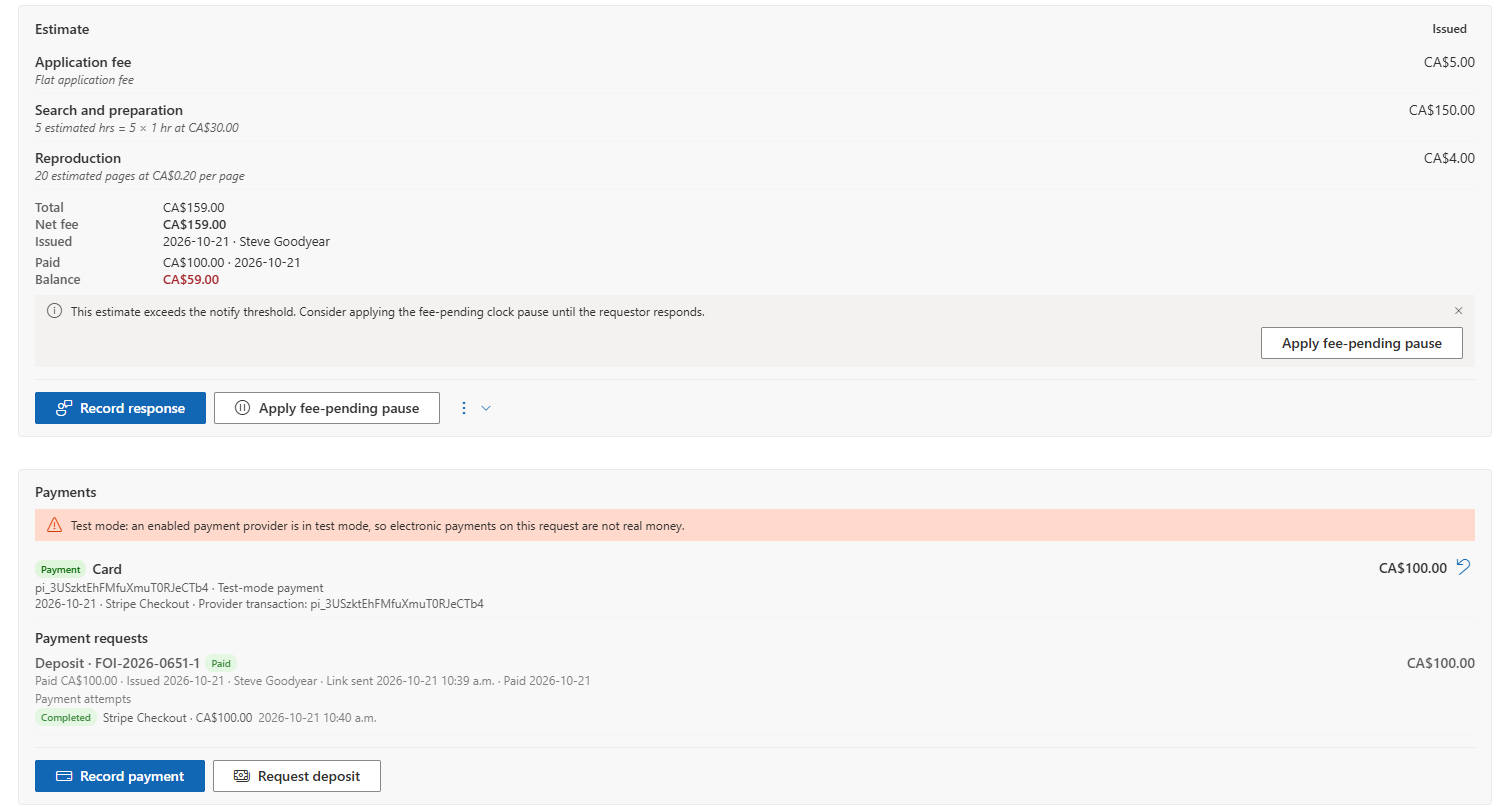
When the payments cover the open payment request, the fee-pending clock pause is lifted automatically, a receipt is e-mailed to the requestor, and their status page shows the fee as paid.
One ledger for every payment
Payments, refunds and adjustments on the request — online, or recorded as cash, cheque, counter or transfer — with method, reference, who recorded it and the provider's transaction id. A refund needs a reason and never alters the original row.
Reconciliation and Fees collected
Daily reconciliation against Stripe's balance transactions, or an imported settlement file for other providers, with every difference left for a person to resolve. Fees collected reports payments, refunds and net by month, method, provider and kind, in each request's own currency.
See it in AccessPoint
Real screens from the product, running in a Microsoft 365 tenant. Click any one to enlarge.
The structural difference
The fee, the clock and the payment are one record
Online payment in access-to-information work is often a separate step: a general payment page on the organization's website, a receipt in the finance system, and a coordinator who re-keys the amount into the request and resumes the clock by hand. In AccessPoint the payment request is raised from the request's own fee estimate, the requestor pays from the request's own status page, and the verified payment lands in the request's own fee ledger — closing the payment request, lifting the fee hold, sending the receipt and updating what the requestor sees. The pay page runs on your portal in your own Azure subscription, and the provider is one your organization contracts with directly.
From first registration to first payment
The path for an office taking fees online:
- Deploy the public portal into your Azure subscription and switch on Payments under Settings → Features.
- Register your provider under Settings → Payment providers in test mode, register the notify URL with the provider, and make one sandbox payment end to end.
- Set the prepayment threshold, deposit percent and waive-below amount on your requestor fee categories, where your jurisdiction pack does not already carry them.
- Issue the estimate: the deposit is requested, the requestor pays from the status page or the payment link, and the verified payment lifts the fee hold.
- Reconcile against the provider's settlement daily or by file, and report from Fees collected.
Go deeper
Online FOI Fee Payments Questions
Can requestors pay FOI or ATIP fees online with AccessPoint?
Does AccessPoint see or store card numbers?
Which payment providers does it work with?
When does AccessPoint mark a fee as paid?
Can a requestor pay the application fee when they submit the request?
What does online payment cost?
Flat annual pricing, published in full. Every feature in every size — access requests, privacy impact assessments, breach response, complaints, video & audio redaction, the public portal, repository connectors, and AI Assist. No per-user or per-module fees.
- Under 500 employees$2,990/yr
- 500–1,999 employees$7,990/yr
- 2,000–9,999 employees$14,990/yr
- 10,000+ employees$29,990/yr
Take the Fee Online. Let the Hold Lift Itself.
Try AccessPoint free for 30 days in your own Microsoft 365 tenant — online fee payments come with the public portal, included in every plan.