
Solutions · By capability
Complaint management that survives the commissioner's file
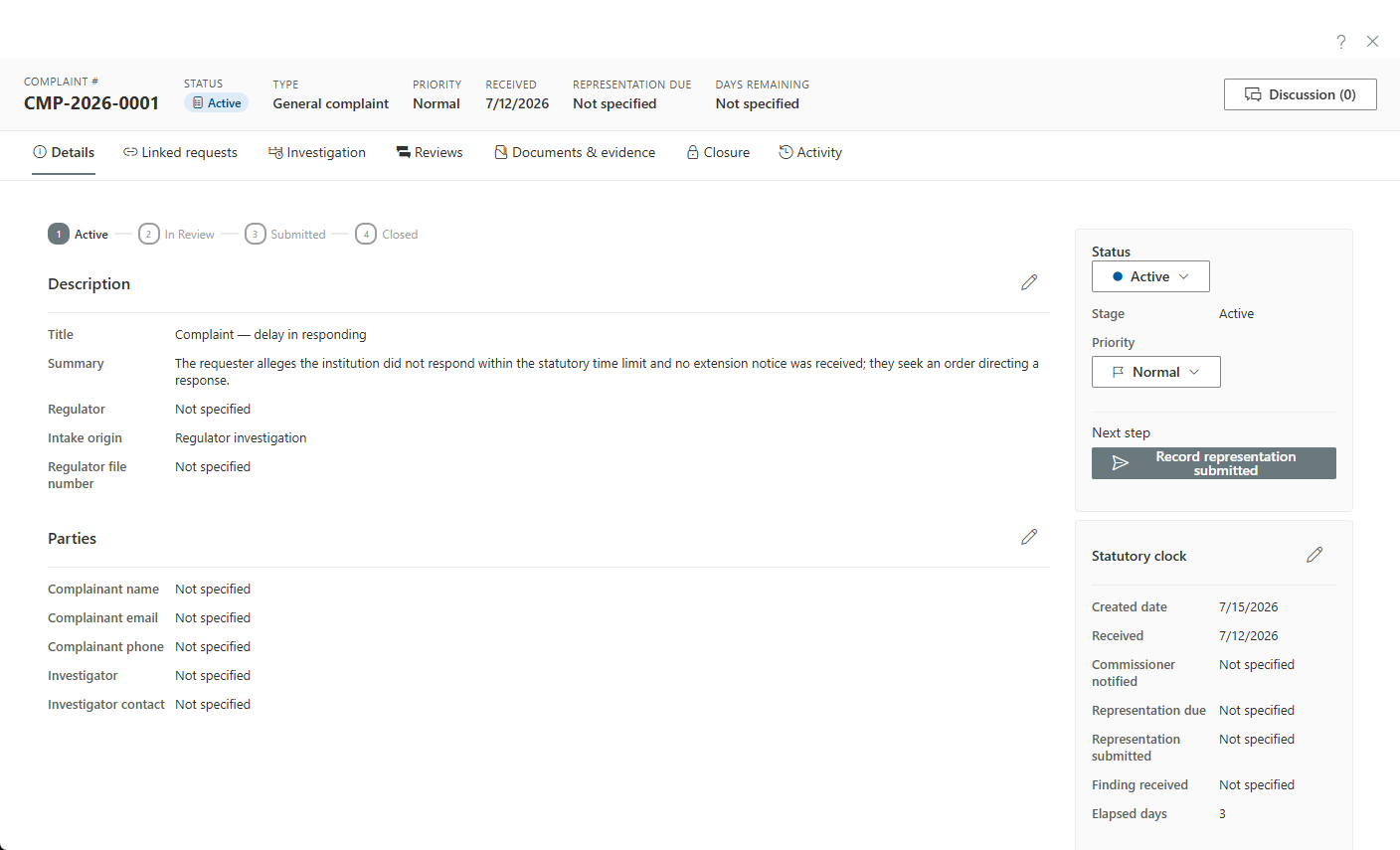
Commissioner challenges, appeals of your decisions, and complaints made directly to your institution — one kind-aware intake, each with its own statutory clocks, allegation-level findings, and a correspondence desk that stamps the record as it sends.
A privacy complaint is the one file where your institution is the respondent — the process is adversarial, the deadlines are the regulator's, and everything you write may be quoted back to you. Managing that in a general ticketing tool or a folder of Word documents means improvising exactly where discipline matters most. Complaint management software exists to give the respondent's side the same operational rigour the regulator's side already has.
AccessPoint handles the three shapes this work takes — a complaint lodged with a commissioner, an appeal of one of your access decisions, and a complaint made directly to your institution — through one kind-aware intake, each kind carrying its own statutory clocks, admissibility check, and grounds catalogue. A complaint breaks into allegations with per-allegation findings, recorded from both the institution's and the regulator's perspective; the outcome, representations, and a guided disposition covering findings, judicial review, and order compliance complete the file.
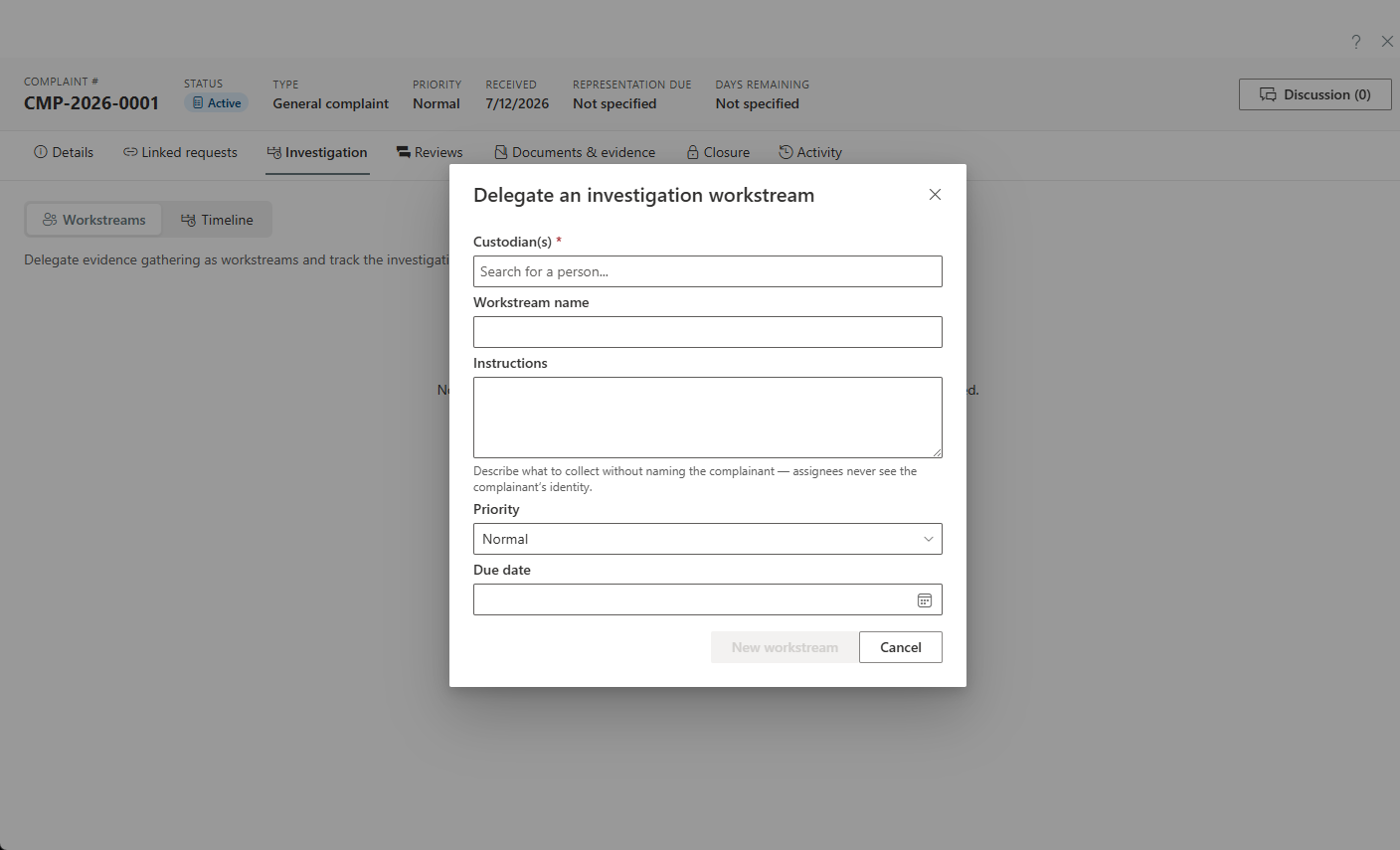
Around the case sits the machinery that keeps it defensible: evidence-gathering delegated as sanitized workstreams so investigators see only what they should, a two-lane correspondence desk that keeps complainant and regulator communications separate behind a privacy firewall — with purpose-typed letters that stamp the statutory clocks automatically — and the regulator's recommendations tracked as commitments with check-ins until they're actually done.
Sound familiar?
Being the respondent has its own failure modes — three appear in almost every office.
The regulator's deadline lives in an inbox
The commissioner's notice arrives in a shared mailbox, and the response date becomes a flag on one person's email. That person takes leave, the flag scrolls out of view — and missing the regulator's deadline becomes a finding of its own.
Five allegations, one narrative reply
The complaint raises distinct allegations; the institution answers with one long letter. No per-allegation position ever gets recorded, so when findings come down, nobody can say which points were conceded, which were contested — or why. The regulator's version becomes the record.
Recommendations accepted, then shelved
The file closes, the institution agrees to the commissioner's recommendations, and nothing tracks what happens next. Two years later the follow-up letter arrives asking for evidence of implementation — and there isn't any. The next complaint inherits the finding.
What complaint management software needs to handle
The respondent's side of a complaint has its own mechanics. These are the ones that decide whether the file holds up.
How AccessPoint runs a complaint
From intake to disposition, with the adversarial mechanics built in.
Kind-aware intake
One intake handles commissioner complaints, appeals, and direct-to-institution complaints — each with its own statutory clocks, admissibility check, and grounds catalogue. Register-from-email starts the file straight from the message.
Allegations & findings
Break the complaint into allegations and record per-allegation findings with their source — the institution's own position and the regulator's determination, side by side on the Outcome tab.
Sanitized investigation workstreams
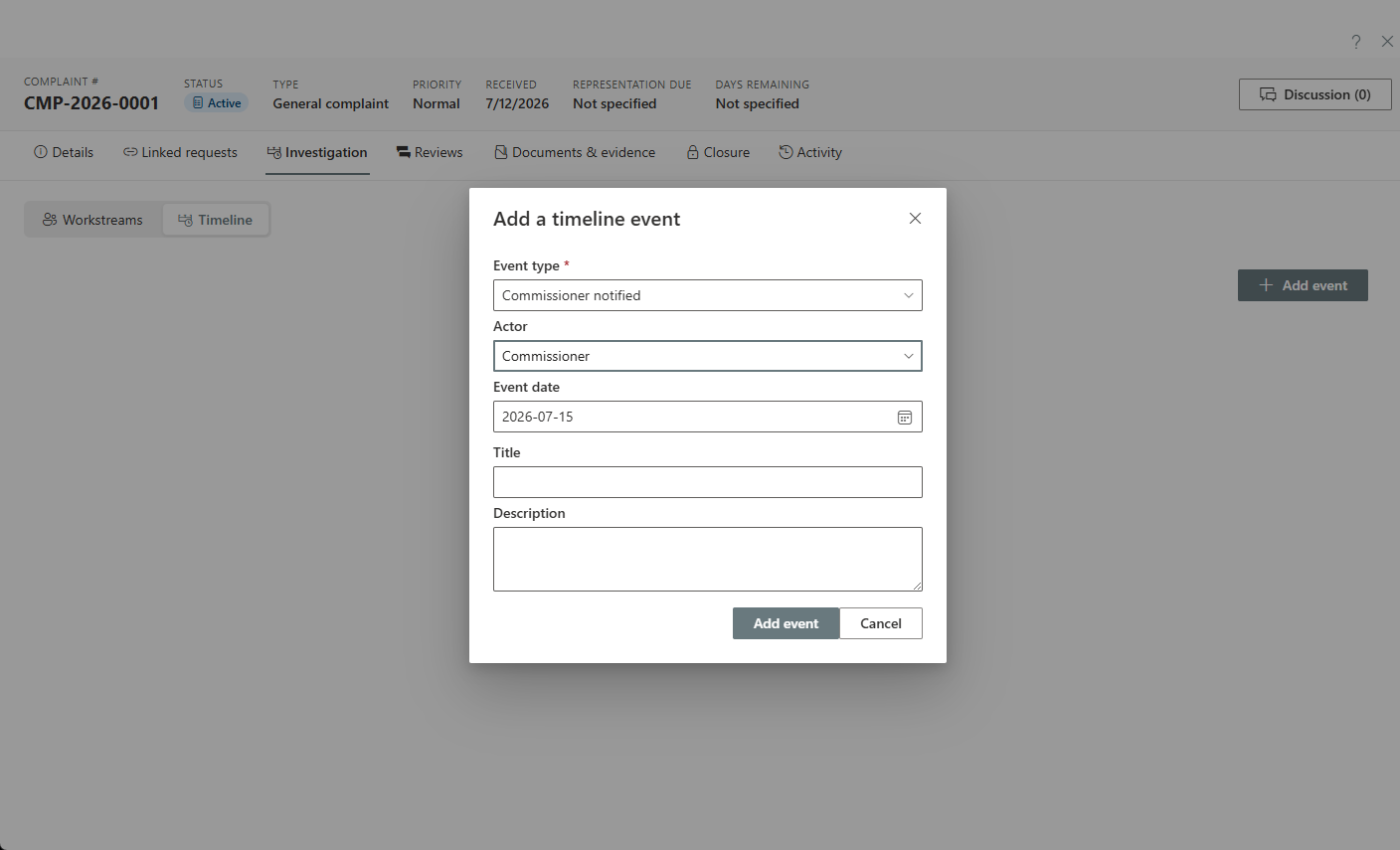
Delegate evidence-gathering as workstreams that expose only what the investigator needs, with the investigation timeline building as they work.
The two-lane correspondence desk
Complainant and regulator lanes with a privacy firewall between them; purpose-typed letters stamp the statutory clocks automatically, and templates ship in 11 languages.
Representations with sign-off
The institution's representation runs through a configurable review before it goes out — and closure is a guided disposition covering findings, judicial review, and order compliance.
Recommendations as commitments
The regulator's recommendations become tracked commitments with owners and recurring check-ins — visible in program reporting until they're complete.
See it in AccessPoint
Real screens from the product, running in a Microsoft 365 tenant. Click any one to enlarge.
The connected file
The complaint is never the whole story — the platform knows the rest
Most complaints trace back to an access decision, an incident, or a practice an assessment flagged. Because AccessPoint runs all of it, the complaint file links to the request being appealed, the incident being complained about, and the risks and commitments that follow.
Go deeper
Privacy Complaint Management Questions
What is privacy complaint management software?
Can it handle complaints made directly to our institution, not just to the commissioner?
How do allegations and findings work?
How do we keep investigators from seeing the whole complaint file?
What happens to the commissioner's recommendations after the complaint closes?
Flat annual pricing, published in full. Every feature in every size — access requests, privacy impact assessments, breach response, complaints, video & audio redaction, and AI Assist. No per-user or per-module fees.
- Under 500 employees$2,990/yr
- 500–2,000 employees$7,990/yr
- Over 2,000 employees$14,990/yr
Be the Respondent With the Better File.
Try AccessPoint free for 30 days in your own Microsoft 365 tenant — your oversight regime configured by jurisdiction pack.