
Smart glasses at work: when an employee-owned device needs a privacy impact assessment
Most privacy impact assessments start with something the organization buys. AI glasses bought for personal use and worn to a site visit start nothing at all. What the law actually triggers on, the records those devices create, five questions to ask, and how to keep a BYOD assessment from going stale.
A municipal building inspector arrives at a site visit wearing AI-powered smart glasses — a pair of Ray-Ban Meta glasses, say, or any of the camera-equipped AI glasses now sold beside them. They take photos, dictate notes, and ask the assistant to summarize the inspection afterwards. Hands-free, convenient, and a real time saver.
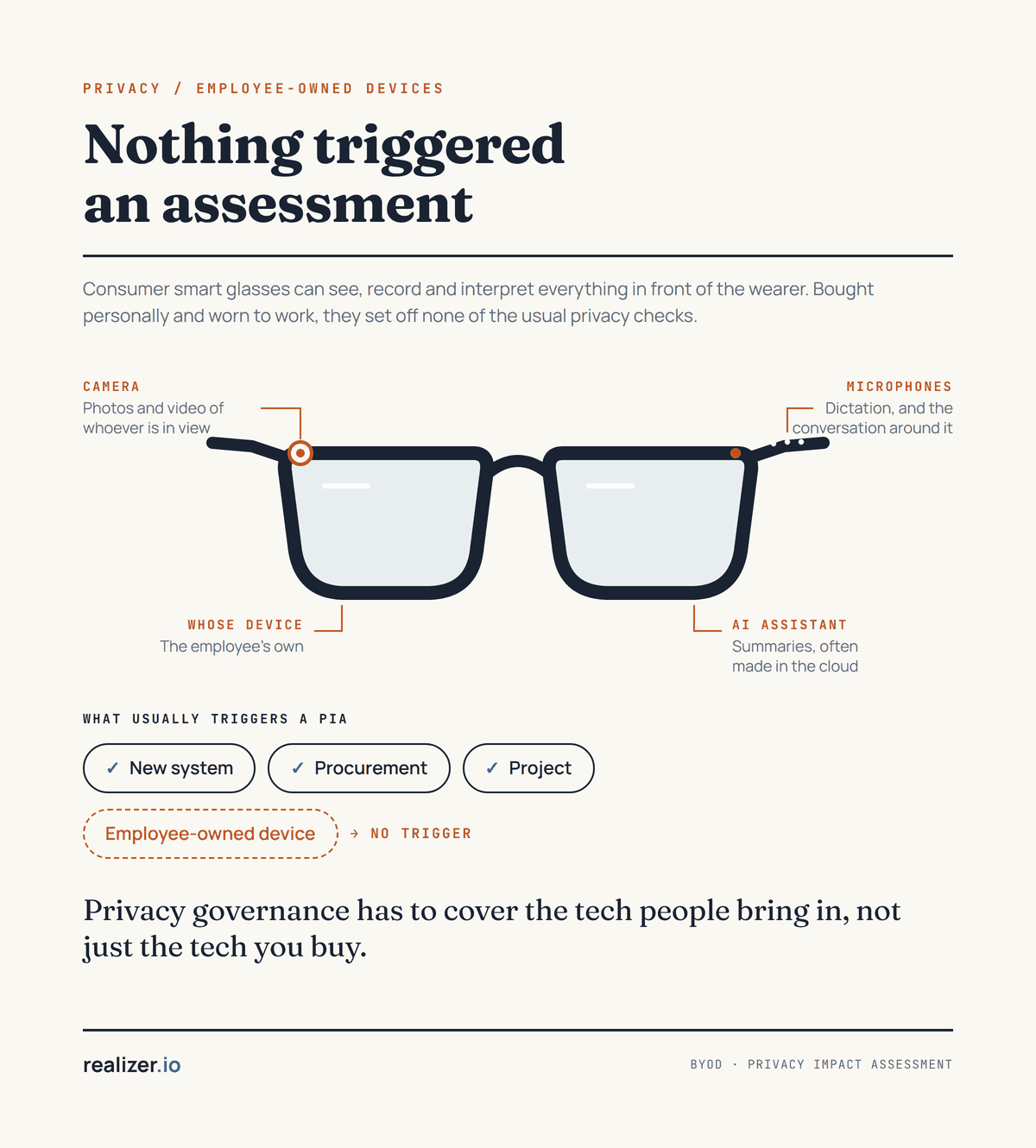
Now think about what else the glasses capture: the residents, the neighbours, conversations that weren't meant to be recorded, and personal information inside someone's home. Then ask where it all goes. Nobody approved any of this. The organization didn't buy the device, no AI project was launched, and nothing triggered an assessment.
Why nothing triggered an assessment
In most organizations the privacy impact assessment is wired to intake points the organization controls: a procurement, a new system, a project charter, a change request. Those are the moments when someone fills in a form, and the form asks whether personal information is involved. A personal device bypasses every one of them. It is bought with the employee's own money, set up with the employee's own account, updated by its maker on the maker's schedule, and it arrives at work already switched on.
Many organizations did assess bring-your-own-device once, usually for phones and laptops, and usually around email, device management and lost devices. That assessment described the devices of its day. Nothing in it fires when the same kind of device gains a camera at eye level, a microphone listening for a wake word, or an assistant that sends what it sees to a cloud service to interpret. The assessment is still on file; it just no longer describes what is happening.
We've been here before, almost
Camera glasses are not new to privacy regulators. In June 2013, Canada's Privacy Commissioner and 36 of her provincial and international counterparts wrote to Google about Google Glass, asking how it would deal with "the surreptitious collection of information about other individuals" and whether Google had "undertaken any privacy risk assessment the outcomes of which it would be willing to share." The Office of the Privacy Commissioner's research report on wearable computing, published the following January, named the harder problem: "User privacy is one issue but the privacy of those around the user is another, and perhaps more vexing, problem." It added that federal departments using wearable devices to collect personal information would need to "undertake Privacy Impact Assessments (PIAs)." In 2021, Ireland's Data Protection Commission and Italy's Garante questioned whether the "very small indicator light" on the first Ray-Ban Stories glasses was "an effective means of giving notice."
What has changed is the assistant. Smartwatches and voice assistants have been on wrists and in pockets for years, but they listen and respond. AI glasses see, record and interpret. During a live AI session, in Meta's own words, "Meta AI can see what you see continuously." Meta's voice privacy notice says transcripts and audio recordings of voice interactions, including "any background sound," "are stored by default to help improve Meta's products" for up to a year, and that Meta uses "machine learning and trained reviewers" to process them. In April 2025 Meta told owners, in the United States at least, that "Meta AI with camera use is always enabled on your glasses unless you turn off 'Hey Meta,'" and removed the option to turn off voice-recording storage, as The Verge reported. And in October 2024, two Harvard students showed that Ray-Ban Meta glasses paired with a face-search service could go "from face, to name, to phone number, and home address."
The indicator light, the one safeguard bystanders have, is weaker than it looks. Hamburg's data protection authority tested Ray-Ban Meta glasses in September 2026 and found that while the wearer uses Meta AI, the outward-facing light "glows very dimly" on the first generation and "does not glow at all" on the second, so that "people in the frame often cannot recognize that they are being recorded." France's CNIL said in May 2026 that recording lights "appear insufficient, and are even absent for certain uses." In June 2026 the G7 data protection authorities, Canada's among them, flagged "the covert collection of individuals' images and voices without their knowledge." Meta's own privacy page tells owners to "turn off your glasses in sensitive spaces like the doctor's office, locker room, or school."
Nor is the category niche any more. EssilorLuxottica, which makes Ray-Ban Meta and Oakley Meta glasses, said it sold more than seven million AI glasses in 2025. Google has announced Android XR glasses with Warby Parker and Gentle Monster, and Snap has announced its own. Some of them will be on your staff's faces before anyone in the privacy office hears about it.
The personal-use exemption stops at work
Privacy law generally leaves people alone when they record for themselves. The OPC's wearables report pointed out that PIPEDA does not apply to information an individual collects "for personal or domestic purposes," and the UK Information Commissioner wrote in September 2026 that data protection law "does not apply when people use personal data only for their own personal or household activities." The inspector is not doing that. Ontario's MFIPPA writes its collection rule around anyone who collects personal information "on behalf of an institution." New Zealand's Privacy Commissioner put it most directly in August 2026: "If employees of an organisation use smart glasses to collect personal information for their work then the organisation is responsible under the Privacy Act."
Regulators already expect an assessment when an organization gives its own staff a camera. The federal, provincial and territorial commissioners' 2015 guidance on body-worn cameras for law enforcement notes that a body-worn camera "can include glasses or helmets," recommends that "a Privacy Impact Assessment (PIA) should be completed prior to the use of BWCs," and says that recording inside private dwellings "brings up special considerations, such as the higher likelihood that individuals will be recorded in highly personal situations." The UK Information Commissioner's guidance is that body-worn video "requires you to undertake a DPIA," with "further justification" needed to record in private dwellings. The inspector's glasses do what a body-worn camera does, inside the same kind of home. The difference is who paid for them.
What the law actually triggers on
Here is the useful part. In most regimes the legal trigger for a privacy impact assessment is not a purchase at all. It is the collection of personal information, a program or activity that uses it, a change to how that program works, or a type of processing. None of them asks who paid for the device.
| Regime | What triggers the assessment | Why a personal device can fall inside it |
|---|---|---|
| Canada, federal institutions | The Standard on Privacy Impact Assessment (Appendix C of the Directive on Privacy Practices, in effect since October 9, 2024): before a new program or activity that involves personal information for an administrative purpose, and when substantial modifications are made to an existing one, "including through … the use of any new or modified information technology or other process." | A new way of capturing information inside an existing program can be exactly that: a new information technology or process. The Policy on Privacy Protection counts "any activities conducted as part of the administration of the program or activity" as part of it. |
| Ontario, provincial institutions | FIPPA section 38(3), since July 1, 2025: "before collecting personal information," a written assessment. | The trigger is the collection itself, whatever does the collecting. |
| Ontario municipalities | MFIPPA section 28(3), the same duty, from January 1, 2027. Until then there is no statutory PIA requirement, but section 28(2) already limits collection to what is authorized or "necessary to the proper administration of a lawfully authorized activity." | From 2027 the inspector's scenario sits squarely under a collection trigger; today, the collection rule still applies to whatever the glasses capture. |
| British Columbia | FOIPPA section 69(5.3) and the minister's 2021 directions: a PIA on every new initiative, and before a significant change to an existing one. An initiative is "an enactment, system, project, program, or activity." Municipalities are public bodies. | A new capture-and-AI tool used on inspections can be a significant change to the inspection program. |
| Alberta | POPA section 26 and section 7 of the Ministerial Regulation, since June 11, 2025: a new, or a substantial change to an existing, "administrative practice, program, project or service" involving personal information, where significant harm is possible or a submission factor applies. Municipalities are public bodies. | One of the submission factors is "the development or use of innovative technology," which also sends the assessment to the Commissioner. |
| European Union (GDPR) | Article 35(1): a type of processing, "in particular using new technologies," that is likely to result in a high risk. The European guidelines (WP248 rev.01, endorsed by the EDPB) list nine criteria and say two will usually require a DPIA. | The criteria include systematic monitoring, data about "household and private activities," employees as potentially vulnerable data subjects, and innovative use, where the guidelines add that "certain 'Internet of Things' applications" require a DPIA. |
| United Kingdom | UK GDPR Article 35(1) and the ICO's list of processing that requires a DPIA: "innovative technology," combined with any criterion from the European guidelines. The ICO notes this guidance is under review after the Data (Use and Access) Act. | The ICO's own examples of innovative technology include "smart technologies (including wearables)." |
| US federal agencies | E-Government Act section 208: before "developing or procuring information technology" that collects identifiable information, or initiating a new collection; OMB guidance adds new uses of an existing system. | The contrast. This trigger is written around systems an agency develops or procures, so an employee's own device may sit outside it — which is where the agency's own policy has to do the work. |
So the question is about the program, not the purchase: did the way it collects or handles personal information change? Whether a particular use crosses your regime's line is a decision for your privacy office and legal counsel. This guide is general information, not legal advice. But "we didn't buy it" is not, on its own, an answer any of these regimes accepts.
The records you now hold
There is an access-to-information side too, and it is easy to miss. Access law follows the record, not the device. The Supreme Court of Canada, in Canada (Information Commissioner) v. Canada (Minister of National Defence), 2011 SCC 25, adopted a two-question test for a record an institution doesn't physically hold: do its contents relate to a departmental matter, and could the institution reasonably expect to obtain a copy on request? If both answers are yes, the record is under the institution's control.
Regulators and courts have applied the same idea to personal accounts. Ontario's Information and Privacy Commissioner says records about an institution's business are subject to FIPPA and MFIPPA "even if they are created, sent or received through instant messaging tools, or non-institutional email accounts," and in Order MO-3281 found email a councillor sent from a personal account to be under the city's control. The IPC tells institutions to inform staff that business communications are subject to disclosure and retention requirements "regardless of the tool, account or device used." California's Supreme Court held in City of San Jose v. Superior Court (2017) that a city employee's writings about public business are not excluded from the Public Records Act "simply because they have been sent, received, or stored in a personal account." The US Court of Appeals for the D.C. Circuit said in Competitive Enterprise Institute v. OSTP (2016) that records "do not lose their agency character just because the official who possesses them takes them out the door." The UK Information Commissioner says business information held in private accounts "is very likely to be held" on the authority's behalf. And for the nearest US federal equivalent, non-official electronic messaging accounts, 44 U.S.C. § 2911 requires the record to be copied or forwarded to an official account within 20 days.
Apply that to the inspector. The photos, the dictated notes and the AI summary relate to the inspection, and the municipality could reasonably expect to get a copy. They are likely records under its control, wherever they sit: on the glasses, in the companion app, or in the maker's cloud. That means they fall under the retention schedule, they have to be found when an access request reaches them, and a resident who asks for their own personal information may be entitled to them. The maker keeps its own clock, too: Meta's help pages say photos and videos sent to its cloud for processing are "temporarily stored in the cloud for 30 days before being automatically deleted," and its voice notice keeps voice recordings for up to a year. Neither is your retention schedule. A search protocol that covers the records system and email, but not the inspector's glasses account, will miss them. The companion guide on what a reasonable FOI search should include covers asking custodians about personal accounts and devices.
Five questions to ask about any personal device
That doesn't mean a full PIA for every gadget. It means a way to notice when a personal device changes how information is handled at work, and a few questions to answer when it does. Ask them of the device's use in a particular program, not of the device in the abstract: the same glasses raise different questions on a building inspection than at a desk.
- Is it capturing personal or confidential information? Faces, voices, the inside of a home, a screen, a document on a desk — and the people nearby who never agreed to be part of the record.
- Where is that data stored or processed? On the device, in the companion app on a phone, or in the maker's cloud; in which country; who at the maker can reach it; and for how long it is kept.
- Are recordings sent to an external AI service? Whether the assistant is on by default, whether it interprets images and speech on the device or in the cloud, whether what it receives is used to improve the maker's products, and whether any of that can be switched off for work use.
- Do our BYOD and acceptable use policies cover these capabilities at all? A policy written for phones and laptops may say nothing about a camera that is always at eye level, recording inside a private home, or an assistant that summarizes a conversation.
- Does this warrant a new or updated assessment? Test it against your own regime's trigger. A new way of collecting personal information inside an existing program is a change to that program. Write the answer down either way, including when the answer is no.
What a BYOD or acceptable use policy should say
The questions above find the gap; the policy closes it for the next device as well as this one. Canada's federal, Alberta and British Columbia commissioners advised in 2015 that a bring-your-own-device program should start with "a Privacy Impact Assessment (PIA) and Threat Risk Assessment (TRA)," and that its policy should cover access requests. That guidance was written for private-sector organizations, but the reasoning carries straight over. Some public bodies have already drawn hard lines: National Defence and the Canadian Armed Forces said in July 2026 that AI glasses and similar smart eyewear "are strictly forbidden in all Operations Zones, Security Zones, and High Security Zones," and New York State's court system, Philadelphia's courts, and the courts and tribunals of England and Wales banned smart glasses from their buildings in 2026. Most organizations need something between a ban and nothing. A policy that covers AI wearables usually needs to:
- Name capabilities, not brands. Cameras, microphones that are always on or listening for a wake word, and assistants that process what they see or hear off the device. A list of products is out of date within a year; a list of capabilities is not.
- Say where capture is not allowed, or needs approval or notice first. Inside private dwellings, in interviews and hearings, in meetings, around children, in secure areas, and wherever the people present would not expect to be recorded.
- Put work records in work systems. Photos, notes and summaries made for work belong in the records system, promptly, and are removed from the device and the maker's cloud on the retention schedule's terms.
- Decide about the cloud assistant. Whether a consumer AI assistant may be used on work information at all and, if it may, which settings have to be set first.
- Cover search and access. Staff who use a personal device for work agree to search it, and the maker's cloud account, when an access request may reach it.
- Cover loss and theft. A lost device with work information on it is a privacy incident, reported the same way as any other.
- Carry its own review trigger. The policy is reviewed when a new kind of capability appears in the devices staff carry, not only on its anniversary.
Keeping the assessment from going stale
The hard part isn't the technology. It is that staff can bring new capabilities into existing processes before anyone has looked at the impact, and that nothing tells the privacy office when an old BYOD assessment has stopped describing reality. A few habits fix most of that:
- Re-screen on capability, not purchase. Treat a new capability in the devices staff carry — a camera, an always-listening microphone, a cloud assistant — as the event that reopens the BYOD assessment.
- Give the assessment a next-review date, and keep it short. A BYOD assessment reviewed every year is a living document; one reviewed never is a historical one.
- Ask, as well as audit. Once a year, ask managers one question: which personal devices with a camera, a microphone or an AI assistant are being used for work in your area?
- Watch the makers' terms. A device maker can change what it keeps and where it processes it with a privacy-policy update, and the device on the employee's face changes with it.
- Record the screened-out decisions. "We looked at this and a full assessment wasn't needed, because…" is a defensible position. Silence isn't.
How AccessPoint helps
AccessPoint runs privacy impact assessments inside your own Microsoft 365 tenant, on templates your office configures. None of it makes the device question go away; it makes sure the question gets asked, answered and revisited.
A screener question that fires
Add a question to your template's preliminary screener — does this involve a device staff own, with a camera, a microphone or an AI assistant? — and every initiative answers it, with the determination stored even when no full assessment follows.
BYOD as a privacy subject
Record employee-owned devices as a subject with its owner, its categories of personal information and a next-review date, so the assessment behind it has a date to go stale on.
Re-assess, don't overwrite
An approved assessment is read-only. When the devices gain a capability, Re-assess starts a new assessment on the same subject, and the history stays.
AI assistants in the register
Where a device's assistant handles work information, list it as an AI system. Its approval is derived from an assessment in effect, and it falls out of approval when that assessment lapses.
Searches that reach the device
Collection tasks go to custodians, and the attestation template each one signs can name the personal devices and accounts used for work.
In your tenant
Assessments, subjects, registers and attestations stay in your own Microsoft 365 and Azure tenant, beside the access requests they support.
See a PIA run end to end in AccessPoint Book a 30-minute demo
Last reviewed: September 2026.
Sources
What triggers an assessment
- Directive on Privacy Practices, Appendix C: Standard on Privacy Impact Assessment (in effect October 9, 2024) and the Policy on Privacy Protection, Appendix A — Treasury Board of Canada Secretariat.
- Freedom of Information and Protection of Privacy Act, R.S.O. 1990, c. F.31, section 38(3) and Municipal Freedom of Information and Protection of Privacy Act, R.S.O. 1990, c. M.56, section 28 — Ontario e-Laws; Plan to Protect Ontario Act (Budget Measures), 2026, S.O. 2026, c. 2, Schedule 11.
- Frequently asked questions: Schedule 2 of Bill 194 (FIPPA amendments) — Information and Privacy Commissioner of Ontario.
- Freedom of Information and Protection of Privacy Act, R.S.B.C. 1996, c. 165, section 69 (current to September 15, 2026) and the directions to heads of public bodies that are not ministries on conducting privacy impact assessments (November 26, 2021) — Government of British Columbia.
- Protection of Privacy Act, S.A. 2024, c. P-28.5, section 26 and the Protection of Privacy (Ministerial) Regulation, Alta. Reg. 143/2025, section 7 — Alberta King's Printer.
- Regulation (EU) 2016/679 (General Data Protection Regulation), Article 35; Article 29 Working Party, Guidelines on Data Protection Impact Assessment, WP248 rev.01 (October 4, 2017), endorsed by the European Data Protection Board in Endorsement 1/2018.
- When do we need to do a DPIA? and Examples of processing likely to result in high risk — Information Commissioner's Office (under review after the Data (Use and Access) Act; accessed September 2026).
- E-Government Act of 2002, Pub. L. 107-347, section 208 — govinfo.gov; OMB Memorandum M-03-22 (September 26, 2003).
Records on personal devices and accounts
- Canada (Information Commissioner) v. Canada (Minister of National Defence), 2011 SCC 25, paragraph 50 — Supreme Court of Canada.
- Instant Messaging and Personal Email Accounts: Meeting Your Access and Privacy Obligations (June 2016) and Order MO-3281 — Information and Privacy Commissioner of Ontario.
- City of San Jose v. Superior Court, S218066 (Cal. March 2, 2017) — Supreme Court of California.
- Competitive Enterprise Institute v. Office of Science and Technology Policy, No. 15-5128 (D.C. Cir. July 5, 2016); 44 U.S.C. § 2911 — govinfo.gov.
- Official information held in non-corporate communications channels — Information Commissioner's Office.
Smart glasses, wearables and body-worn cameras
- Data protection authorities urge Google to address Google Glass concerns (June 18, 2013) — Government of Canada news archive.
- Wearable Computing: Challenges and opportunities for privacy protection (January 2014) — Office of the Privacy Commissioner of Canada.
- Guidance for the use of body-worn cameras by law enforcement authorities (February 2015) — Office of the Privacy Commissioner of Canada, with provincial and territorial counterparts; Body worn video — Information Commissioner's Office.
- Is a Bring Your Own Device (BYOD) Program the Right Choice for Your Organization? (August 2015) — Offices of the Privacy Commissioners of Canada, Alberta and British Columbia.
- Data Protection Commission statement concerning Facebook View (glasses) (September 17, 2021) — Data Protection Commission, Ireland.
- AI Glasses Voice Privacy Notice, Privacy settings for Meta AI glasses, cloud media help page, and the live AI announcement (December 16, 2024) — Meta (accessed September 2026).
- Meta tightens privacy policy around Ray-Ban glasses to boost AI training (April 30, 2025) — The Verge.
- Someone put facial recognition tech onto Meta's smart glasses to instantly dox strangers (October 2, 2024) — 404 Media.
- Ray-Ban Meta AI Glasses: technical and data protection review (September 10, 2026; in German, with an English report) — Hamburg Commissioner for Data Protection and Freedom of Information.
- Smart glasses: the CNIL calls for vigilance (May 11, 2026) — Commission nationale de l'informatique et des libertés, France.
- Communiqué: G7 Data Protection and Privacy Authorities Roundtable (Paris, June 25–26, 2026) — published by the Office of the Privacy Commissioner of Canada.
- Enabling technology for good: smart glasses, privacy and a broader challenge for public trust (September 17, 2026) — Information Commissioner's Office.
- Privacy Commissioner sets expectations about smart glasses (August 28, 2026) — Privacy Commissioner, New Zealand.
- Artificial Intelligence (AI) glasses: Important policy update (July 6, 2026) — National Defence, The Maple Leaf.
- Court bans: New York State Unified Court System (Spectrum News, July 16, 2026); Philadelphia courts (NBC10, March 30, 2026); courts and tribunals of England and Wales (Engadget, August 11, 2026).
- Ray-Ban maker EssilorLuxottica says it more than tripled Meta AI glasses sales in 2025 (February 11, 2026) — CNBC; Android XR glasses (May 19, 2026) — Google; Snap's Specs (June 16, 2026) — TechCrunch.
Related reading on this site: running a PIA program in any jurisdiction, including the screener and the re-assessment trigger; the PIA program readiness check, which now asks about employee-owned devices; algorithmic impact assessments for AI that affects people; what a reasonable FOI search should include, personal accounts and devices among them; the regime guides for Ontario, British Columbia, Alberta, federal Canada, the GDPR and the UK; or book a demo to see a screener, a subject and a re-assessment on your own template.